Mirror Text Generator: How It Works and Best Tools
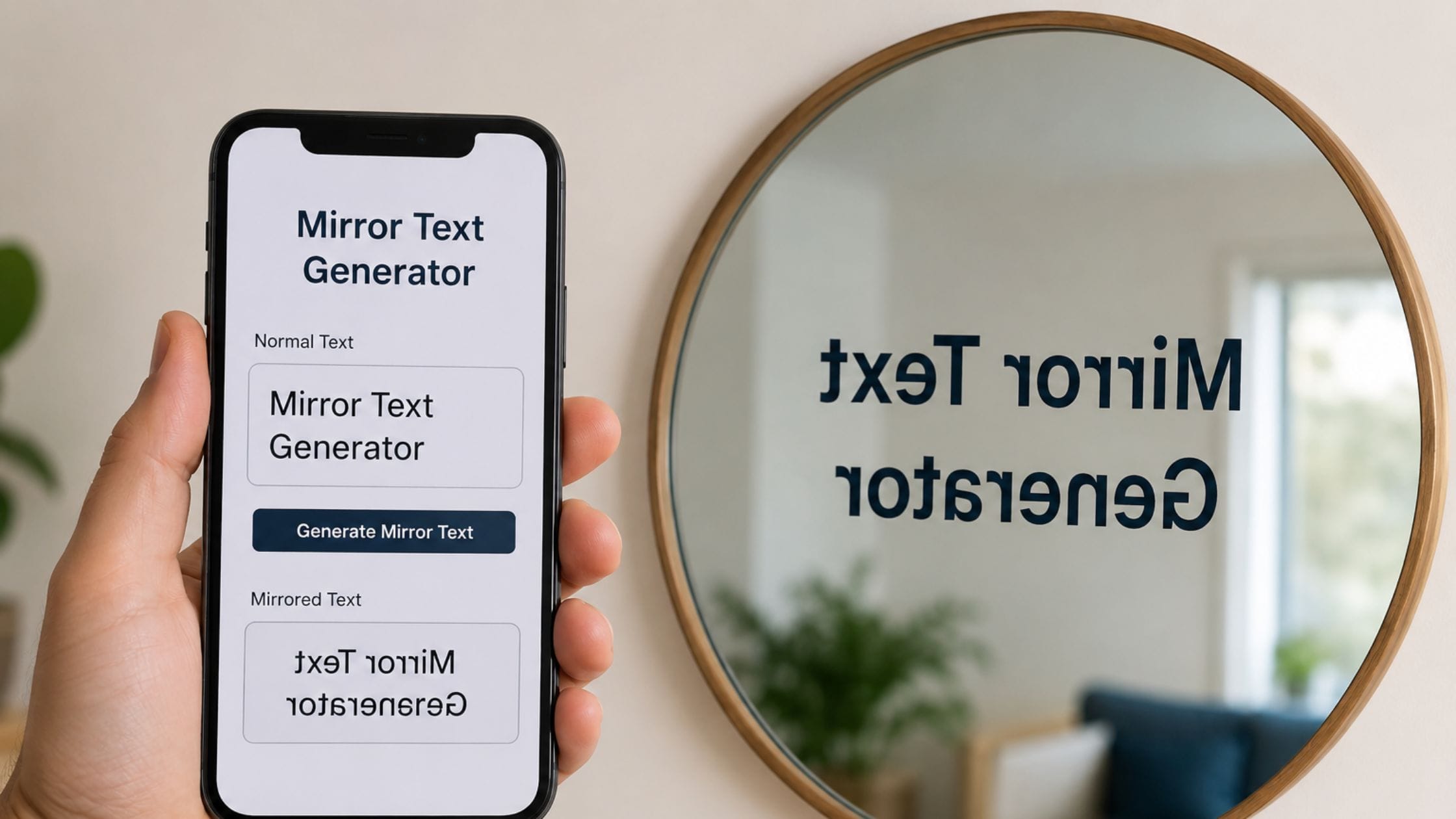
Text that reads correctly only when held up to a mirror has fascinated people since long before computers existed, most famously in Leonardo da Vinci’s notebooks. A mirror text generator brings that same effect to a screen, using Unicode characters that already look horizontally flipped rather than an image or a special font. This guide explains how mirror text actually works, compares the best free tools for making it and covers exactly where it works well and where the effect falls apart.
How a Mirror Text Generator Actually Works
A mirror text generator does two things at once: it reverses the order of the characters in your text and it swaps many of those characters for a separate Unicode character that already looks horizontally flipped. Several of the flipped letters used for this effect come from the IPA Extensions block, a range documented in the Unicode Consortium’s own official code chart that was originally built for the International Phonetic Alphabet rather than social media styling but whose letterforms happen to look like mirrored versions of standard Latin letters.
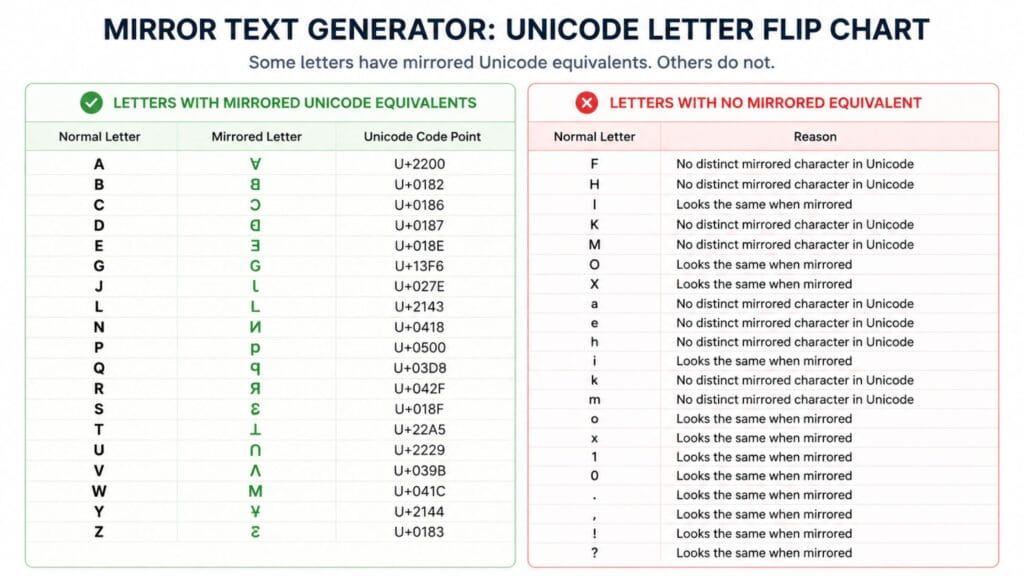
Combining the character swap with the reversed order is what makes the final result readable when actually held up to a mirror, rather than just looking like scrambled letters. A letter like b already has a natural mirror partner in d, so some letters flip cleanly, while others have no true mirrored equivalent in Unicode and simply stay in their original form.
Mirror Text vs Reversed Text
Reversed text only changes the order of the characters, so hello becomes olleh but every individual letter stays exactly the same shape. This is a simpler effect that some tools call backwards text and it does not attempt to look like a genuine mirror reflection at all.
Mirror text goes a step further by both reversing the order and swapping each character for its horizontally flipped Unicode counterpart, which is what creates the illusion of a true reflection. If your goal is text that looks correct when held up to an actual mirror, you specifically need this combined effect rather than simple character reversal.
How We Picked These Tools
This list favors tools that clearly separate mirror mode from simple reversed text, since the two effects look similar in a screenshot but behave completely differently. Each entry was judged on how many characters it successfully flips, how clearly it explains which letters have no mirrored equivalent and how fast the copy-paste process is once you have a result you like.
Quick Comparison Table
| Effect | What Changes | Reads Correctly In | Best For |
| Mirror text | Character order and shape both flip | A real mirror or flipped image | True mirror-writing effect |
| Reversed text | Only character order flips | Nothing, letters stay normal | Simple backwards novelty text |
| Upside down text | Characters rotate 180 degrees | Text turned fully upside down | Prank names and playful posts |
Best Mirror Text Generators to Try
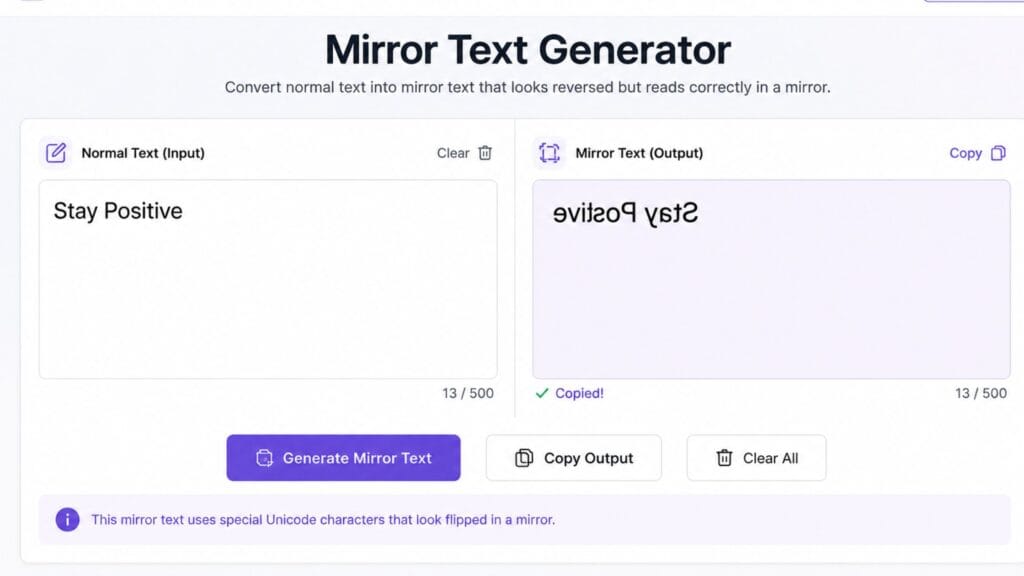
When you are looking for a tool to flip your text it is really helpful if the tool shows you a preview. This way you can see what your text will look like when it is flipped. The tool should also clearly label its mirror mode. This is different from a reverse mode. You want to make sure you are getting a flipped effect. You do not want your text to be in a scrambled order.
A good tool will also tell you which characters in your text do not have a mirrored equivalent. This is important because you do not want to be surprised later. You do not want to see a letter that’s normal, in the middle of a word that is otherwise flipped. Look for a tool that flags these characters. This way you will know what to expect when you flip your text. A tool that does all of these things is the way to confirm you are getting a true flipped effect. You will be able to see your flipped text. Know that it is correct. Flipped text is what you want. This is how you get it.
Since BratGen’s own Brat Text Generator already includes a built-in mirror text option alongside its other styling features, it is worth trying first if you are already using the site for other text or meme work, since it saves a step compared to switching to a separate standalone tool.
Where Mirror Text Works Best
Mirror text works best as a short, deliberate novelty, a bio line, a single word in a caption or a puzzle-style post that rewards the reader for figuring out how to read it. The effect loses its charm and becomes genuinely hard to read once applied to a full paragraph, since even readers who enjoy the novelty will not want to decode more than a sentence or two.
It also fits well into puzzle content, classroom activities about da Vinci’s mirror writing or design work where you literally need mirrored text for a physical transfer or reflection-based visual.
Limitations Worth Knowing Before You Use It
Not every letter has a Unicode mirror equivalent, so some characters in your result will simply stay in their normal orientation while the rest of the word flips around them, which can look inconsistent depending on which letters your text happens to contain. This is a limitation of which characters Unicode assigned mirrored forms for, not a flaw specific to any one generator.
Screen readers and search engines treat these flipped characters as distinct symbols rather than the letters they resemble, so mirror text is not reliably accessible or searchable. Keep it to decorative, optional content rather than anything that needs to be read aloud correctly or found through search.
How to Copy and Paste Mirror Text Anywhere
1. Open a mirror text generator and type or paste the word or phrase you want flipped.
2. Confirm the tool is using true mirror mode rather than simple reversed order, since the two produce very different results.
3. Check the preview for any letters that did not flip and decide whether the mixed result still looks right for your purpose.
4. Click the copy button next to the result or manually select and copy the text if no copy button is available.
5. Paste the text into your bio, caption or message using Ctrl+V on desktop or a long press and Paste on mobile.
Exploring the Rest of the Text-Styling Family
Mirror text pairs naturally with its close cousin, upside down text, which rotates characters a full 180 degrees rather than flipping them horizontally. If you want something quieter, our small font generator guide covers small caps and superscript text, while the bold text generator and cursive font generator guides cover weight and elegance and the strikethrough text generator guide covers crossing out text.
If mirror text is just one piece of a bigger caption or profile refresh, it is worth browsing the wider collection of free text and font generator tools on the same site rather than switching between several separate tools for each style.
FAQs
Is mirror text the same as reversed text?
No, reversed text only changes the order of the letters while each letter keeps its normal shape, so hello becomes olleh. Mirror text goes further by also swapping each letter for a horizontally flipped Unicode equivalent, which is what makes it readable when actually held up to a mirror.
Why do some letters not flip in a mirror text generator?
Not every letter has a Unicode character that looks like its horizontal mirror image, so a few letters in your result will stay in their normal form even though the rest of the word flips. This is a limitation of which characters Unicode assigned mirrored forms for, not a flaw in the tool itself.
Does mirror text work on every social media platform?
Mirror text works on the large majority of modern platforms, including Instagram, TikTok, X, Discord and Facebook, since they all support standard Unicode rendering. A small number of older systems occasionally fail to display specific characters correctly, so it is worth previewing before using it somewhere permanent.
Can I use mirror text for a username?
It depends on the platform. Most bio and caption fields accept mirror text without issue but many platforms restrict special characters specifically in usernames or handles, so test it in the exact field you plan to use before committing to it.
Is mirror text accessible for screen readers?
Not reliably, since screen readers often read these flipped characters as unusual symbols rather than as the letters they visually resemble. Use mirror text as a decorative novelty rather than for information that needs to be read aloud correctly.
What is the difference between mirror text and upside down text?
Mirror text flips characters horizontally, the same effect you would see reflecting text in a vertical mirror standing beside it. Upside down text rotates characters a full 180 degrees, the effect you would see flipping a page over, which uses a different set of Unicode characters entirely.
Conclusion
A mirror text generator works by taking the order of characters and reversing it and then flipping the letters horizontally using Unicode. This creates the effect that Leonardo da Vinci did by hand many years ago. Now it can be used in any bio or caption. It works best when it is short and done on purpose not when it is a paragraph. Keep in mind that not every letter has a mirrored version. So getting a mix of mirrored and normal letters is normal and not a problem.
If this guide helped you make your mirror text for a bio or a caption, share it with someone who still believes that mirror text needs an image editor. Leave a comment with the platform where it got the best reaction.