Small Font Generator: Best Tools for Tiny Text in 2026
That tiny, elegant text you keep seeing in Instagram bios and Discord names is not a special font at all. It is a small font generator doing something clever with existing Unicode characters, turning normal letters into small caps, superscript or subscript that any device can display without installing anything. This guide explains how a small font generator actually works, compares the best tools for making one and shows exactly where tiny text looks great and where it can quietly cause problems.
How a Small Font Generator Actually Works
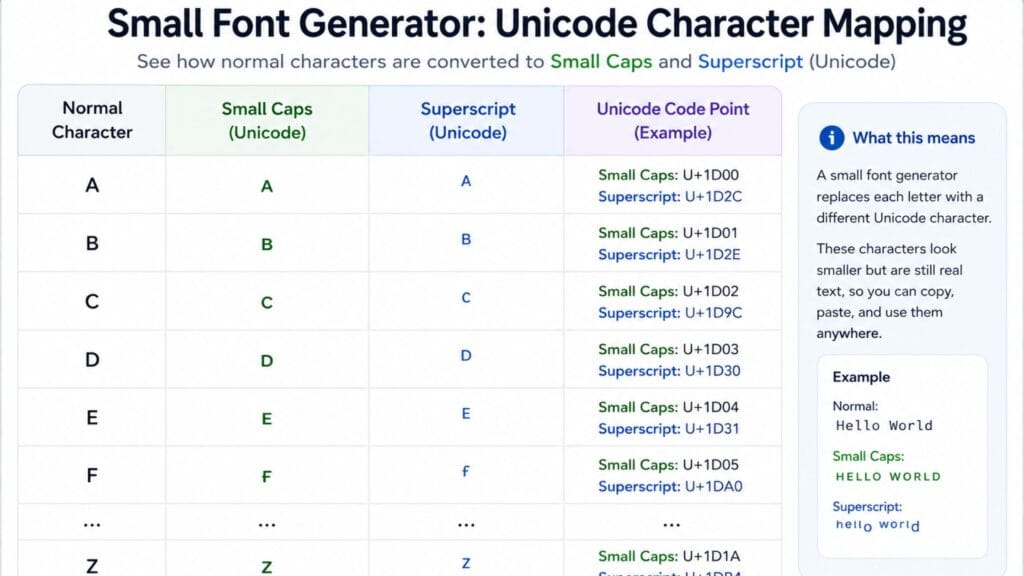
A small font generator does not shrink your text the way a font-size setting would. It swaps each letter for a different, smaller Unicode character that already exists in the standard, mainly from the Superscripts and Subscripts block and the Phonetic Extensions block. The Unicode Consortium’s own character chart lists the exact code points behind superscript letters and numbers, which is why this tiny text is genuine, standardized text rather than an image or a custom typeface.
Because the output is plain text rather than a picture, it copies, pastes and searches like any other character. That is also why a small font generator cannot shrink every possible letter. Unicode only assigned small versions of some characters, so a handful of letters have no true tiny equivalent and the generator has to substitute the closest available option or fall back to the original size.
The Three Main Small Text Styles
Small caps take every letter and replace it with a small, uppercase-shaped version, which produces the most complete and even-looking alphabet of the three styles. Because nearly every letter has a small caps equivalent, this style tends to be the most readable choice for a full sentence or a bio.
Superscript raises each character slightly above the normal line, the same effect used for exponents and footnotes in math and science writing. It has the most gaps in its alphabet, since Unicode never assigned a superscript version for every single letter, so words with an uncommon letter like q may render with one character at normal size.
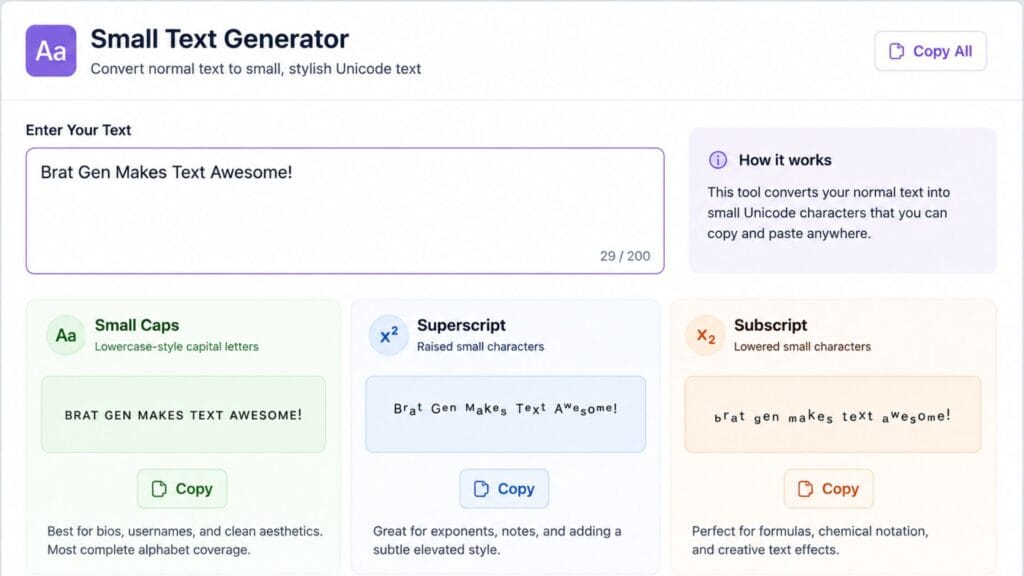
Subscript drops each character slightly below the line, the effect you see in chemical formulas like water’s H2O. It has the smallest set of assigned letters of the three styles, which makes it the least reliable option for full words but a natural fit for short technical notation.
How We Picked These Tools
Every tool on this list converts text into real Unicode characters rather than an image, since that is the only version that reliably copies and pastes across apps. Each one was judged on how many small text styles it offers beyond basic small caps, how clearly it explains which letters will not convert perfectly and how fast and simple the actual copy-paste process is on both desktop and mobile.
Quick Comparison Table
| Tool Type | Styles Offered | Best For | Cost |
| Small caps generator | Small caps only | Full sentences and bios | Free |
| Multi-style small text tool | Small caps, superscript, subscript | Comparing styles side by side | Free |
| Superscript-only generator | Superscript | Exponents, ordinals, footnotes | Free |
| Subscript-only generator | Subscript | Chemical formulas, indices | Free |
| Combined text-style suite | Small text plus bold, cursive and other styles | One-stop styling for social profiles | Free |
Best Small Font Generators to Try
A dedicated small text tool that shows small caps, superscript and subscript side by side in real time is the most useful starting point, since you can compare all three styles on the same word before deciding which one actually looks best in your bio or username field. Look for one that also explains why certain letters do not shrink, rather than leaving you to guess why a word looks inconsistent.
If you specifically need exponents or footnote-style numbers for something like a math post or a citation, a dedicated superscript generator tends to give cleaner results than a general small text tool, since it is built around that narrower alphabet. The same logic applies to subscript for chemical formulas or technical indices.
For a broader set of copy-paste text styles beyond just small text, tools like BratGen’s text generator bundle several Unicode styling options, including crossed-out and mirrored text, into one place, which is convenient if a small caps bio is only one part of a bigger profile refresh.
Where Small Text Works Best
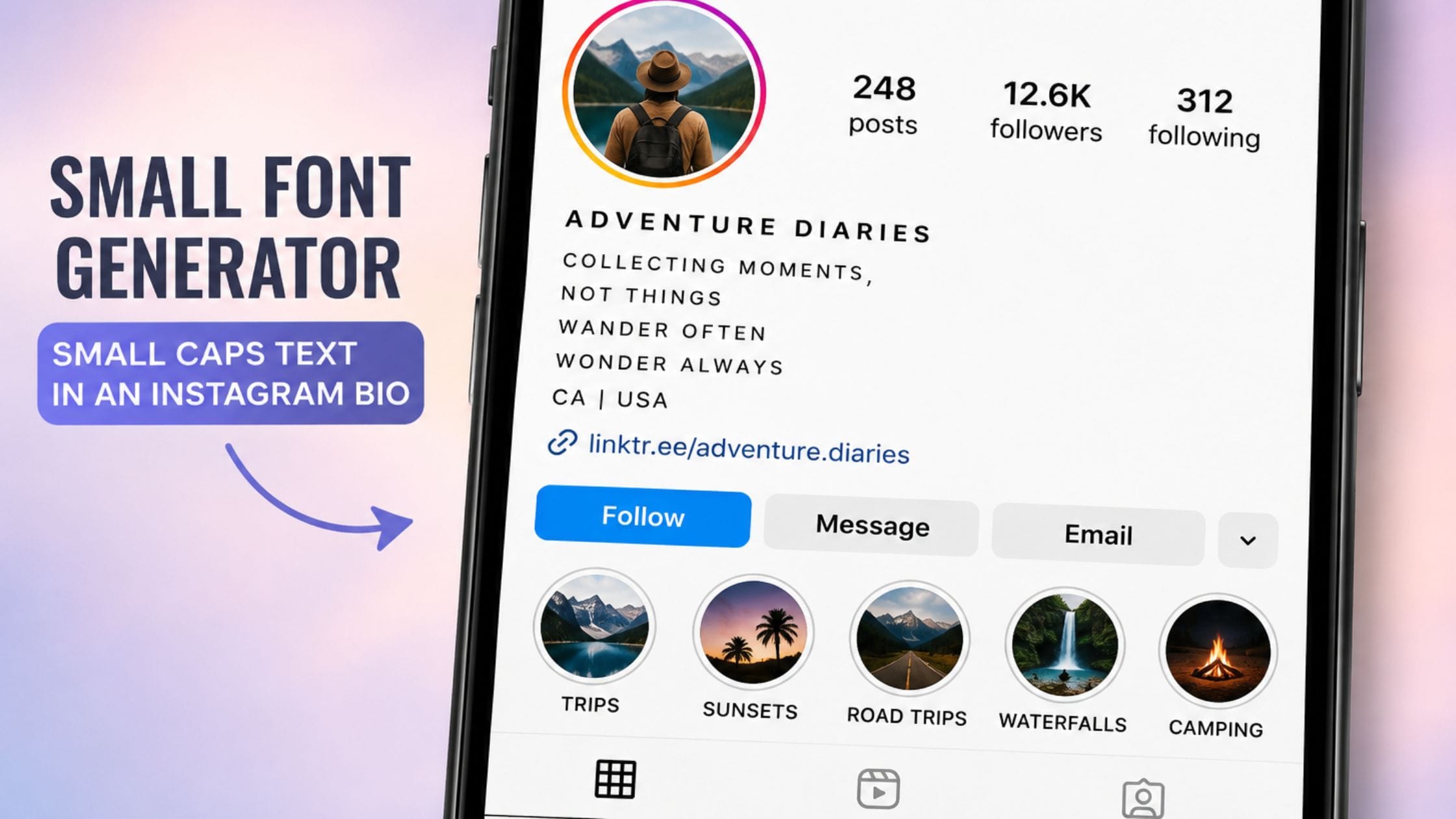
Small caps and superscript text are most effective in short bursts, an Instagram bio line, a Discord display name, a subtle aside in a caption, rather than across an entire paragraph. Used sparingly, the size contrast between tiny text and the surrounding normal text is exactly what makes it stand out on a crowded profile or feed.
It also works well for a specific kind of understated aesthetic that has become common on minimalist and moodboard-style profiles, where the small, quiet lettering fits the overall visual tone better than bold or brightly colored text would.
Small Text Limitations Worth Knowing
Screen readers often announce Unicode superscript and subscript characters by their formal names rather than reading them as normal letters, which can make small text genuinely confusing for people using assistive technology. If accessibility matters for a given post, save small text for decorative flourishes rather than essential information.
A small number of apps and older systems strip or fail to render certain Unicode ranges correctly, so it is worth previewing your small text on the actual platform you plan to use it on before committing to it in a permanent field like a username. Most major platforms, including Instagram, TikTok, Discord and X, handle small text without issues but edge cases do occasionally appear.
How to Copy and Paste Small Text Anywhere
1. Open a small text generator and type or paste the text you want converted.
2. Compare the small caps, superscript and subscript versions if the tool offers all three, since one usually reads more cleanly than the others for a given word.
3. Click the copy button next to your preferred style or manually select and copy the text if the tool does not include a copy button.
4. Paste the text into your bio, caption, username or message field using Ctrl+V on desktop or a long press and Paste on mobile.
5. Preview how it displays on the actual platform before finalizing it in a permanent field like a username or profile name.
Exploring the Rest of the Text-Styling Family
Small text is one corner of a much bigger family of copy-paste Unicode styling. If you want text that grabs more attention instead of less, our guide to the best bold text generator tools covers the opposite end of the spectrum. For something more decorative, the cursive font generator guide walks through script-style Unicode text and the strikethrough text generator guide covers crossing out text for jokes, corrections and sarcasm.
If you want a single free online text and font generator tool that covers styling beyond just small text, from bold statement graphics to full album-style covers, it is worth exploring what else is available on the same site rather than juggling several separate tools.
FAQs
Is small text a real font I can download?
No, small text generated this way is not a font file at all. It is a set of standard Unicode characters, mainly small caps, superscript and subscript, that already exist on every modern device, which is exactly why it works without installing anything.
Why do some letters not shrink when I use a small font generator?
Unicode did not assign a small version for every single letter in every style, so superscript in particular is missing a few characters like a true q. When a generator hits one of these gaps, it either substitutes the closest available character or leaves that letter at normal size.
Does small text work on every platform?
Small text works on the vast majority of modern platforms, including Instagram, TikTok, Discord, X and WhatsApp, since they all support standard Unicode. A small number of older systems or specific input fields occasionally strip unusual Unicode ranges, so it is worth previewing before using it somewhere permanent.
Is small text accessible for people using screen readers?
Not reliably. Screen readers often read superscript and subscript characters by their formal Unicode names rather than as normal letters, which can make small text confusing for visually impaired users. It is best used as a decorative accent rather than for essential information.
What is the difference between small caps and superscript?
Small caps replaces every letter with a small, uppercase-shaped character and has the most complete alphabet of the small text styles, which makes it the most readable for full words. Superscript raises characters above the line and has more gaps in its available letters, so it tends to look slightly less even across a full sentence.
Can I use small text for a username or gamer tag?
Yes, small caps and superscript are both popular choices for Discord names, game usernames and social handles specifically because they stand out from the default text size most usernames use. Just confirm the specific platform accepts Unicode characters in usernames before committing to one, since a few games restrict special characters.
Conclusion
A small font generator turns ordinary letters into genuine, standardized Unicode text rather than a custom typeface, which is exactly why it copies, pastes and displays reliably across almost every modern app. Small caps gives you the most complete and readable alphabet, superscript and subscript cover more specific technical or stylistic uses and all three work best in short, deliberate bursts rather than across a whole paragraph.
If this guide helped you find the right small text style, share it with someone still typing their bio the plain way or drop a comment with the platform you ended up using tiny text on most.