
Brat Generator – Create Charli XCX Style Text, Covers & Memes Free
Brat Generator is a free online brat text generator. It turns any word or phrase into the lime green, blurry, lowercase look of the Charli XCX Brat album cover. Type your text, pick a brat font style and color, then download a PNG ready for Instagram, TikTok, memes or profile pictures. There is no sign-up and no watermark.
What Is Brat Generator?
Brat Generator is a free brat text generator that makes images in the style of the Charli XCX album Brat released in June 2024. The original cover became famous for a flat lime green background and a single lowercase word set in a squeezed and slightly blurred sans-serif. Our tool recreates that look in your browser so you can type your own text and get a matching image in seconds.
People search for it as brat generator, bratgenerator, brat text or brat maker. All of those searches describe the same need: a fast way to make a brat style image without Photoshop or a design account. You write your text and choose a background such as brat green, white, black, pink, lilac or blue. Then you adjust the blur and download the result. Every color, effect and download size is free.
The design is drawn in your browser with an HTML canvas so the preview updates as you type. It works on phones, tablets and desktops. If you want more than one style of output, the same page also links to a brat meme generator, a brat word generator and a brat font text generator.
If you’re into customizing your online profile even further, invisible characters are another fun way to create unique usernames without visible spaces.You can also try our Fancy Text Generator to turn any username into bold, cursive, gothic, or bubble style text.For a more distorted, aesthetic look, our Glitch Text Generator turns plain text into cursed, zalgo, and glitchy styles perfect for Instagram bios, usernames, and captions.Check out Espaço Invisível, a free tool that lets you generate invisible space characters for Free Fire, Instagram, and other platforms
Brat Font and Brat Text: What Makes the Look
The brat font is not a special typeface you can download. The album cover uses a narrow sans-serif and the closest match is Arial Narrow. That is why this generator uses Arial Narrow as its default font. If you searched for brat font download, brat font copy and paste or brat font generator the practical answer is to use a generator because the style depends on more than the letters. Three things create the effect:
- Lowercase text. Brat designs are almost always lowercase. The Lowercase toggle converts whatever you type.
- A light blur. The Blur Effect slider runs from None to Max. A small amount softens the edges the way the album artwork does.
- Flat lime green. The Brat and Album presets use a green close to #8ACF00 with black text for strong contrast.
Copied text cannot carry blur or color which is why a copy and paste tool only gives you plain letters. A generator exports a finished image instead. If you want styled characters to paste into a bio or username try the fancy text generator or the brat font text generator.
How to Use Brat Generator
Brat Generator is a very simple tool and is easy to use. Those who have never used it won’t have to worry because this tool doesn’t require any technical knowledge. You’ll create any type of image you want by following our provided guidelines. Here are the guidelines you need to follow to create the best images possible.
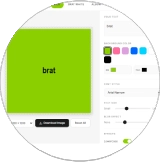
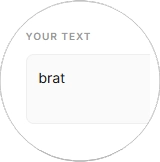
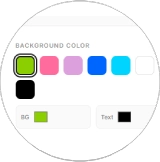
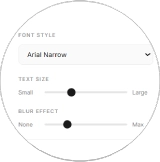
This is a 5-step formula you must follow to create the images you want. This 5-step formula won’t require any technical knowledge or experience. Those who have never created a single image can successfully create professional and eye-catching images using our provided formula. Therefore, please follow the guidelines we mentioned to achieve the best possible outcome. You’ll definitely achieve the best outcome with these simple steps.Whether you’re creating social media graphics, marketing visuals, or personal projects, having the right reference images can make a significant difference. For example, you can use a TikTok profile picture download as a reference source to gather inspiration and improve the quality of your image designs.This helps you analyze profile aesthetics, colors, and visual styles before applying the 5-step formula to create your own professional-looking images.If you are also planning to work or relocate to Italy, you can use this Italian accurate and latest salary calculator to estimate your monthly take-home pay after taxes.
Open the Brat Generator
Start by opening the brat text generator tool right here on this page.
Enter Your Text
Type your text — a word, a lyric line, or a full title — into the input field.
Pick Background Colors
Pick your font and background colors from the options. Go classic with neon green, or try something totally different.
Click on the Generate Button
The tool instantly renders your custom cover or social media graphic — it only takes seconds.
Download Image
Happy with your design? Hit the "Download image" button to save it.
After presenting a detailed overview of the Brat Generator and its usage. Next, we will explain its key features in detail. but befor the key features I would like to add here that Just as our tool makes it effortless to create eye-catching aesthetic designs and memes, we believe in supporting other creative utilities that make your digital life easier. If you are looking for a quick and fun way to merge names for your personal projects, branding, or couple goals, Explore our Name Combiner Tools. It is a fantastic, user friendly tool that perfectly complements the creative energy you bring to your projects.
We’ll now provide a detailed explanation of Brat Generator’s Key Features. Our tool is packed with powerful and endless features. People who use our product just once are drawn to it because it offers powerful and endless features. It is not our tool that makes people come back, but the key features that attract them to our website and keep them coming back.
Key Features of Brat Generator
Easy to Use
Nobody sticks with a tool that's hard to use. The interface here is clean and simple — no tutorials needed. Just type your text, pick your colors, and your image is ready.
Full Customization
You get maximum creative control without paying a cent. Adjust the font size, background, blur effects, and any color you like — nothing feels limited. Every detail is yours to tweak until the design looks exactly how you imagined it.
Real-time Preview
See every change the instant you make it. Swap colors, add text, or apply effects and watch your design come to life in real time — no waiting for previews to load, no buffering.
Multiple Colors
You're spoiled for choice: an endless palette of eye-catching colors in every shade, all completely free. Other sites charge for full color access — here you can use whatever colors you love.
High-Quality Output
Every download is sharp and high-resolution, so your design stays crisp wherever you post it — Instagram, X (formerly Twitter), Snapchat, and beyond. If it looks good in the preview, it'll look good on your feed.
Instant Results
No loading screens, no waiting around. Hit Generate and your image appears within seconds — fast enough to keep up with your ideas, so you can create a whole batch of designs in minutes.
Works in Any Browser
It runs smoothly in Chrome, Firefox, Safari, or any modern browser. Since everything happens online, it won't slow down your device or eat up memory — create while your other tabs stay open.
No Sign-Up Required
No accounts, no email addresses, no passwords. Just open the site and start creating — everything is available to you right away.
Completely Free
Every feature is free — no hidden costs, premium plans, or monthly subscriptions. Create unlimited designs without spending a penny, today and always.
Direct Social Sharing
Share your creations straight to Instagram, X (Twitter), TikTok, and more — no need to download first and upload separately. Create it, share it, done.
Multiple Effects Available
Mirror, flip, noise textures, lowercase styling — every effect is included and works right out of the box. Play around with them until your design looks exactly right; a little experimenting goes a long way.
Browser-Based Tool
There's nothing to install — it's not an app or software. Everything runs in your browser, on any device, at any time. Just open the page and start designing.
Popular Brat Styles You Can Create
Our tool lets you recreate all the popular Brat designs that went viral. Each style matches the original album aesthetic with bold colors and distorted text. Here are some favorites users love to make:
- Brat Summer—Classic green background with stretched text
- Charli—Simple and iconic style
- 360—Modern and edgy look
- Von Dutch—Bold and rebellious vibe
- Apple—Clean minimalist design
- Mean Girls—Fun and playful aesthetic.
Finding the perfect name can be challenging, whether you’re creating a fantasy character, searching for authentic Japanese names, discovering unique elf names, or looking for cute and memorable usernames. With NamesGen, writers, gamers, creators, and businesses can access a growing collection of free name generators designed to spark creativity and save time. From fantasy names and Japanese names to cute names, character names, and business ideas, users can instantly generate unlimited combinations and find inspiration for any project.
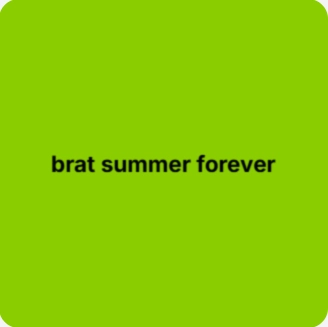
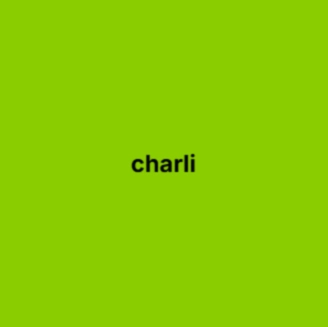
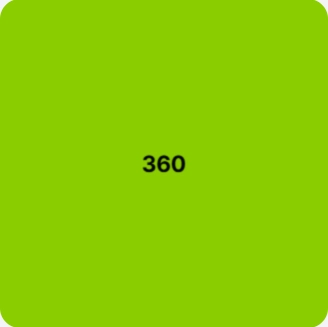
Brat Generator Color Options: Green, White, Black, Pink and Blue
Color is half of the brat look. The Background Color row has seven quick choices: brat green, hot pink, lilac, blue, cyan, white and black. Each one is a button you can tap. Two color pickers let you set any custom background or text color if the presets are not enough.
The five style presets set colors and effects in one click:
- Brat: green background with black text, a light blur and the mirror and flip effects switched on.
- Album: the same green with a light blur and no mirroring. This is the closest match to the original cover.
- Brat White: a white background with black lowercase text. This is the option to use for brat generator white text.
- Scribble: green with no blur and a scribble pattern.
- Sweat: a blue background with red Impact text in regular case.
For a brat generator black look pick the black background and switch the text color to white or green. For a pink brat generator choose hot pink and keep the text black. Black on a bright color reads best on small screens.
What You Can Make With a Brat Text Generator
The same simple design works for many uses. These are the most common ones:
- Posts and Stories. Use the 1080 x 1920 size for Instagram Stories, Reels and TikTok covers. Use the square sizes for feed posts.
- Profile pictures and highlight covers. One short word on a green square looks clean even at a small size.
- Memes. A caption in brat style is an easy format for a joke. For captioned images open the brat meme generator.
- Single-word designs. Names and moods work well. The brat word generator is built for this.
- Playlist and album art. The 2000 x 2000 size gives you enough resolution for cover art and prints.
- Captions in your own words. A short line you wrote yourself makes a good brat style image or lyric style graphic.
Why Choose Our Brat Generator
Since the Brat album launched the look has spread across timelines and group chats. People want it on posts, bios, covers, memes and playlists. A generator saves the trouble of matching the font, the green and the blur by hand. Here is what you get when you use ours:
- A one-page tool with no account, no watermark and no paid tier.
- Five style presets (Scribble, Brat, Brat White, Album and Sweat) that set the colors and effects for you.
- Separate controls for background color, text color, font, text size, blur, lowercase, mirror, flip and noise.
- Four download sizes: 800, 1200 and 2000 pixel squares plus a 1080 x 1920 vertical size for Stories and Reels.
- Real-time preview so you can see each change before you download.
It will not replace a full design suite. It is built to do one job well and quickly: make a clean brat style text image you can post right away.
Why the Brat Aesthetic Went Viral
The Brat look went viral because it is simple to copy. A solid green square and one lowercase word is something anyone can make in a minute. Fans used it to announce plans, post captions and turn jokes into memes. Brands and creators then borrowed the format for campaigns and covers.
That simplicity is also why a brat text generator is useful. The style works best when it looks a little rough but still readable. Strong contrast, short text and a light blur do most of the work. The sections below explain how to get that result and where each tool setting fits.
Global Popularity
Its connection to one of the most talked-about albums of the year gave it instant worldwide recognition — everyone wanted in on the trend.
Artistic Freedom
There are no rules here. The raw, messy aesthetic invites you to experiment and make something that's entirely yours.
Tips for Better Brat Text Designs
- Keep it short. One to five words look best. Long text shrinks and loses the bold effect.
- Use high contrast. Black on green or white on black stays readable on every screen.
- Use a small blur. A little blur gives the classic look. Heavy blur makes the text hard to read.
- Match the size to the platform. Choose 1080 x 1920 for vertical video apps and 1200 x 1200 for feed posts.
- Preview on your phone. Most people will see the image on a small screen so check it there before you post.
- Try two presets. The same text can look very different in Album and Brat White. Download the one that reads best.
Common Issues and Quick Fixes
Sometimes users face small issues while creating their designs. Here are quick solutions to help you fix common problems and get back to creating.
Preview Not Showing Your Design
Check if you typed something in the text box. Also, make sure you picked colors for both the background and text. The preview only appears when all these are set.
Text Looks Blurry or Unclear
Your text and background colors are probably too similar. Try opposite colors for contrast — dark text pops on light backgrounds, and light text looks sharp on dark ones.
Can't Download Your Image
Your browser might be blocking downloads from the site. Allow file downloads in your browser settings, or try a different browser like Chrome or Firefox.
Need a Specific Color Shade
Use the color picker to find exactly what you need. You can also paste a hex color code directly if you have one. This gives you access to millions of color options beyond the preset choices.
Image Quality Looks Low
Make sure you select the right resolution before downloading. Choose 1200×1200 for the best quality, especially if you plan to post on social media.
Effects Not Applying Properly
Refresh the page and try again. Sometimes the preview needs a moment to update. If effects still don’t work, clear your browser cache and reload the tool.
Brat Generator Alternatives
Brat Generator is a popular tool for creating Charli XCX-inspired designs, users may also want to explore other creative platforms with different fonts, templates, effects, and editing options. These Brat Generator alternatives help users create unique social media graphics, memes, album covers, logos, and custom text designs with more creative flexibility.
Here are some popular alternative tools you can try for creating unique and creative designs.
Canva
Canva is a general-purpose online design tool with templates, fonts and a drag-and-drop editor. It suits layouts that go beyond a single text graphic, although some of its features require a paid plan.
Adobe Express
Adobe Express is a powerful alternative for users who want more professional-looking designs. It provides creative templates, text effects, branding options, and quick editing tools to create attractive visuals easily.
Font Meme
Font Meme is a useful tool for creating text designs inspired by famous movies, music, and pop culture styles. It allows users to generate unique fonts and customize text graphics without complicated editing.
Kapwing
Kapwing is a helpful option for creating memes, social media content, and video graphics. It includes text overlays, templates, animations, and online editing tools that work directly in the browser.
Picsart
Picsart is a popular mobile-friendly design tool that offers filters, stickers, text effects, AI features, and creative editing options for making social media-ready graphics.
Letras Bonitas
Letras Bonitas is a simple tool for turning ordinary text into stylish, decorative lettering. You can copy and paste letras bonitas straight into your Instagram bio, TikTok captions, or profile names — a fun way to pair fancy fonts with your brat-style designs.
More Creative Tools You Can Try
These related tools give you other ways to make brat style designs. Pick one to work with memes, single words, fonts or a darker look.
Brat Font Text
Brat Font Text Generator lets you turn simple text into bold and eye catching brat style fonts within seconds.
Brat Meme Generator
Brat Meme Generator helps you create bold and funny brat style memes in just a few seconds
Brat Word Generator
Brat Word Generator helps you create unique and stylish brat inspired words instantly
Brat Generator Black
Brat Generator Black is a simple online tool that lets users create bold text images with a black background in just a few clicks. It is ideal for making social media posts, profile pictures, wallpapers, and minimalist graphics that can be downloaded instantly as high-quality PNG files.
Conclusion
If you came for a fast way to make brat text you now have it: type, pick a color, adjust the blur and download. The generator is free to use with no sign-up and no watermark. It covers the common searches such as brat generator white text, brat generator black and pink brat generator through its color and style options.
A good next step is to try the same line in two or three presets and keep the one that reads best on a phone screen. Then open the brat meme generator if you want a captioned version or the brat word generator for single-word designs.
FAQs
What is the Brat Text mirror effect?
The mirror effect of the tool will horizontally mirror your text to create a new artistic appearance.
What font does the brat generator use?
The generator uses Arial Narrow by default, the narrow sans-serif closest to the look of the Brat album cover. You can switch to Arial, Arial Black, Impact, Helvetica, Verdana, Georgia or Times New Roman from the font menu.
Is the Brat Generator really free?
Yes. There is no sign-up, no watermark and no paid tier. Every color, effect and download size is free to use.
Can I use it on my phone?
Yes. It runs in any modern mobile browser, so there is nothing to install. Type your text, pick your colors and tap Download Image to save the result.
How do I download my design?
Pick a size (800 x 800, 1200 x 1200, 2000 x 2000 or 1080 x 1920) and click Download Image. The design is saved to your device as a PNG file.
Can I make a transparent background?
Not at the moment. The generator fills the image with the background color you choose and exports a PNG. If you need a transparent version, remove the background afterwards in an image editor.
What is the Brat Redactor Generator?
The Brat Redactor generator tool will create Brat-style texts or images with a redacted or censored effect. The redacted text is similar to the blacked-out text used in confidential documents.
What are famous Brat templates examples?
Here are some famous templates of Brat:
- Classic Brat text template
- Brat confession template
- Brat mood template
- Brat self-made template
- animated brat template
Is the Brat text generator by Charli XCX?
Of course not! The Brat text generator tool is not the official product of Charli XCX. It is only a personal product that remakes the famous album cover style.
What are some of the best Brat alternative tools for text generation?
Some famous alternative text customization tools are TextGenerator. Online, StylishText, SocialTextTool, TestStylizer, and TextToolbat.
More Questions About the Brat Generator
How do I make white text on the brat generator?
Open the Text Color picker and choose white. This works best on a dark or green background. If you want a white background instead pick the Brat White style or the white color button.
What size should I download for TikTok or Instagram?
Choose 1080 x 1920 for Stories, Reels and TikTok. Choose 1200 x 1200 for a standard feed post. Pick 2000 x 2000 for the sharpest image or for printing.
What color is brat green?
The Brat and Album presets use a lime green close to #8ACF00. You can paste this hex value into the background color picker at any time.
What is the difference between a brat generator and a brat font?
A brat font is only the letter style, which is a narrow sans-serif like Arial Narrow. A brat generator also adds the green background, the lowercase text and the blur and then exports a finished image.