Bubble Text Generator: Copy and Paste Bubble Letters (2026)
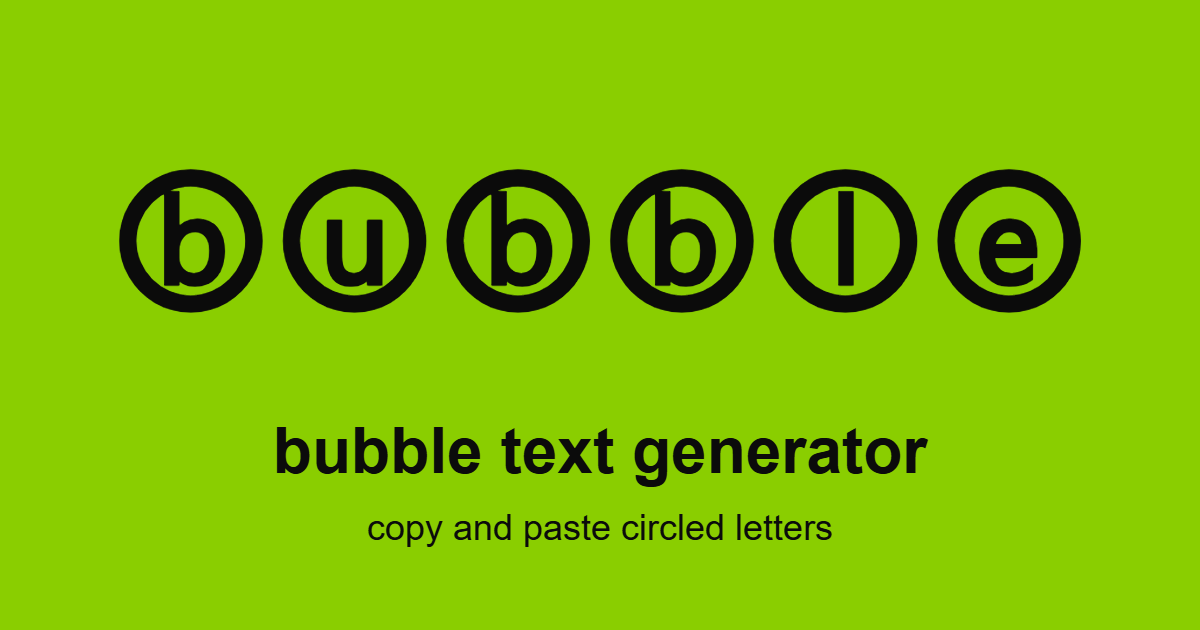
Type the word bubble into a box and a bubble text generator hands back ⓑⓤⓑⓑⓛⓔ. Type it again and ask for the filled style and you get 🅑🅤🅑🅑🅛🅔. Same word and same tool. Yet the first version can quietly turn back into plain letters after you paste it somewhere while the second one cannot.
That difference decides whether your bubble letters survive a sign-up form or a search box. Most bubble text generator pages skip it and simply list styles to copy. This guide explains what each style is made of and which ones break. It also covers the few letters that can turn into emoji without warning.
The examples use the bubble style inside the Fancy Text Generator on BratGen. Everything below applies to any bubble font generator that gives you copy and paste text rather than an image.
In this guide
- What a bubble text generator actually makes
- Bubble text or bubble letters: which one you want
- Make bubble text in three steps
- The bubble styles and what each is made of
- Why outline bubbles can turn back into plain letters
- The emoji trap in the filled sets
- Character counts and filled bubbles
- Where bubble text works
- Keeping bubble text easy to read
- Bubble font vs bubble text
- Ideas and style pairings
- Questions people ask
What a Bubble Text Generator Actually Makes
A bubble text generator is a converter. You type ordinary letters and it returns each one inside a circle. Under the hood nothing about the font changes. Every result is a string of separate characters that Unicode defines as circled letters, so the text travels with a copy and paste the way a normal word does.
That is why the same output shows up in a bio or a caption or a chat message with no app to install. A font stays inside the program that draws it and vanishes when text moves somewhere else. A character moves with the text. Any phone with a matching glyph will draw the circles.
There are two families. Outline bubbles are letters drawn inside a thin ring. Filled bubbles are white letters knocked out of a solid dot. Both are called bubble text in search results but they are different characters with different habits.
Bubble Text or Bubble Letters: Which One You Want
Searches for bubble letters are enormous and most of them mean something else. People looking for bubble letters usually want the puffy graffiti alphabet they can trace or draw on paper or color in. A bubble text generator does not make that. It makes typed characters that sit in a circle.
If you want a drawing then you need a pencil and a template or an image tool. If you want something you can paste into a caption then you want bubble text. Knowing which you came for saves ten minutes of clicking through the wrong pages.
The same split exists across the whole family of styles. A bold text generator gives you characters. A graphic design app gives you a bold font. They feel similar and behave differently once the text leaves the page.
Make Bubble Text in Three Steps
- Open the Fancy Text Generator. It runs in the browser with no sign-up.
- Type a short word or name. Three to twelve letters look best because every circle adds width.
- Find the bubble row in the list of styles and press copy. Paste it where you want it and read the preview before you save.
A good bubble text generator lists many styles at once so you can compare them without retyping. Try the same word in two bubble styles side by side. The outline version feels light and the filled version feels loud. Pick based on where the text will sit.
The Bubble Styles and What Each Is Made Of
Unicode holds several sets of circled and boxed letters. The table lists the ones a bubble text generator is most likely to use. The last column shows whether a standard cleanup step called NFKC normalization changes the text. Many forms and databases run it quietly. The data comes from checking each set against Unicode directly.
| Style | Sample | Letters available | NFKC changes it? |
|---|---|---|---|
| Outline circled lowercase | ⓑⓤⓑⓑⓛⓔ | a to z | Yes. Folds to plain letters |
| Outline circled capitals | ⒷⓊⒷⒷⓁⒺ | A to Z | Yes. Folds to plain letters |
| Filled circled | 🅑🅤🅑🅑🅛🅔 | Capitals only | No. Stays as is |
| Filled squared | 🅱🆄🅱🅱🅻🅴 | Capitals only | No. Stays as is |
| Outline squared | 🄱🅄🄱🄱🄻🄴 | Capitals only | Yes. Folds to plain letters |
Two things stand out in that table. Only the outline circled sets include both lowercase and capital letters. The filled sets are capitals only so a generator quietly shows lowercase input as capitals. That is fine for a username and it is a surprise if you wanted a soft lowercase look.
The second point is that digits are thinner. Circled digits run from ⓪ and ① through ⑳ while the filled versions stop at ❶ through ❿. A phone number or a year in bubble form needs a style that actually includes digits. For the full block see the Unicode chart for Enclosed Alphanumerics.
Why Outline Bubbles Can Turn Back Into Plain Letters
Run ⓑⓤⓑⓑⓛⓔ through NFKC normalization and you get the plain word bubble. Run 🅑🅤🅑🅑🅛🅔 through the same step and nothing changes. This is the difference from the intro and it matters more than it sounds.
NFKC is a cleanup standard that maps look-alike characters to their ordinary forms. Some sign-up forms and search boxes and databases apply it so that two accounts cannot differ only by styled letters. When that step runs on outline bubbles the circles vanish. Your fancy name becomes a plain one without any message.
Filled bubbles skip that fate because Unicode does not list them as compatibility versions of ordinary letters. They stay exactly as pasted.
You can test this yourself without any technical tool. Paste the text into the real field and then copy it back out into a plain note. If the circles are gone then a cleanup step is running and outline bubbles will not work there. If they stay then either style is safe.
This also explains why outline bubbles are friendlier to search but less stable in names. A search box that flattens them will match plain words. A username field that flattens them will throw your design away. The outcome you want depends on what you are writing. A caption and a handle need different things.
The Emoji Trap in the Filled Sets
A few bubble characters double as emoji. Unicode lists the squared letters 🅰 and 🅱 and 🅾 and 🅿 on its emoji data list. Circled capital Ⓜ appears there too. Some phones draw these as small colored buttons instead of plain letters.
The word bubble makes the risk obvious. It contains three letter B characters. Written in the filled squared set that becomes 🅱🆄🅱🅱🅻🅴 and some devices will turn the three B characters into emoji while leaving the other letters flat. The result looks like a mistake.
The filled circled set does not have this problem. None of its characters are on the emoji list. If you want a solid dot look then choose that set over the squared one and the word should render evenly on most phones.
The takeaway is to check the word you plan to use. Names with A or B or O or P in the filled squared set are the ones most likely to switch. Capital M in the outline set can too. Preview on a second device before posting if the name matters.
Character Counts and Filled Bubbles
Filled bubbles live outside the basic plane of Unicode so a counter that measures UTF-16 units treats each one as two. Take the phrase bubble text. In the outline circled set it is ⓑⓤⓑⓑⓛⓔ ⓣⓔⓧⓣ and it counts as 11 units. In the filled set it is 🅑🅤🅑🅑🅛🅔 🅣🅔🅧🅣 and a tool that counts UTF-16 units reads 21.
That gap matters when a field has a hard limit. A bio that allows 150 characters may only fit about 75 filled bubble letters on a platform that counts this way. Outline bubbles do not have the problem because they live in the original block.
Not every app counts the same way. Some count visible characters and some count units. If a limit matters then paste the full text into the real field and watch the counter instead of trusting the visible length.
Where Bubble Text Works
Short and decorative text is where a bubble text generator earns its place. Display names and bios and caption openers and chat nicknames all accept them. Anything meant to be searched or typed back by another person is a worse fit.
- Bios and display names. One or two bubble words keep the line readable. Outline circled lowercase looks lightest here.
- Captions. A bubble word at the start works as a visual opener. Keep the rest in plain text.
- Group chat names. Nobody needs to search for these so filled bubbles are a safe bold choice.
- Gaming handles. Check the platform first. Many games flatten or reject unusual characters.
- Anything with a search or login role. Use plain text. The cleanup step described above can change or reject it.
Accessibility also deserves a line. Screen reading software may read each bubble letter by its official name such as circled latin small letter b or skip it entirely. A message that someone must understand should stay in plain letters.
Keeping Bubble Text Easy to Read
Circles add width and visual weight. A long sentence from a bubble text generator turns into a wall of rings. The fix is restraint. Use bubble text for the one word that carries the mood and leave the rest alone.
- Keep each bubble phrase under about twelve letters.
- Do not use bubble letters for numbers unless the style includes digits.
- Avoid mixing outline and filled sets in one word because the weights clash.
- Leave a plain space between bubble words so the circles do not run together.
Filled bubbles look strong on a dark background and weaker on a light one because the white letters inside the dot fade. Outline bubbles are the opposite. Think about the background before you commit to a style.
Bubble Font vs Bubble Text
Bubble font is a popular search and it asks for something different. A bubble font is a font file you install in a design app or load on a website. It reshapes every ordinary letter into a puffy rounded form. Nothing about the underlying characters changes.
Bubble text is different characters. It needs no installation and it works in places that never let you choose a font. You give up control over size and spacing and you cannot expect an identical look on every device.
For a poster or a logo then choose a real display font. For a caption or a name in an app that only accepts plain text then use a generator. Mixing those two jobs is the usual source of disappointment.
Ideas and Style Pairings
Output from a bubble text generator pairs well with a few other styles when used lightly. A small font generator makes a quiet subtitle under a bubble headline. An italic text generator gives a softer contrast. If you want something stranger then the weird text generator goes in the opposite direction from clean circles.
- Birthday bios. One filled bubble word in front of a plain date.
- Playlist names. Outline bubbles feel gentle and fit a soft mood.
- Event posts. A bubble word as the label and plain text for the details.
- Strikethrough jokes. Pair a bubble word with a crossed out version for a before and after look.
And if you want text as a picture instead of pasted characters then you can make a blurry lowercase cover in the browser and control size and color directly.
Questions People Ask
What is the best bubble text generator for copy and paste?
Pick one that shows many styles at once and copies each in a single click. The Fancy Text Generator on BratGen does both and keeps the outline and filled bubble rows next to each other.
Can I type bubble letters from a regular keyboard?
No. A standard keyboard has no circled letters. You need a bubble text generator to convert plain text or a symbol picker to insert each letter by hand.
Why do my bubble letters show as empty boxes?
The device lacks a font with those glyphs. Outline circled letters are widely supported. Filled and squared sets are rarer on older phones. Test the text on a second device.
Is a bubble font generator the same as a bubble text generator?
Usually yes in practice. Both names describe a page that converts typed text into circled characters you can copy. A true font tool would install a file instead.
Will bubble text show up in search?
On most platforms no. Outline bubbles are different characters from plain letters so a search for bubble will not match ⓑⓤⓑⓑⓛⓔ unless the platform flattens it first.
Does bubble text work in lowercase?
The outline circled sets include lowercase. The filled sets are capitals only so lowercase input appears as capitals.
Is it safe to use bubble text in a username?
It depends on the platform. Some flatten it and some reject it. Test in the real field and copy it back out to see whether the circles survive.
Last Check Before You Post
Whichever bubble text generator you use, paste the result into three places before you trust it. A private note shows whether any letter turns into a box. The real field shows whether a cleanup step flattens it. A second device shows whether the emoji letters misbehave.
If all three look right then the text is ready. If any fails then change the style and test again. Switching between outline and filled takes a few seconds and it usually fixes the problem.