8 Best AI Coding Assistants Compared in 2026
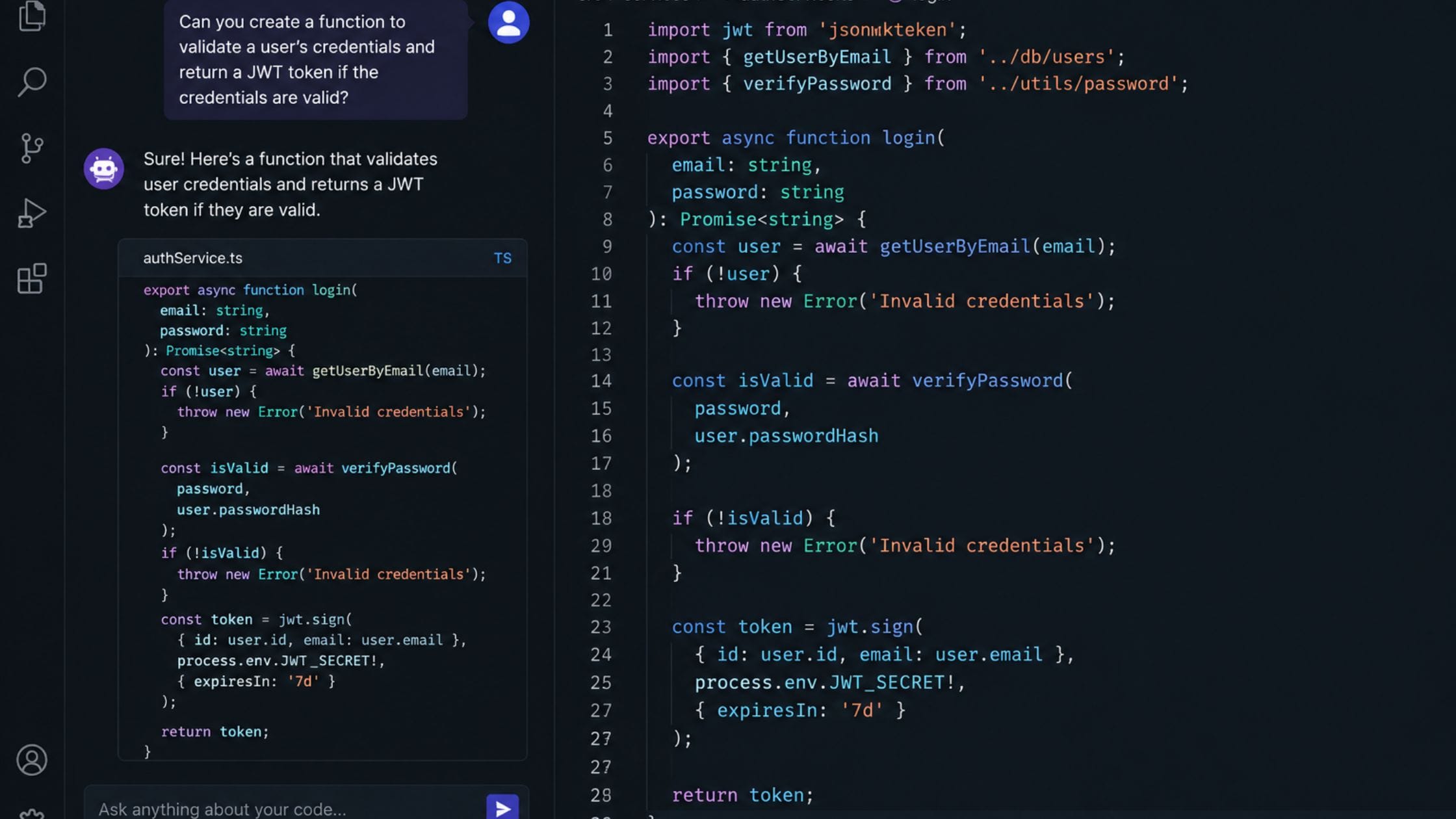
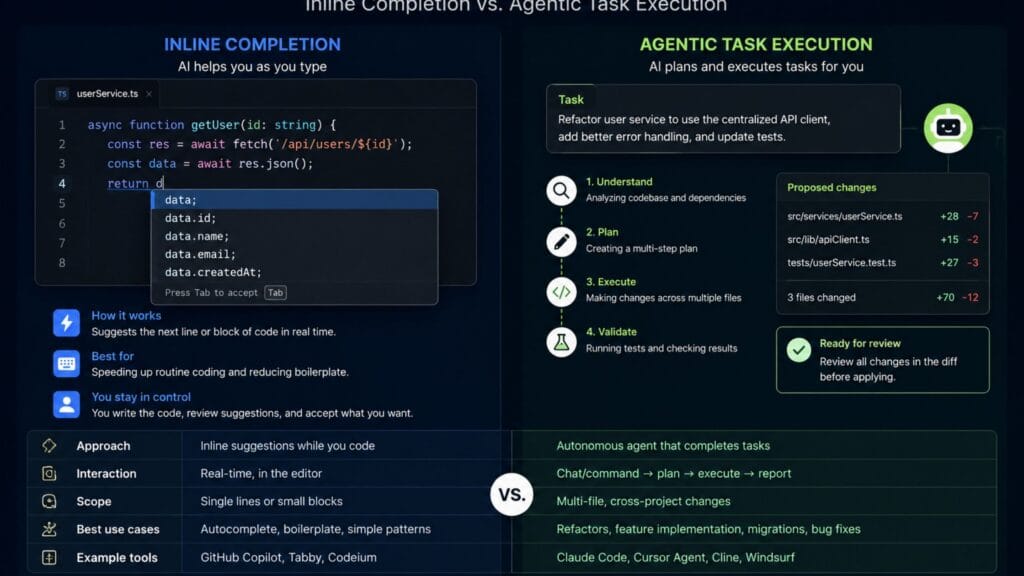
AI coding assistants stopped being a novelty a while ago and turned into a normal part of how most developers write software. The category has split into two real approaches now, tools that autocomplete and suggest as you type and tools that act more like an autonomous agent handling a whole task on their own. Picking the right one or the right combination, depends more on how you actually work than on which tool has the loudest marketing. This guide compares the best AI coding assistants in 2026 on real, practical differences, so you can match a tool to your workflow instead of guessing.
What Changed in AI Coding Assistants
Early AI coding tools worked as glorified autocomplete, Cursor vs Claude Code predicting the next line or two based on what you had already typed. The current generation goes much further, with several tools now able to read an entire codebase, plan a multi-step change, edit several files at once and run tests to check their own work. That shift from suggestion to delegation is the real story of this category in 2026 and it changes how you should think about picking a tool.
Most working developers now use more than one AI coding assistant rather than settling on a single tool for everything. A fast, in-editor completion tool handles routine typing, while a more autonomous agent gets called in for larger refactors or unfamiliar parts of a codebase. Understanding what each tool is actually built for matters more than chasing whichever one is trending this month.
How We Compared These Tools
This comparison focuses on how each tool actually gets used day to day rather than marketing claims or a single benchmark score, since benchmark results vary between sources and change quickly as models update. Each entry was judged on its core interaction model (inline completion, in-editor chat or autonomous agent), how broadly it supports different editors and languages, what the free tier genuinely includes and what kind of task it tends to handle best. Pricing details change often in this category, so treat the figures here as a general guide and confirm current pricing on each provider’s own page before committing.
Quick Comparison Table
| Tool | Core Strength | Interaction Model | Free Tier |
| GitHub Copilot | Broadest editor and IDE support | Inline completion plus chat and agent mode | Yes, limited |
| Cursor | Deep in-editor AI integration | AI-native editor, forked from VS Code | Yes, limited |
| Claude Code | Autonomous multi-file tasks | Terminal-based coding agent | Usage-based, no flat free tier |
| Windsurf | Generous free usage | In-editor agent and completion | Yes, generous |
| Cline | Open control and model choice | Open source editor extension agent | Yes, bring your own model key |
| Amazon Q Developer | AWS-aware suggestions | Inline completion plus chat and agent tasks | Yes, limited |
GitHub Copilot: Best for Broad IDE Support
GitHub Copilot’s biggest advantage is simply how many editors it supports, with official integrations across VS Code, Visual Studio, JetBrains IDEs, Neovim and Xcode. According to GitHub’s own product page, Copilot works directly alongside you in the editor, suggesting whole lines or entire functions and its chat and edit modes let you make changes across multiple files from a single prompt without leaving your IDE.
Because it comes from GitHub and Microsoft, Copilot integrates cleanly with pull requests, issues and existing repository context in a way that is hard for a third-party tool to match. It is a reasonable default if you cannot or do not want to switch editors and its free tier gives students, hobbyists and light users a genuine way to try it before paying for a subscription.
Cursor: Best AI-Native Editor
Cursor takes a different approach by being the editor itself rather than a plugin bolted onto an existing one. Built as a fork of VS Code, it weaves AI assistance into nearly every part of the interface, from inline completion to a dedicated composer mode built for larger, multi-file edits guided by natural language instructions.
The tradeoff is that adopting Cursor means switching your primary editor, which is a bigger commitment than installing an extension. For developers willing to make that switch, the payoff tends to be a noticeably tighter feedback loop between describing a change and seeing it applied correctly across a project.
Claude Code: Best for Autonomous Multi-File Tasks
Claude Code, built by Anthropic, works from the terminal rather than living inside an editor window and it is designed around delegation instead of line-by-line suggestion. You describe a task in plain language, such as adding a feature or fixing a bug across several files and it explores the codebase, plans the change and executes it, checking its own work along the way.
This approach tends to suit larger, more open-ended tasks better than quick, small edits, since the setup cost of describing a task only pays off once the task itself is substantial. It does not currently offer a flat, unlimited free tier the way some completion-focused tools do, so usage is typically billed based on how much work you hand it, which is worth budgeting for before relying on it heavily.
Windsurf: Best Generous Free Tier
Windsurf positions itself as the more accessible option among agentic coding tools, with a free tier that genuinely covers meaningful day-to-day use rather than a token trial. It combines inline completion with an in-editor agent capable of multi-step tasks, aiming for a middle ground between Copilot’s broad availability and Cursor’s deeper AI-native workflow.
For developers or small teams working with a limited budget, Windsurf is worth trying before committing to a paid plan elsewhere, since its free usage tends to stretch further than most competitors before you hit a real limit.
Cline: Best for Open Control and Model Choice
Cline is an open source coding agent that runs as an editor extension rather than a closed, hosted product, which means you can inspect how it works and choose which underlying AI model powers it. Instead of being locked into one provider’s model, you connect your own API key from a provider of your choice and pay for usage directly rather than through a bundled subscription.
That flexibility appeals most to developers who want transparency into what the tool is doing and control over cost, since you can pick a cheaper or more powerful model depending on the task. It takes a bit more setup than a plug-and-play tool, which is the main tradeoff for that level of control.
Amazon Q Developer: Best for AWS-Heavy Teams
Amazon Q Developer is built with AWS infrastructure in mind, offering suggestions and automated tasks that understand your cloud setup in a way general-purpose tools do not. For teams whose applications lean heavily on AWS services, this built-in cloud awareness can catch configuration issues and suggest infrastructure-aware code that other assistants would miss entirely.
Outside of an AWS-centric workflow, it competes less clearly with tools like Copilot or Cursor on general-purpose coding tasks. It is a strong, specific pick for the teams it was built for rather than a universal recommendation.
How to Choose the Right Combination
If you want the lowest-friction starting point and cannot switch editors, GitHub Copilot is the safest default, since it works nearly everywhere and most teams already trust it. If you are willing to switch editors for a deeper AI-native workflow, Cursor tends to deliver the tightest feedback loop for day-to-day multi-file editing.
Reach for Claude Code specifically when a task is large enough to justify describing it in full and letting an agent handle the whole thing, such as a significant refactor or a feature that touches many files. Try Windsurf or Cline first if budget is the main constraint, since both offer a genuinely usable free or low-cost path into agentic coding.
Most developers in 2026 end up running two tools rather than one: a fast completion tool for routine typing, paired with a more autonomous agent for the larger tasks that benefit from real delegation. Treat this list as a starting point for that combination rather than a search for one single best answer.
If you are also cleaning up the rest of your editor setup, our guide to the best VS Code extensions covers the tools that pair well alongside any AI coding assistant and the Brat Generator homepage has more free tools if you want to see what else the site covers.
FAQs
What is the best AI coding assistant for beginners?
GitHub Copilot tends to be the easiest starting point for beginners because it works inside familiar editors like VS Code and its free tier is genuinely usable for learning and small projects. Its suggestions also tend to explain themselves reasonably well through chat, which helps while you are still learning the underlying concepts.
Do I need to pay for an AI coding assistant?
Most tools on this list offer some kind of free tier, though the generosity varies significantly between them. Windsurf and Copilot’s free tiers cover light regular use well, while more autonomous tools like Claude Code are typically billed based on usage rather than offering an unlimited free plan.
What is the difference between an autocomplete tool and an agentic coding tool?
An autocomplete tool like standard Copilot inline suggestions predicts the next few lines as you type, keeping you in full control of every change. An agentic tool like Claude Code or Cursor’s composer mode takes a broader instruction and independently plans and executes changes across multiple files, which trades some line-by-line control for speed on larger tasks.
Can I use more than one AI coding assistant at once?
Yes and most experienced developers do exactly that. A common pattern is running a fast completion tool for everyday typing alongside a more autonomous agent that gets called in specifically for larger refactors or unfamiliar parts of a codebase.
Which AI coding assistant works best for a specific cloud provider?
Amazon Q Developer is built specifically around AWS and understands cloud infrastructure in a way general-purpose tools do not, which makes it the strongest pick for teams heavily invested in AWS. Teams on other cloud providers generally get more value from a general-purpose tool like Copilot or Cursor instead.
Is it safe to let an AI coding assistant edit multiple files automatically?
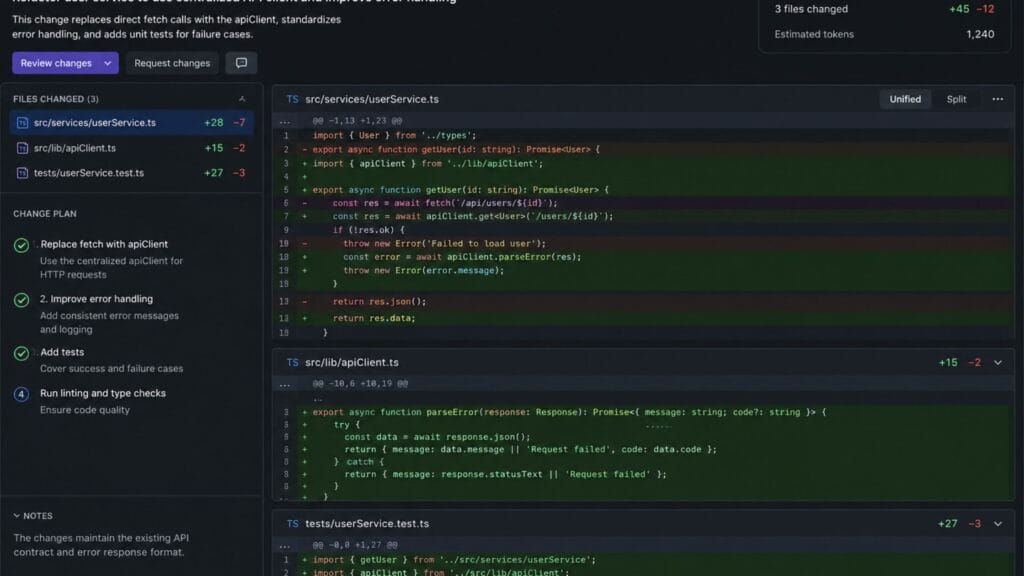
Most agentic tools show you a proposed diff or plan before applying changes and reviewing that plan before accepting it is standard practice regardless of which tool you use. Treat an AI coding assistant’s output the same way you would a junior developer’s pull request, worth reviewing carefully rather than merging automatically.
Conclusion
There is no single best AI coding assistant for every developer in 2026, since the honest answer depends heavily on your editor, your budget and how big the tasks are that you want to hand off. GitHub Copilot remains the safest broad default, Cursor offers the deepest in-editor AI workflow if you are willing to switch and Claude Code is worth reaching for specifically when a task is large enough to genuinely benefit from delegation rather than line-by-line suggestion.
If this comparison helped you narrow down your options, share it with a teammate who is still deciding or drop a comment with the combination of tools that ended up working best for your team.