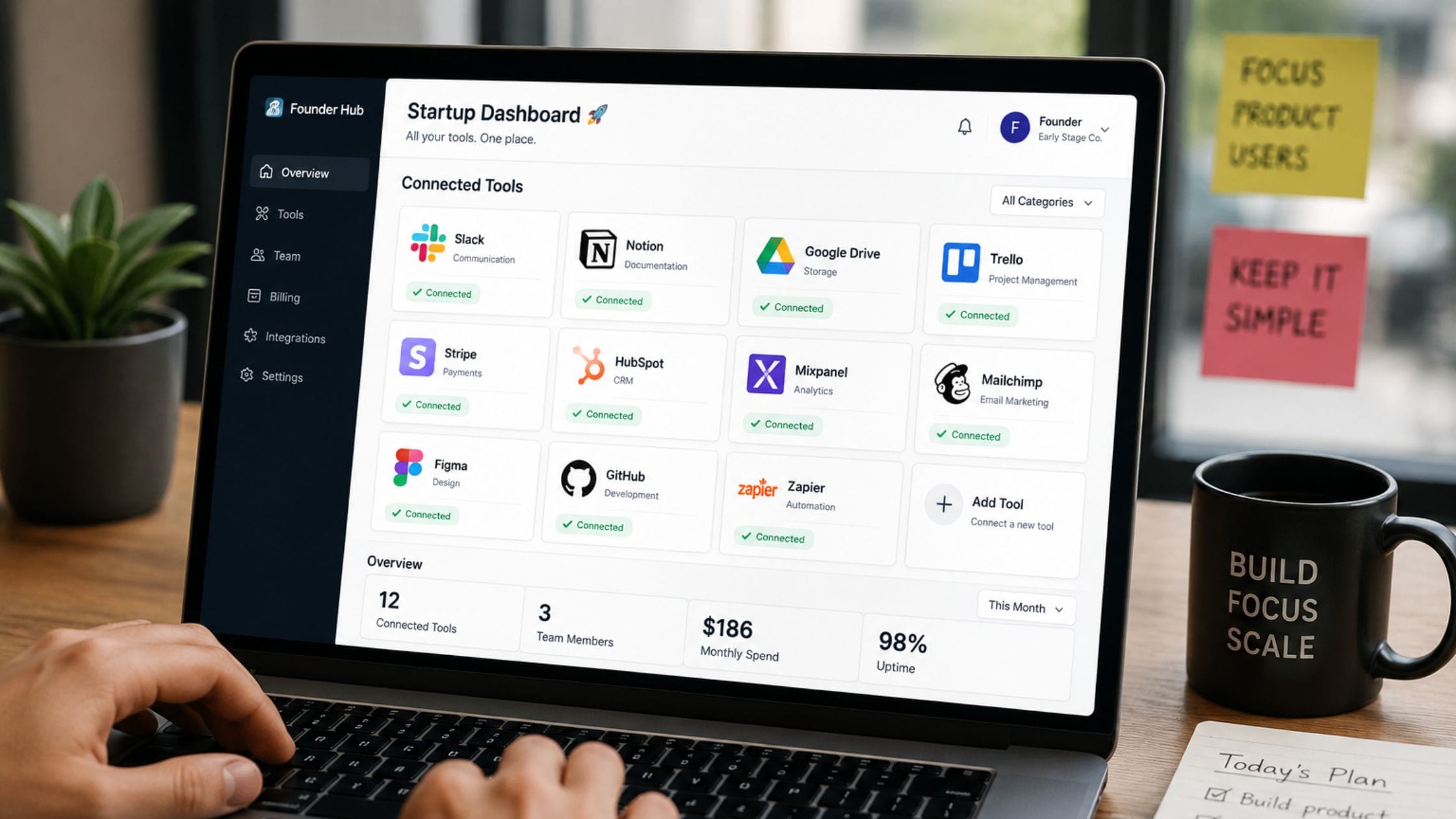
Best SaaS Tools for Startups in 2026, by Category
Search for the best SaaS tools for startups and you will find lists of 25, 50, sometimes 80 tools with no real guidance on which ones actually matter in your first year. Most early-stage founders do not need more options, they need a short, defensible stack that covers the essentials without draining a budget that should be going toward the product itself. This guide curates the SaaS tools that actually earn a place in an early startup stack, organized by function and budget, along with a clear-eyed look at when adding another tool does more harm than good.
Why Most SaaS Tool Lists Overwhelm You
Most published lists of SaaS tools for startups read like an unfiltered directory rather than actual guidance, covering dozens of overlapping options across every possible category without ever telling you which five or six actually matter when you are pre-revenue with a two-person team. That approach optimizes for keyword coverage, not for the founder trying to make a real decision this week.
This guide takes the opposite approach. Instead of maximizing the tool count, it prioritizes a small, genuinely sufficient stack for an early-stage team, with clear notes on when it makes sense to add something beyond it. Fewer, better-chosen tools consistently beat a sprawling stack nobody on the team fully uses.
How We Picked These Tools
Every tool on this list needed a genuinely usable free tier or an unusually low entry price, since burning early runway on software before validating a product is one of the most common and avoidable startup mistakes. Each entry was also judged on how well it integrates with the others on this list, since a stack full of tools that do not talk to each other creates exactly the kind of coordination overhead a small team can least afford.
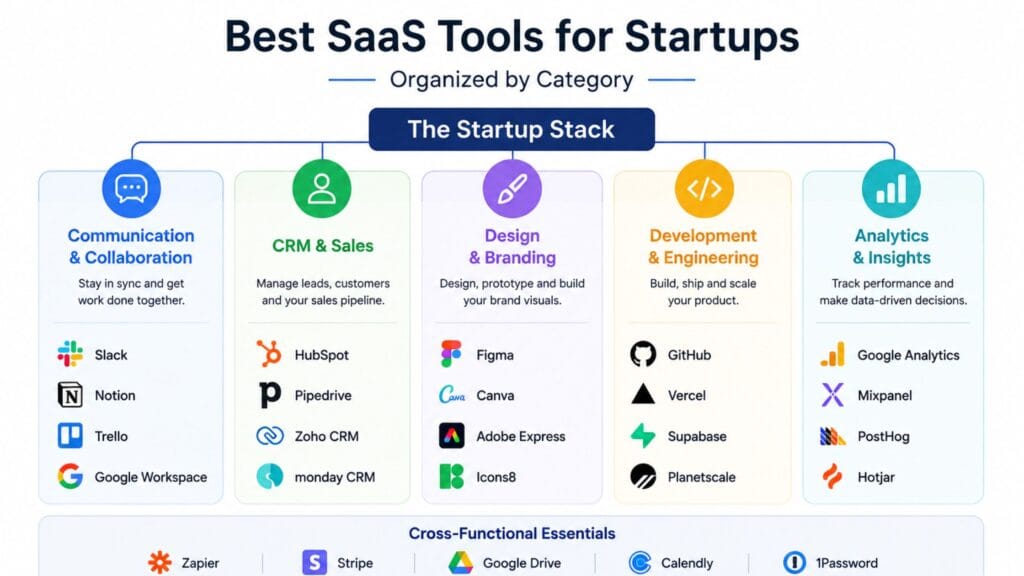
The Zero-Cost Founding Stack
| Function | Tool | Free Tier Covers | Team Size Before Upgrading |
| Communication | Slack | Unlimited users, 90-day history | Roughly 10 to 15 people |
| Docs and project management | Notion | Unlimited pages for small teams | Roughly 5 to 10 people |
| CRM | HubSpot CRM | Core contact and deal tracking | Until advanced automation is needed |
| Design | Figma | Limited files, unlimited viewers | Once multiple concurrent editors are needed |
| Code hosting | GitHub | Unlimited private repos | Until advanced CI/CD is required |
| Hosting | Vercel | Hobby tier for early projects | Once traffic or team size grows |
| Analytics | PostHog | Generous free event volume | Once event volume scales significantly |
| Payments | Stripe | Free until you process a transaction | Scales with revenue, not a hard limit |
Communication and Project Management
Slack remains the default choice for team communication for a simple reason: its free tier covers unlimited users with a searchable 90-day message history, which is enough runway for most early teams to operate on for a full year before hitting a real limit. Discord has become a legitimate alternative specifically for developer-first and community-led startups, while hosted video
conferencing solutions like TrueConf can support teams that also need
structured video communication.
Notion covers docs, wikis and lightweight project tracking in one place, which matters early on since maintaining separate tools for notes and task management is unnecessary overhead for a two or three person team. It scales reasonably well into a larger team before the free tier’s limits become a real constraint, at which point the paid plans remain inexpensive relative to what a dedicated project management tool would cost.
CRM and Sales
HubSpot’s free CRM tier gives an early team real contact and deal tracking without the cost or complexity of a full enterprise sales platform and its learning curve is gentle enough that a non-sales founder can set it up in an afternoon. It becomes genuinely useful as soon as you have your first handful of leads worth tracking, well before you need anything more sophisticated.
Salesforce and other enterprise CRM platforms are worth avoiding at this stage specifically because their power comes bundled with a level of configuration overhead that a small team simply does not need yet. Revisit that decision once your sales process is complex enough to genuinely require it, not before.
Design and Development
Figma’s free tier covers early design work well, including unlimited viewers on any file, which matters when a whole small team needs to comment on a mockup without everyone needing an editor seat. For teams that want a broader set of free design options beyond Figma specifically, our best free design tools for non-designers guide covers several strong alternatives worth knowing about.
GitHub remains the default for code hosting and version control, with unlimited private repositories on its free tier and it pairs naturally with Vercel’s free hobby tier for hosting early-stage web projects without a monthly bill. On the development side specifically, AI-native coding tools have become a real part of the modern startup stack rather than a novelty, a shift covered in more depth in our best AI coding assistants compared guide, which is worth reading before deciding how much of that budget to allocate.
Analytics and Payments
PostHog’s free tier covers a genuinely generous volume of tracked events for product analytics and session replay, which is enough to understand real user behavior for most early-stage products without paying anything. Google Analytics remains a reasonable free option specifically for website traffic rather than in-product behavior and many startups end up running both for their different strengths.
Stripe charges nothing until you actually process a transaction, which makes it close to a risk-free default for payments regardless of how early your product is. Its per-transaction fee structure means your payments cost scales naturally with revenue rather than becoming a fixed cost you have to justify before you have paying customers. Startups billing subscriptions through Whop get a similar model, with card payments starting at 2.7% + $0.30, no fixed monthly platform fee, and renewals and failed-payment retries handled automatically.
Automation and AI Tools
Zapier connects the rest of your stack together, automating the handoffs between your CRM, communication tools and forms without requiring custom engineering work for tasks that do not deserve it. Its free plan covers light automation needs and its recent AI-assisted Zap builder lets you describe an automation in plain language rather than manually configuring every step.
General-purpose AI tools like ChatGPT and Claude have moved well beyond writing assistance into a genuine automation layer for early startups, handling documentation, customer-facing content and repetitive internal communication that used to eat real hours every week. Budgeting a small amount for one of these tools early tends to pay for itself quickly once a founder or small team starts actually using it for daily tasks rather than treating it as a novelty.
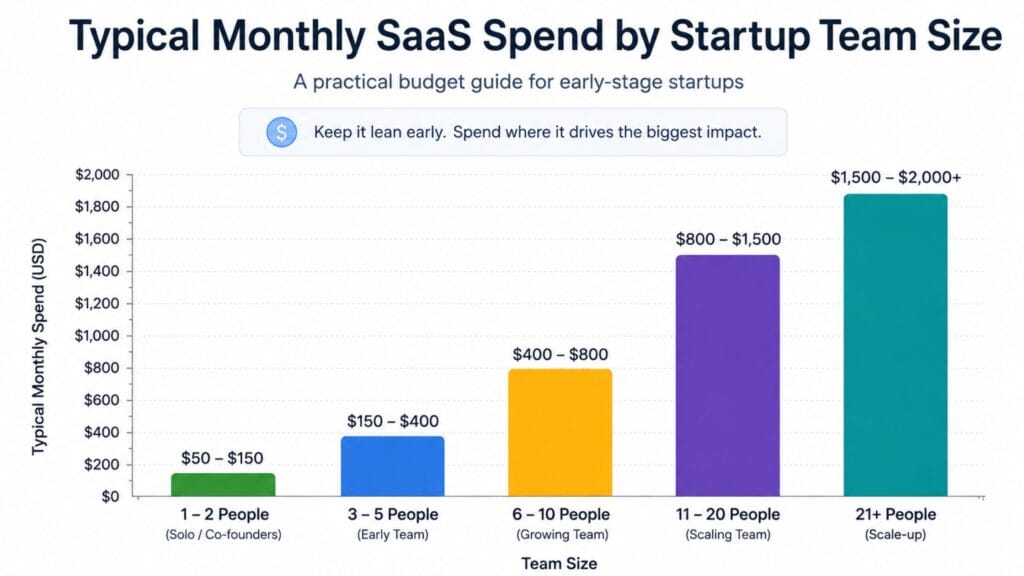
How Much Should Your Startup Actually Spend
A reasonable budget for a team under 10 people typically falls between 500 and 2,000 dollars a month once you move past the fully free stack, covering communication, project management, hosting, analytics and a CRM. Cledara’s analysis of startup software spending found that collaboration tools alone account for roughly a third of total startup SaaS spend, more than engineering tools or marketing automation, which reflects a real truth: coordination, not raw software capability, is usually the bigger early bottleneck.
The practical implication is that it is worth spending relatively more on getting communication and project management right early, since that spend compounds into how efficiently the rest of the team actually operates, while treating more specialized tools as things to add only once a specific, proven need appears.
Signs It Is Time to Upgrade From a Free Tier
Free tiers are generous enough today that many startups stay on them far longer than they expect but a few clear signals reliably mean it is time to pay. Hitting a hard usage limit repeatedly, running out of message history, event volume or seats, is the most obvious one, since working around a limit usually costs more in lost time than the upgrade itself.
A second signal is needing a feature that directly protects revenue or security, like single sign-on, audit logs or advanced permissions, which most free tiers deliberately exclude regardless of usage volume. The third signal is subtler: when a tool becomes central enough to daily operations that an outage or a lost account would genuinely hurt the business, that is usually the point where the reliability and support that come with a paid plan are worth budgeting for.
Vendor Lock-In and Data Portability
Early-stage founders don’t often think about exit costs when choosing a tool, but changing platforms later becomes more expensive the longer you wait. This is especially true for tools that hold customer data or essential parts of the business. Before you decide on a tool for something important such as CRM or payments, take five minutes to check if it has an easy way to export data. A platform that makes it hard to leave is a problem in the long run, even if the cost seems good right now.
This does not mean avoiding platform-specific features entirely, since the productivity gains from committing to a tool’s ecosystem are often worth it. It means treating export and portability as one factor in the decision alongside price and features, rather than only discovering the limitation once you actually need to leave.
Avoiding Tool Sprawl
Tool sprawl happens little by little. It starts with one subscription that sounds like an idea. Then you get another one and another one. Before you know it a small team is paying for a lot of tools that do things. Nobody really remembers signing up for all of them.
The solution is not to stop using tools altogether. It is to ask yourself a question before you add a tool. Can a tool you already have do the job enough?. Do you really need something new?
It is an idea to look at all the tools you are paying for every few months. Go through each one. Ask yourself if it is still helping you with a problem you have.. Was it something you needed a long time ago but not anymore? Startups that do this regularly don’t have many tools. They can still do everything they need to do. Most of the time tool sprawl happens because people do not cancel tools they are not using. It is not because they need a lot of tools to get their work done.
For styling any content you produce along the way, from investor updates to social announcements, it is worth browsing the wider collection of free brat generator tools available on the same site, which cost nothing to add to the stack in the first place.
FAQs
What SaaS tools does a startup actually need on day one?
A genuinely minimal day-one stack covers communication, a place for docs and lightweight project tracking and version control if you are building software, which Slack, Notion and GitHub’s free tiers can cover entirely at zero cost. Everything else is worth adding only once a specific need actually appears rather than provisioning for it in advance.
How much should an early-stage startup budget for SaaS tools monthly?
Teams with than 10 people usually spend between five hundred and two thousand dollars each month after they stop using all free tools. This money pays for things like communication, project management, hosting, analytics and a customer relationship management system. Beginning with plans and only moving up when you really need more space keeps the cost from increasing faster, than what you actually need.
Which SaaS tools for startups have the best free tiers?
Slack, Notion, GitHub and HubSpot CRM always provide some of the free plans, in their areas each offering real useful features instead of just a short test. Stripe is also almost free until you make a payment, which means it’s almost safe to start using it early.
Should a startup use an all-in-one platform instead of separate tools?
It depends on team size and complexity. An all-in-one platform reduces the coordination overhead of managing several separate subscriptions but early-stage teams often get more value from best-in-class free tools in each category until the complexity of managing them becomes a real burden rather than a minor inconvenience.
How do I know if my startup has too many SaaS tools?
A quarterly review of active subscriptions is the simplest way to catch tool sprawl, specifically asking for each tool whether it still solves a current, real problem. If you cannot clearly answer why a tool is still active, it is usually a sign the subscription outlived the need it was added for.
Are AI tools worth including in an early startup’s SaaS stack?
Yes for teams because general-purpose AI tools such as ChatGPT and Claude have become a real automation layer for documentation, customer communication and repetitive writing tasks instead of a new or extra feature. Even a small monthly budget, for one of these tools usually pays for itself once a team really starts using it in routines.
Conclusion
The best SaaS tools for startups in 2026 are not about having a list. They are about having a set of tools that really work for SaaS tools like communication, project management, sales, design, development, analytics and payments for SaaS tools without spending too much money. You should start with tools for SaaS tools then add more tools for SaaS tools when you really need them. Check your subscriptions for SaaS tools every months so you do not end up paying for things you do not use.
If this information about SaaS tools was helpful to you share it with another startup founder who is trying to figure out which SaaS tools to use first. You can leave a comment, about the SaaS tool that worked best for your team and the SaaS tools you are using.