How to Set Up a Distraction-Free Coding Environment
Most developers blame willpower when they cannot focus, when the real problem is usually the environment they are trying to focus in. A distraction-free coding environment is not one dramatic change but a stack of small ones, your desk, your notifications, your editor and your daily routine, each one removing a small amount of friction that used to pull your attention away. This guide walks through building that environment step by step, so deep, uninterrupted coding sessions become the default instead of something you have to fight for.
Why Environment Beats Willpower
Every time your attention shifts from coding to a notification and back again, you pay a real cost in the time it takes to reload the context you had before the interruption. The American Psychological Association’s research on task switching shows that this kind of repeated switching measurably slows performance and increases errors compared to sustained, single-task focus, which is exactly the pattern most coding work follows when the environment is not set up to protect it.
The practical takeaway is that relying on willpower to ignore distractions puts you in a losing fight against your own attention system dozens of times a day. Redesigning the environment so fewer distractions ever reach you in the first place removes the fight entirely, which is a far more reliable strategy than trying to resist every ping as it happens.
Reduce Physical and Visual Noise
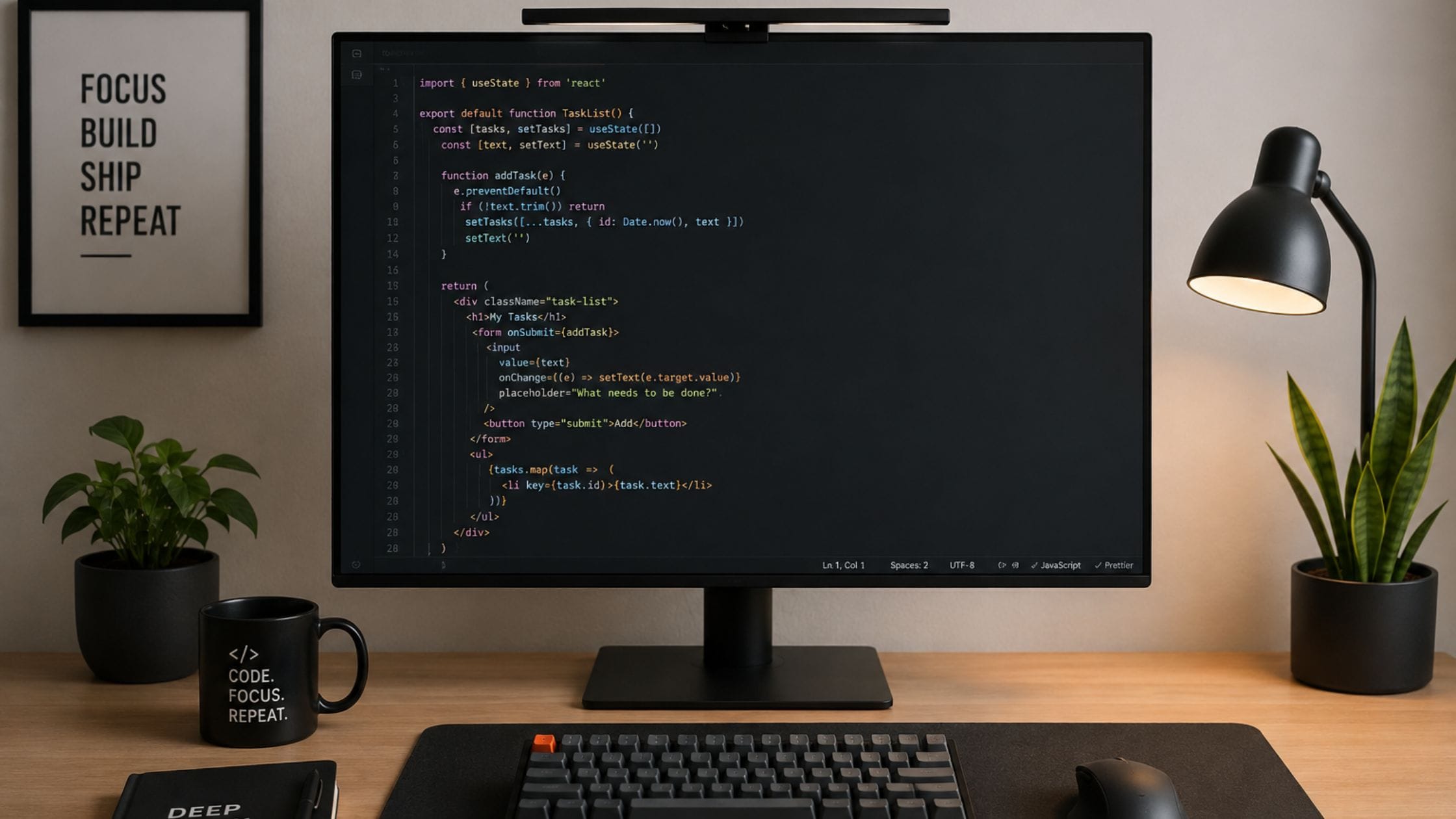
Start with what is actually visible from your desk, since a cluttered physical space adds a steady low level of visual noise even when nothing on it is actively distracting you. Clear surfaces that are not part of your current task, close unrelated browser tabs and keep only the applications you need for the work in front of you open on screen.
If you work somewhere with unpredictable noise or foot traffic, treat that as a real design constraint rather than something to push through. Noise-canceling headphones, a dedicated coding location away from shared spaces or simply closing a door during focused blocks all address the same underlying problem, removing yourself from the range of things that compete for your attention.
Set Up Your Editor for Focus
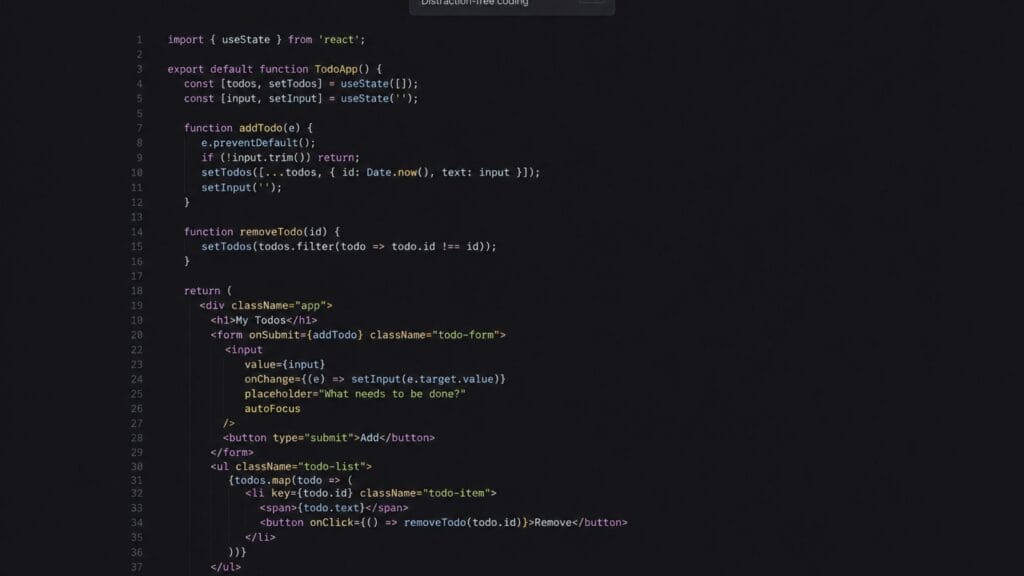
Most modern code editors include a dedicated focus or zen mode that hides sidebars, tabs and panels you are not actively using, leaving just the file you are working in in full view. Turning this on for deep work sessions removes a surprising amount of visual clutter that would otherwise sit at the edge of your vision the entire time you are working.
Pairing a clean editor layout with a coding font that is actually comfortable to read matters more than it sounds. Our guide to the best coding fonts covers how font choice affects eye strain and reading speed over a long session, which compounds with a distraction-free layout rather than replacing it.
It also helps to reduce the number of open tabs and windows to only what the current task needs. A sprawling window arrangement invites you to jump between half-finished threads of work instead of finishing one thing before starting the next, which fragments focus even without a single external notification.
Control Notifications and Communication Tools
Slack, email and chat tools are essential for collaboration but left on default settings they interrupt you constantly throughout the day regardless of whether the message is urgent. Turning on a scheduled do-not-disturb mode during your planned focus blocks and reserving true urgent contact for a phone call or a clearly marked priority channel, cuts the vast majority of interruptions without cutting your team off from you entirely.
It helps to communicate this system to your team rather than silently going dark, since a shared understanding that you check messages at set intervals during deep work removes the social pressure to respond instantly. Most teams adapt quickly once they know a delayed reply during a focus block is not being ignored.
Use Website and App Blockers
Even with notifications under control, the habit of opening a new tab and drifting toward social media or news sites during a moment of friction in the code is worth addressing directly. A website or app blocker set to activate during your coding blocks removes that option before the habit can even start, which is far more reliable than trying to catch yourself every time.
Most blockers let you schedule specific hours automatically rather than requiring you to turn them on manually every session, which matters since the moment you most want to check a distracting site is usually the moment you are least willing to stop and enable a blocker by hand.
Time Blocking and the Pomodoro Technique
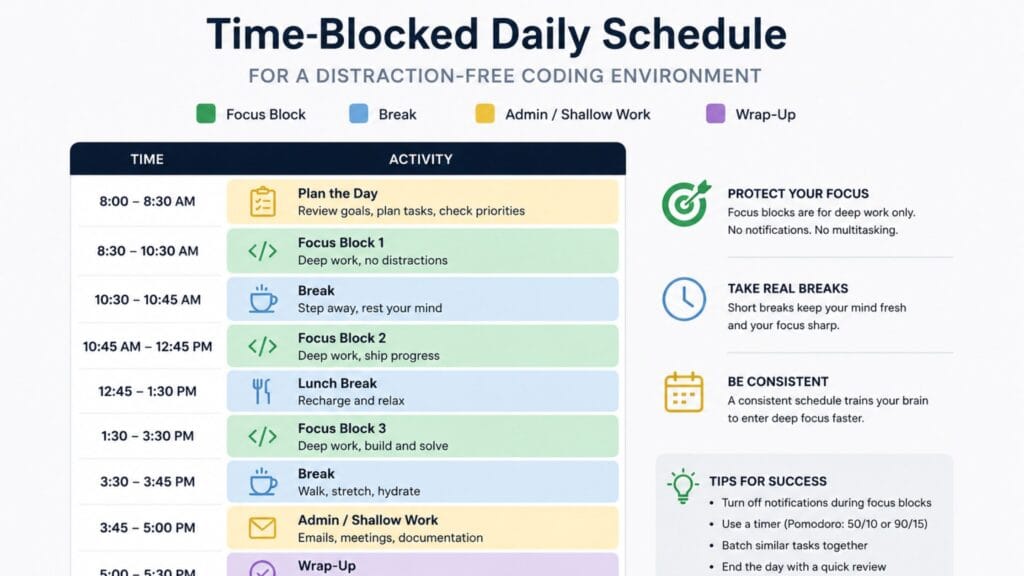
Structuring your day into defined blocks of focused work, rather than treating the whole day as one undifferentiated stretch, makes it much easier to protect specific periods from interruption. The Pomodoro Technique, working in focused intervals of around 25 minutes followed by a short break, is a simple starting structure that works well for coding because it matches the natural rhythm of writing, testing and reviewing a small chunk of work.
Longer, uninterrupted blocks of 60 to 90 minutes tend to work better once you are deep into a complex task that does not divide neatly into short intervals, such as debugging an unfamiliar system or designing a new architecture. Pay attention to which task types pull you into focus most naturally and schedule your most demanding work during the part of the day when that tends to happen.
Sound and Music for Deep Work
Background sound affects different developers differently, so there is no single correct choice here, only what actually keeps you in a working state. Instrumental music, ambient noise or dedicated lo-fi and coding radio stations work well for many developers because they mask sudden environmental noise without introducing lyrics or content that competes for the same verbal processing your code already uses.
If music of any kind pulls your attention away from the problem you are solving, simple noise-canceling silence or a steady white noise track is a reasonable default instead. Test a couple of options during real work rather than assuming one approach will work for every kind of task.
Build a Starting Ritual
A short, consistent ritual before a coding session, closing unrelated tabs, opening the right project, silencing notifications and reviewing what you planned to accomplish, signals to your brain that focused work is starting. Over time this ritual becomes a trigger that makes settling into deep work faster, since you are no longer deciding what to do first every single time.
Keep the ritual short enough that it does not become its own source of procrastination. A two or three minute routine done consistently beats an elaborate setup process you only complete on your best days.
Quick Comparison of Focus Tools
| Tool Type | What It Solves | Best For |
| Editor focus mode | Visual clutter from sidebars and tabs | Every coding session |
| Website and app blockers | Habitual tab-switching to distracting sites | Scheduled deep work blocks |
| Do-not-disturb scheduling | Chat and notification interruptions | Team-based work |
| Pomodoro timers | Losing track of time and pacing | Short, well-defined tasks |
| Noise-canceling headphones | Environmental and office noise | Shared or unpredictable spaces |
Step-by-Step Setup Checklist
1. Clear your physical desk of anything not related to the current task and close browser tabs and applications you are not actively using.
2. Turn on your editor’s focus or zen mode for deep work sessions and confirm your coding font is comfortable to read at your actual screen size.
3. Schedule do-not-disturb hours on your chat and email tools during your planned focus blocks and let your team know when you typically check messages.
4. Install a website or app blocker and schedule it to activate automatically during your coding blocks rather than relying on manually turning it on.
5. Pick a time-blocking structure, Pomodoro intervals or longer 60 to 90 minute blocks, based on the kind of work you are doing that day.
6. Choose a sound setup, instrumental music, ambient noise or silence and test it during real work rather than assuming what should work will.
Bringing It All Together
None of these changes on their own will fix a genuinely distracting environment but stacked together they remove most of the small interruptions that quietly eat into a coding day. Start with the one or two changes that address your biggest source of interruption right now, whether that is notifications, physical noise or a cluttered editor and add the rest gradually rather than overhauling everything at once.
If your workspace also involves creative or social content alongside development work, the Brat Generator homepage has free tools for that side of the job and pairing a distraction-free coding setup with the best coding fonts rounds out a comfortable, focused workspace from top to bottom.
FAQs
How long does it take to build a distraction-free coding habit?
Most developers notice a real difference within one to two weeks of consistently applying even a few of these changes, since the environment itself does most of the work once it is set up. The starting ritual in particular tends to become automatic faster than expected, usually within a few days of consistent use.
Is a completely silent environment always the most productive?
No, silence works well for some developers but others focus better with instrumental music or ambient background sound that masks sudden noise. The right choice depends on the individual and even the specific task, so testing a couple of options during real work is more reliable than assuming one setup is universally best.
What is the single most effective change for reducing distractions while coding?
For most developers, scheduling do-not-disturb hours on chat and notification tools during focus blocks produces the biggest immediate improvement, since notifications tend to be the most frequent and most disruptive source of interruption. Pairing that with a website blocker covers the two most common distraction sources at once.
Should I use the Pomodoro Technique for every kind of coding task?
Short Pomodoro intervals work well for well-defined tasks like fixing a specific bug or writing a small feature but complex tasks like architecture design or debugging an unfamiliar system often benefit from longer, uninterrupted blocks instead. Match the structure to the task rather than applying one rigid schedule to everything.
Do open office environments make a distraction-free coding setup impossible?
It makes it harder but not impossible, since noise-canceling headphones, scheduled focus blocks communicated to your team and a consistent starting ritual all still work in a shared space. The physical environment matters less than having clear, protected blocks of time that your colleagues understand and respect.
Can AI coding assistants help or hurt focus during deep work?
They can help when used deliberately for a specific task, since offloading routine code to an assistant frees up attention for the harder parts of a problem. They can hurt focus if you constantly context-switch between writing code and reviewing AI suggestions, so treating assistant use as its own deliberate step rather than a constant background check tends to work better.
Conclusion
A distraction-free coding environment is not a single tool or a single decision but a stack of small, deliberate changes to your desk, your editor, your notifications and your daily routine. Start with whichever source of interruption bothers you most right now, build the habit around it for a week or two and add the next layer once the first one feels automatic.
If this guide helped you find your biggest source of distraction, share it with a teammate who is still fighting their notifications one ping at a time or drop a comment with the change that made the biggest difference for you.