The Ultimate Guide to Short Links: How URL Shorteners Really Work
Links are everywhere on the internet. We use them to share articles, promote products, send documents, recommend websites, and connect people with online resources. While links are essential, some web addresses can become extremely long and difficult to manage.
A complicated URL can contain page names, categories, tracking parameters, numbers, and other information. Sharing such an address through social media, messaging apps, emails, or printed materials may not always provide the best experience.
This is where a URL Shortener comes in. It transforms a long web address into a compact short link that is easier to share, copy, and remember.
But how does the process actually work? What happens after someone clicks a shortened URL? And what features can modern URL-shortening services provide? This guide explains everything you need to know.
What Is a URL Shortener?
A URL Shortener is an online service that converts a long web address into a much shorter URL.
Instead of sharing the original address, you share the shortened version. When someone clicks the short link, the service recognizes it and redirects the visitor to the original webpage.
The process happens quickly and usually feels seamless to the person clicking the link.
For example, a long product page or article URL can be converted into a compact link that is easier to place in a social media post, email, message, or advertisement.
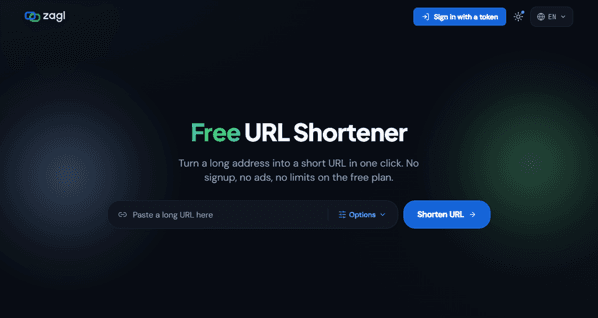
Services such as za.gl are designed to make this process simple, allowing users to turn long addresses into short URLs quickly.
Why Do People Use Short Links?
The main reason people use short links is convenience.
Long URLs can look messy, especially when they contain tracking codes or complicated page paths. They can also take up unnecessary space in messages and marketing content.
A short link provides a cleaner alternative.
Short URLs can be useful for:
- Social media posts
- Email campaigns
- Messaging apps
- Digital advertisements
- Printed marketing materials
- Business cards
- Presentations
- QR codes
- Product promotions
- Content sharing
Instead of asking someone to deal with a complicated web address, you can provide a simple link that takes them directly to the intended destination.
How a URL Shortener Works
The basic process behind a URL shortener is straightforward.
1. Paste Your Link
The first step is to copy the webpage address you want to shorten.
It can be almost any valid web address, regardless of how long it is. You do not need to install software or change the original webpage.
You simply paste the URL into the URL-shortening service.
For example, if you have a long article URL, product page, landing page, or other webpage, you can enter that address into the shortening tool.
2. The Service Creates a Short URL
After you submit the original address, the service creates a unique short URL.
The shortened address typically contains a domain followed by a short combination of characters.
Behind the scenes, the service stores a connection between the short URL and the original destination.
When someone visits the short address, the system knows which original webpage should be opened.
3. The Visitor Clicks the Short Link
When someone clicks your short link, the URL-shortening system receives the request.
It identifies the unique short code and looks up the destination associated with that code.
The visitor is then redirected to the original webpage.
This entire process generally happens very quickly, so the person clicking the link may barely notice the redirect.
Customize Your Short Link
Modern URL shorteners can offer more than simple URL conversion.
Depending on the service, users may have the option to customize the ending of their short link.
Instead of using a randomly generated combination of characters, you may be able to create a more recognizable ending related to your campaign, brand, product, or content.
A customized short link can be easier to recognize and communicate.
For businesses, this can be particularly useful when creating links for marketing campaigns or promotions.
Add Password Protection
Some links may contain information that you do not want everyone to access.
Certain URL-shortening services allow users to protect a short link with a password.
With this feature, visitors may need to enter the correct password before reaching the destination page.
This can provide an additional layer of control when sharing links with a limited audience.
However, password protection should be viewed as an access-control feature rather than a replacement for proper security on the destination website.
Set an Expiry Date
Another useful feature offered by some URL shorteners is link expiration.
An expiry date allows you to specify when a shortened URL should stop working.
This can be useful for temporary promotions, event registrations, limited-time campaigns, or other links that should only remain active for a certain period.
Once the expiration condition is reached, the short link can stop redirecting visitors to the original destination.
This gives users greater control over the lifespan of their shared links.
Set Click Limits
Some modern URL-shortening platforms can also provide click-limit functionality.
A click limit allows you to specify how many times a short link can be accessed.
This can be useful for certain promotional campaigns, limited-access resources, or situations where you want to control the number of visits.
The exact functionality and availability of click limits depend on the URL-shortening service being used.
Share a Short Link or QR Code
Once your short URL has been created, you can copy it and share it almost anywhere.
But short links can also be useful for creating QR codes.
A QR code allows people to scan a visual code with their smartphone and open the associated webpage.
This makes shortened URLs useful for both online and offline marketing.
For example, a business could place a QR code on a poster, flyer, product package, presentation, or business card. Someone can scan the code and immediately access the linked webpage.
Track Link Activity
One of the most useful features of modern URL shorteners is analytics.
A basic shortened link simply redirects visitors, but an advanced service can provide information about how people interact with the link.
Depending on the platform, a dashboard may show information such as clicks, countries, and devices.
This can give marketers a better understanding of how their links are performing.
For example, if a company shares a short link on social media and receives hundreds of clicks, the analytics can help show where those visitors are coming from and which devices they are using.
Why Link Analytics Matter
Analytics can help turn a simple link into a useful marketing resource.
Suppose you share a campaign through several channels. You can use different short links to understand which channel receives the most engagement.
This information can help businesses make better decisions about future campaigns.
Instead of simply knowing that people visited a webpage, marketers can gain additional insight into how the link was used.
Of course, the exact analytics available depend on the service and its features.
No Software Installation Required
One of the advantages of online URL-shortening tools is that they are generally browser-based.
You do not need to install complicated software to create a short link. You can simply open the service, paste your URL, and generate the shortened address.
For users who need to create links quickly, this makes the process convenient and accessible from different devices.
Are Short Links Safe?
Short links themselves are not automatically dangerous or safe. Their safety depends largely on the service creating them and the destination behind the link.
Because a shortened URL may hide the full destination, users should be careful when clicking unfamiliar links.
Businesses should use trustworthy URL-shortening services and ensure that their links point to legitimate destinations.
It is also a good practice to provide context when sharing a short link so recipients understand what they can expect after clicking.
Who Can Benefit From a URL Shortener?
A URL Shortener can be useful for many different types of users.
Businesses can use short links for product promotions, advertisements, campaigns, and customer communications.
Marketers can use them to organize campaigns and monitor link engagement.
Content creators can share articles, videos, profiles, and other resources without using long URLs.
Event organizers can create convenient links for registrations, schedules, and event information.
Everyday users can use short links when sharing websites through messages, social media, or email.
Final Thoughts
A URL Shortener does much more than simply make a long address shorter. Modern services can provide customizable links, password protection, expiry dates, click limits, QR codes, and analytics.
The basic process remains simple: paste your original link, create a short URL, and share it.
When someone clicks the short link, the service connects that compact address to the original destination and redirects the visitor. Meanwhile, additional features can give you more control over how the link is shared and monitored.