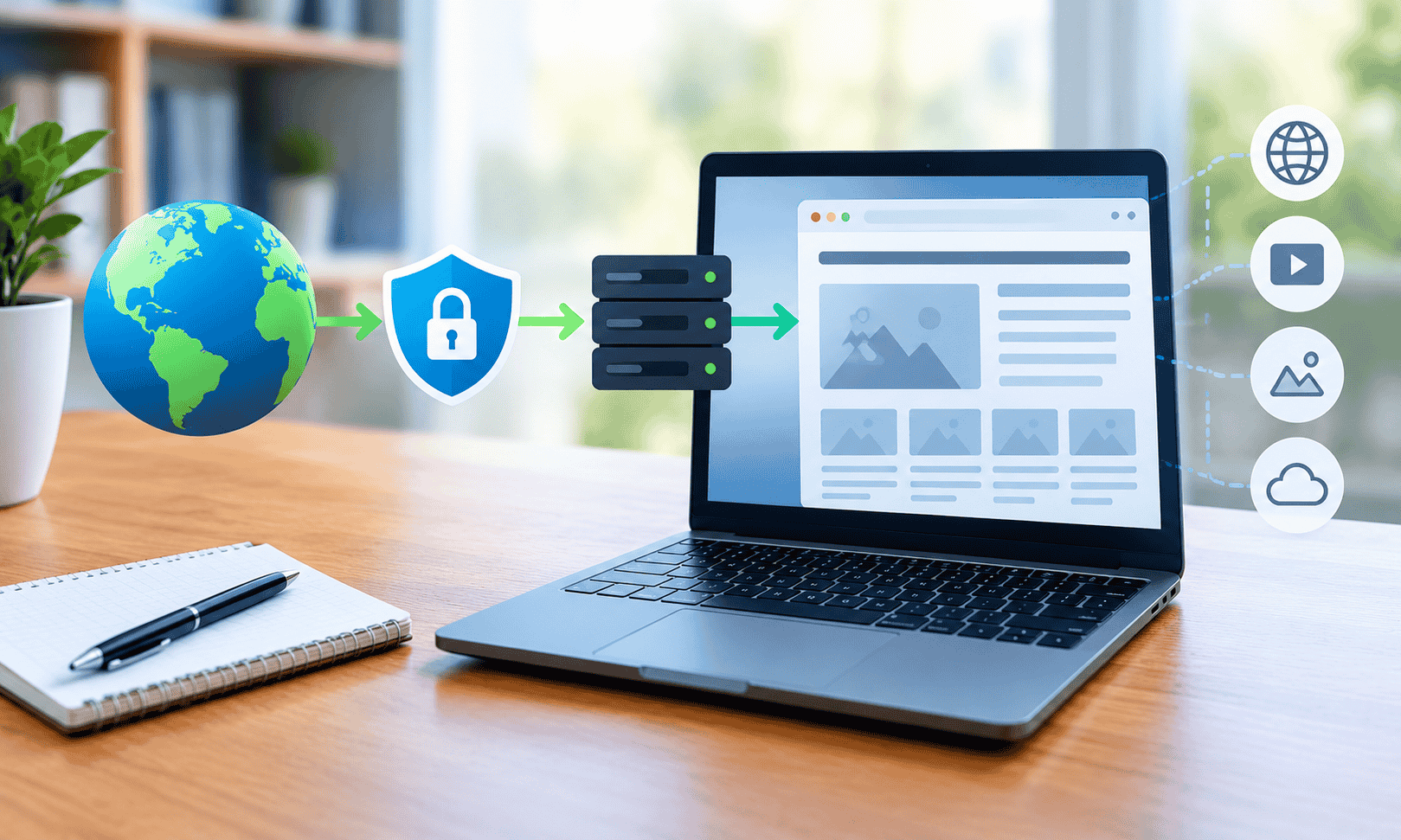
CroxyProxy and the Basics of Accessing Websites Through a Proxy
The way people access information online has changed significantly over the years. Today, users rely on websites for education, entertainment, research, communication, and everyday tasks. However, network restrictions, privacy concerns, compatibility issues, and differences in internet access can sometimes make browsing less convenient than expected. This is where proxy technology becomes useful. By acting as an intermediary between a user and a website, a proxy can provide another way to send web requests and receive online content.
CroxyProxy is a browser-based web proxy service designed to help people access supported websites through an intermediary server. Instead of connecting directly to a destination website in the usual way, users enter a web address through the proxy interface. The service then processes the request and attempts to display the requested content within the browser.
For beginners, understanding how CroxyProxy works is a helpful introduction to the broader concept of proxy browsing. You do not need to be a networking expert to understand the basic process. Learning about proxy servers, their advantages, their limitations, and responsible browsing practices can help you make better decisions about how you access websites.
What Is CroxyProxy?
CroxyProxy is a web-based proxy service that allows users to access supported websites through an intermediary server. It is designed to simplify proxy browsing by providing a browser interface rather than requiring users to configure a separate proxy application manually.
In a typical browsing session, your browser sends a request to a website’s server. The server processes that request and returns the information needed to display the page. When a web proxy is involved, the request passes through the proxy service, which attempts to retrieve the requested content and deliver a browser-compatible version to the user.
This approach can make proxy technology easier to understand and use, particularly for people who do not have experience with network settings.
For example, imagine that you want to read an article on a website using a browser on a shared computer. Instead of changing the computer’s network configuration, you can open a browser-based proxy interface, enter the website address, and let the service attempt to load the requested page.
The result depends on several factors, including the destination website, the proxy’s capabilities, network conditions, and any restrictions applied by the website itself.
CroxyProxy is therefore best understood as a convenient access method for supported web content, rather than a universal solution for every website or online privacy concern.
Understanding the Basics of Proxy Servers
To understand CroxyProxy, it helps to learn what a proxy server actually does.
A proxy server acts as an intermediary between a client and another server. In web browsing, the client is usually a browser or application, while the destination server hosts the website you want to visit.
Without a proxy, the browser generally communicates with the destination website directly. With a proxy, the request is routed through the intermediary before reaching the destination.
The basic process involves three stages.
First, the user requests a webpage through the proxy interface. Next, the proxy processes the request and attempts to communicate with the destination website. Finally, the proxy returns the available content to the user’s browser.
This arrangement changes the connection path, but it does not automatically make every aspect of the browsing session private or secure.
The proxy operator may be able to observe certain connection information, depending on the service’s design and encryption arrangements. Websites may also use account information, browser characteristics, cookies, or other signals to identify a session.
Understanding this distinction is essential. A proxy changes how a request travels; it does not guarantee complete anonymity.
How CroxyProxy Works in a Browser
Browser-based proxy services are designed to reduce the technical steps involved in using an intermediary server. Instead of configuring individual network settings, users interact with a webpage.
Although implementations vary, the general browsing process follows a straightforward pattern.
Step 1: Open the Proxy Interface
Start by opening the official CroxyProxy website in your browser. Make sure the address is correct before entering any information. This is particularly important because unofficial websites may imitate the appearance of familiar services.
Step 2: Enter the Destination Website
Locate the website address field provided by the service. Enter the URL of the website you want to access.
For example, you might enter the address of a publicly available article, an educational resource, or another supported webpage.
Step 3: Submit the Request
After submitting the address, the proxy attempts to retrieve the requested website. The time required depends on the destination server, the proxy infrastructure, the size of the webpage, and the quality of the connection.
Some pages may load quickly, while others may take longer or fail to display correctly.
Step 4: Browse the Available Content
If the request succeeds, the website’s content may appear within the browser through the proxy. Depending on the implementation, links and supported page elements may continue working as you navigate.
However, websites that depend heavily on JavaScript, complex authentication, interactive applications, or particular browser features may not function as expected.
Step 5: End the Session When Finished
When you finish browsing, close the proxy tab if you no longer need it. If you accessed a personal account, check whether you signed out and whether any session information remains accessible.
On shared devices, it is especially important to avoid saving passwords or leaving personal accounts open.
These steps describe the general process rather than guaranteeing that every feature will work identically on every device.
Why People Use CroxyProxy
People explore proxy services for different reasons. Some want a convenient way to reach supported websites, while others are interested in learning how intermediary connections work.
The usefulness of CroxyProxy depends on the user’s specific objective and the network environment.
Accessing Supported Websites
One reason people use a web proxy is to attempt to access websites that may not load through their usual connection. A proxy introduces another route between the browser and the destination.
Whether this helps depends on the type of restriction involved. A proxy may provide a different connection path, but it cannot guarantee access when a destination website blocks the proxy itself or when the network restriction applies to the proxy service.
Simplifying Proxy Browsing
Traditional proxy configuration can require a server address, port number, authentication details, and adjustments to operating-system or browser settings.
A browser-based service offers a simpler starting point. Users can interact with a webpage instead of configuring an intermediary connection manually.
This can be useful for people who want to understand proxy browsing without learning advanced networking concepts first.
Using a Browser on Different Devices
A web-based proxy interface can be convenient on devices that already have a compatible browser. Users may be able to try the service without installing a dedicated application.
However, compatibility is not universal. Device restrictions, browser policies, network filtering, and website requirements can affect whether the service works.
Exploring Online Resources
Students, researchers, and general internet users may encounter proxy services while looking for alternative ways to access publicly available information.
A proxy can be one option for viewing supported resources, but it should not be treated as a replacement for legitimate access methods provided by schools, libraries, publishers, or website owners.
CroxyProxy and the Difference Between a Proxy and a VPN
Proxy servers and virtual private networks, commonly known as VPNs, are related technologies, but they serve different purposes.
A web proxy typically handles requests for websites or other supported web content, while a VPN creates an encrypted connection between a device and a VPN server, generally routing a broader range of network traffic through that connection.
The exact behavior depends on the service and its configuration.
| Feature | Browser-based web proxy | VPN |
| Main purpose | Route supported web requests through an intermediary | Route device or application traffic through a VPN connection |
| Setup | Often accessed through a website | Usually requires a VPN application or system configuration |
| Coverage | Commonly limited to supported web browsing | Can cover multiple applications and network services |
| Encryption | Depends on the browser connection and proxy implementation | Typically encrypts traffic between the device and VPN server |
| Privacy considerations | Depends on the proxy operator and destination website | Depends on the VPN provider, configuration, and destination website |
| Best use case | Convenient access to supported web content | Broader network routing and protection on untrusted networks |
An important distinction concerns encryption. HTTPS can protect information exchanged between a browser and a website, including when a proxy is involved, provided the connection remains properly secured end to end. However, the proxy operator may still see connection metadata and, depending on how the service works, other information.
A proxyorb also does not automatically provide complete anonymity. Websites can still recognize logged-in users, collect information through cookies, and use other identification methods.
If your goal is to browse a supported web page without installing software, a web proxy may be convenient. If you need protection for traffic from multiple applications on public Wi-Fi, a properly configured VPN may be more suitable.
The right choice depends on what you are trying to accomplish.
Can CroxyProxy Help With Restricted Websites?
Website restrictions can occur for several reasons. A school, workplace, public Wi-Fi provider, or network administrator may limit access to certain categories of websites. A website may also restrict access based on geographic location, account status, traffic patterns, or security policies.
A proxy introduces an intermediary connection that may behave differently from a direct connection. In some situations, this can affect whether a webpage loads.
However, using CroxyProxy does not guarantee that a restricted website will become accessible.
For instance, a website may block requests originating from proxy servers. It may require an account login, verify the user’s region, or rely on browser functions that the proxy cannot fully support.
Similarly, a network administrator may block access to the proxy service itself. In that case, the intermediary cannot be reached through the network.
If a website does not load, first consider whether the problem is caused by a temporary outage, an incorrect address, a browser compatibility issue, or a restriction imposed by the destination website.
It is also important to respect network policies and applicable laws. On a school or workplace network, check the relevant rules before attempting to access restricted content.
Understanding the Privacy Limitations of a Web Proxy
Privacy is one of the most misunderstood aspects of proxy browsing.
When a proxy handles a request, the destination website may see the proxy server’s network address rather than the user’s original public IP address for that particular connection. This can provide a limited form of IP address masking.
However, masking an IP address is not the same as becoming anonymous.
Several other factors can reveal information about a browsing session.
The Proxy Operator
The proxy service operates the intermediary infrastructure. Depending on its architecture and policies, the operator may have access to connection metadata, requested destinations, or other information.
Before using a proxy, review the provider’s privacy policy and understand what information it collects, how it handles logs, and whether it shares information with third parties.
Do not assume that a service keeps no records unless you have reliable information supporting that claim.
Cookies and Website Accounts
If you sign in to a website, the website can associate your activity with that account. Cookies and other session mechanisms may also help identify your browser.
A proxy does not prevent this simply because the connection passes through another server.
Browser Fingerprinting
Websites may examine characteristics such as browser configuration, supported features, screen properties, and other technical signals to distinguish browsing sessions.
A proxy does not necessarily change these characteristics. As a result, some tracking techniques may continue to work.
HTTPS and Connection Security
HTTPS helps protect information exchanged between your browser and the destination website. However, the precise protection you receive depends on how the proxy connection is implemented.
Never assume that entering information into a proxy makes sensitive data safe. Be particularly careful with passwords, payment information, identity documents, and confidential business records.
The safest general approach is to use proxies for ordinary browsing when appropriate and reserve sensitive activities for trusted connections and services.
Is CroxyProxy Safe to Use?
Safety depends on what you access, what information you share, and how the proxy service handles your requests.
A proxy may be useful for viewing ordinary webpages, but routing traffic through an intermediary introduces another service into the browsing process. That service becomes part of the trust relationship.
Before using CroxyProxy or any similar tool, consider the following precautions.
Check the website address. Visit the official service rather than clicking unfamiliar advertisements or links that imitate its branding.
Avoid entering sensitive information. Unless you have verified that the service and connection are appropriate for the task, do not use a proxy session for banking, payment processing, confidential work, or other sensitive activities.
Look for HTTPS. Check that the browser connection is secure. HTTPS is an important protection, although it does not guarantee that the proxy provider itself is trustworthy.
Read the privacy policy. Understand the provider’s stated data practices, including any information collection, retention, or sharing.
Be cautious with downloads. Files retrieved through any browsing service should be treated carefully. Use reputable sources and appropriate security software before opening downloaded files.
Keep your browser updated. Current browsers include security fixes and protections that can help reduce exposure to known vulnerabilities.
These precautions are useful for proxy browsing generally. They should not be interpreted as a guarantee that a particular service is safe for every purpose.
Common Reasons CroxyProxy May Not Work
A web proxy may fail to load a website even when the destination works through a normal browser connection. The problem can originate from several places.
The Destination Website Blocks Proxy Traffic
Some websites detect and restrict requests from known proxy servers. If this happens, the service may display an error, a verification page, or incomplete content.
This is a restriction imposed by the destination website, not necessarily a problem with your browser.
The Proxy Service Is Temporarily Unavailable
Like other online services, a proxy may experience maintenance, server overload, or technical interruptions. If the proxy itself does not load, wait and try again later.
The Website Uses Unsupported Features
Modern websites may depend on advanced scripts, embedded applications, streaming components, or browser APIs. A proxy may not handle all of these features correctly.
A page might display its text while buttons, videos, or other interactive elements fail to work.
The Network Blocks the Proxy
Some networks restrict access to proxy websites. If the proxy’s own webpage cannot be reached, the issue may involve the network rather than the destination website.
Check the network’s usage rules before trying other access methods.
The URL Is Incorrect
A mistyped address, outdated link, or redirected page can also cause an error. Confirm the URL and check whether the destination website is available through a normal connection.
The Session Has Expired
Some websites require an active session or fresh authentication. When a session expires, the page may stop working until you restart the browsing process.
Avoid repeatedly submitting login credentials through an intermediary when the cause of the error is unclear.
Tips for a Better Proxy Browsing Experience
A few simple habits can make proxy browsing easier to understand and troubleshoot.
First, begin with a simple public web page rather than a complex website that requires multiple scripts, sign-in steps, or embedded applications. This helps you determine whether the basic connection works.
Second, use a current browser. Updated software is generally better equipped to handle modern web standards and security requirements.
Third, pay attention to the information requested by the service. A proxy generally should not need unnecessary personal details simply to attempt to retrieve an ordinary public webpage.
Fourth, understand that page loading speed may differ from your usual browsing experience. Requests may travel through additional infrastructure, and the proxy’s server capacity can affect performance.
Fifth, avoid opening several unnecessary proxy sessions at the same time. Keeping the browsing process simple makes it easier to identify technical problems.
Finally, use a direct connection when a website requires sensitive authentication or when the proxy introduces unexpected behavior. Convenience should not take priority over protecting personal or business information.
CroxyProxy for Students and Everyday Internet Users
Students and everyday internet users often encounter proxy services while searching for information, reading articles, or exploring online tools.
For educational purposes, understanding how a proxy works can introduce useful networking concepts, including client-server communication, routing, IP addresses, HTTPS, and browser compatibility.
For example, a student learning about internet infrastructure can compare a direct website request with one routed through an intermediary. This provides a practical way to understand why a proxy can change the connection path without necessarily changing the content hosted by the destination website.
Everyday users may also find a browser-based interface easier to explore than manual proxy settings.
However, schools, colleges, libraries, and employers may have policies governing the use of proxy services. Users should follow those policies, particularly when working on managed devices or institutional networks.
For educational research, official websites, digital libraries, and authorized databases remain preferable sources for academic material.
The broader lesson is that understanding the technology helps users decide when a proxy is appropriate and when another method of accessing information would be better.
Using a Web Proxy on Shared or Public Computers
Shared computers require additional care because multiple people may use the same browser or device.
A proxy can change the path used to retrieve a webpage, but it does not automatically erase browsing history, downloaded files, saved passwords, or active sessions from the computer.
If you use a shared device, avoid signing in to personal accounts unless necessary. Never allow the browser to save your password on a computer that other people can access.
After browsing, sign out of accounts, close relevant tabs, and follow the device owner’s instructions for clearing personal session information. If you download a file, remember that it may remain on the computer after the browser closes.
Be especially cautious when using public computers for financial services, workplace systems, or accounts containing sensitive personal information.
A useful rule is simple: do not treat a shared computer as private just because you are using a proxy.
The security of the device itself matters just as much as the route used to reach the website.
Does CroxyProxy Hide Your IP Address Completely?
A proxy can change the IP address that a destination website sees for a proxied request. In that limited sense, it can mask the user’s original public IP address from the destination.
However, the answer to whether it hides your IP address completely is more complicated.
The proxy operator may see the originating connection address. Some website requests may not pass through the proxy as expected, depending on the implementation. Browser features, account logins, cookies, and other identifiers can also reveal information about a session.
Furthermore, a proxy may not cover traffic generated by applications outside the browser-based session.
It is therefore more accurate to say that a web proxy can provide limited IP address masking for supported requests, but it does not guarantee complete anonymity or privacy.
Users who need a stronger privacy approach should evaluate their entire browsing setup, including the trustworthiness of the provider, browser security, HTTPS connections, account practices, and any additional network tools they use.
No single tool eliminates every form of online tracking.
Is CroxyProxy Free to Use?
The availability of free access, usage limits, and optional paid features can vary according to the service’s current offering.
Before using CroxyProxy, check its official website for the latest information about pricing, advertisements, account requirements, and any usage restrictions.
Do not assume that every feature is free or that a free service provides unlimited access, identical speeds, or the same capabilities across all devices.
Free online services may use different business models, such as advertising or optional upgrades. Users should understand the terms of the particular service they choose.
It is also worth distinguishing between the cost of accessing a proxy and the cost of using the destination website. A proxy does not automatically remove subscriptions, account requirements, or other charges associated with third-party content.
If a website asks you to pay for its services, the presence of a proxy does not change the website’s underlying pricing rules.
Web Proxy Performance: What Affects Loading Speed?
Browsing speed is influenced by more than the user’s internet connection.
When you access a website through a proxy, the request involves additional infrastructure. The proxy must receive the request, communicate with the destination server, process the response where necessary, and return the available content to the browser.
Several factors can affect this process.
Server distance: The physical distance between the user, proxy server, and destination can influence network latency.
Server capacity: A busy proxy server may take longer to process requests than one with sufficient available resources.
Page complexity: Websites containing large images, video, interactive applications, or extensive scripts may require more time and processing.
Destination restrictions: Verification challenges and blocked requests can prevent a page from loading normally.
Network conditions: Congestion, packet loss, and unstable connections can affect performance at any stage.
If a page is slow, try a simple public webpage to determine whether the issue affects all browsing or only one destination. You can also compare the same page through a normal connection, provided doing so is permitted and appropriate.
Keep in mind that repeated retries will not necessarily resolve a server-side restriction or an incompatibility between the proxy and the destination website.
Choosing the Right Proxy Service for Your Needs
CroxyProxy is one option within the broader category of web proxy services. Choosing an appropriate service requires more than checking whether a webpage loads.
Start by identifying your main objective. Are you looking for a convenient browser-based way to access public information, trying to understand proxy technology, or seeking broader protection for your internet traffic?
For basic browsing, a browser-based proxy may be convenient. For traffic from multiple applications, a VPN may better match your requirements. For confidential information, an organization’s approved secure connection may be the most appropriate choice.
Next, consider the provider’s reputation and transparency. Look for a clear privacy policy, understandable terms of use, and information about how the service handles user data.
Compatibility is another important consideration. If you regularly use complex web applications, you may need a solution that supports the relevant browser features and authentication methods.
Finally, evaluate the risks. A service that offers convenient access is not necessarily suitable for sensitive tasks. Avoid sharing information you would not want exposed to an untrusted intermediary.
The best choice is the one that matches your actual browsing needs without creating unnecessary privacy or security risks.
Frequently Asked Questions About CroxyProxy
What is CroxyProxy used for?
CroxyProxy is a browser-based web proxy service used to attempt to access supported websites through an intermediary server. Its usefulness depends on the destination website, network conditions, and the service’s capabilities.
Do I need to install software to use CroxyProxy?
A browser-based proxy is generally designed to work through a web interface, so a separate application may not be necessary for basic use. Specific features and compatibility can vary.
Can CroxyProxy make me anonymous online?
No proxy should be assumed to provide complete anonymity. A proxy may mask your original public IP address from a destination website for supported requests, but the operator, cookies, account logins, and browser characteristics can still expose information.
Can I use CroxyProxy on a mobile phone?
A browser-based proxy may work on a compatible mobile browser. Actual performance depends on the device, browser, network, destination website, and service compatibility.
Why does a website fail to load through a proxy?
Possible reasons include a temporary service outage, a destination website blocking proxy traffic, unsupported browser features, an incorrect URL, or network restrictions.
Is a proxy the same as a VPN?
No. A web proxy typically handles supported web requests, while a VPN generally routes a broader range of device or application traffic through a VPN connection. Both require users to consider provider trust and privacy limitations.
Should I use a proxy for online banking?
A general-purpose web proxy is not the preferred choice for banking or other sensitive activities. A trusted direct connection, secure device, and official banking website or application are generally more appropriate.
Does a proxy improve internet speed?
Not necessarily. A proxy adds another step to the connection and can increase latency. Performance depends on the proxy infrastructure, destination website, network conditions, and page complexity.
Conclusion
CroxyProxy offers a browser-based way to explore proxy technology and attempt to access supported websites through an intermediary server. By understanding how proxy requests work, why certain websites may not load, and how privacy protections differ between proxies and VPNs, users can make more informed decisions about their browsing habits. A proxy can be convenient for ordinary web access, but it should not be treated as a guarantee of unrestricted access, complete anonymity, or protection for sensitive information.