Best Password Manager App in 2026 (Free and Paid)
Most “best password manager app” roundups repeat the same shortlist and the same one-line summaries year after year, without checking whether those free-tier claims still hold. Some do not. LastPass changed its free plan in 2021. Bitwarden’s free tier is more generous than most competitors but still leaves out a few things people assume are included. 1Password has never offered a free plan at all.
This comparison was built by checking each vendor’s current pricing page rather than copying older articles, so the free-tier limits below reflect what you would actually run into in 2026, not what was true five years ago.
Why Free Password Manager Claims Need a Second Look
Search for the best password manager app and nearly every result claims its pick is “free forever” or “unlimited.” Those claims are usually accurate on their own terms but they leave out the fine print that actually decides whether a free plan works for you: how many devices it syncs to, whether it supports two-factor codes and whether sharing a password with a family member requires an upgrade.
That fine print changes. LastPass’s free tier does not work the way it did before 2021. Reading the current pricing page, rather than trusting a comparison written years ago, is the only way to know what a password manager actually gives you today.
How This Comparison Was Built
Six tools made the cut: Bitwarden, Proton Pass, 1Password, LastPass, RoboForm and Keeper. Each vendor’s current pricing and features page was checked directly rather than relying on older summaries and an independent 2026 breakdown of free password manager tiers was used to cross-check the trickier limits, including Proton Pass’s free alias cap and LastPass’s device restriction.
The comparison focuses on what changes daily use: password storage limits, device sync rules, two-factor authenticator support, secure sharing and whether a free plan exists at all.
Quick Comparison Table
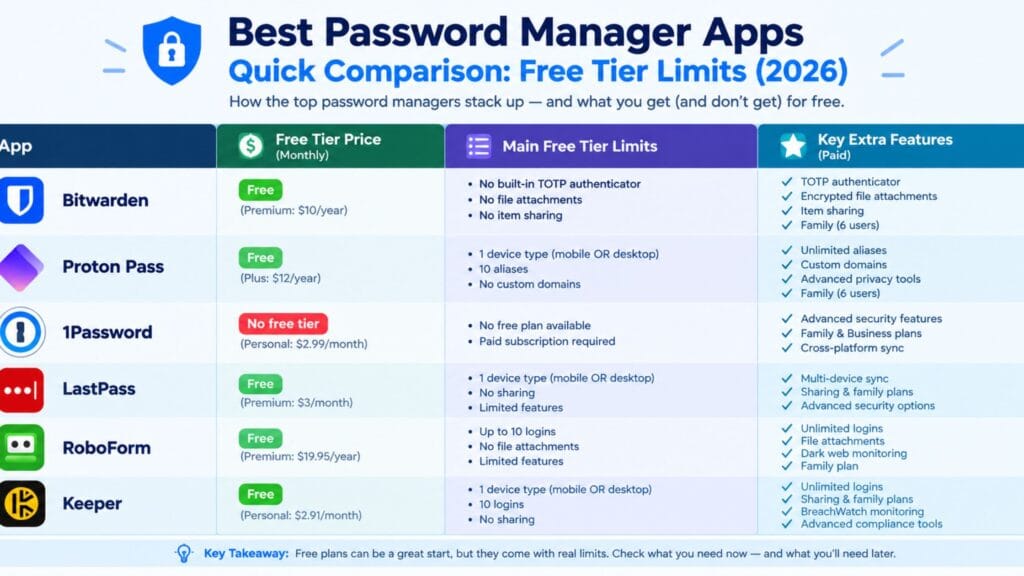
| Tool | Best For | Free Plan | Real Limit on Free Tier |
| Bitwarden | Unlimited passwords across devices | Yes | No built-in TOTP codes, file attachments or sharing |
| Proton Pass | Privacy-focused users already in the Proton ecosystem | Yes | Hide-my-email aliases capped at 10 |
| 1Password | Families and teams wanting a polished app | No | Subscription required from the first login |
| LastPass | People who only need one type of device | Yes | Restricted to one device type since 2021 |
| RoboForm | Simple form-filling plus password storage | Yes | Free tier limited to a single device |
| Keeper | Businesses already using Keeper’s admin tools | Yes | Caps out at 10 stored records on mobile |
Bitwarden: The Free Tier Other Tools Get Compared Against
Bitwarden’s free plan is the one every other tool on this list gets measured against and for good reason: it stores an unlimited number of passwords, syncs across an unlimited number of devices and includes a password generator, all without a subscription. For anyone who just wants a working password manager without paying, it remains the strongest starting point.
What the “unlimited” claim leaves out is covered in its own section further down, because it is the part most comparisons skip entirely.
Proton Pass: Free, Private and Built by the Proton Team
Proton Pass, from the team behind Proton Mail, offers a free plan with unlimited password storage and unlimited devices, built on the same end-to-end encryption approach Proton uses across its other products. It also includes a distinctive feature: hide-my-email aliases, which let you generate a masked email address for signups instead of handing out your real one.
The free tier’s real limit is that alias cap. According to an independent 2026 breakdown of free password manager tiers, Proton Pass’s free plan restricts hide-my-email aliases to 10, after which creating new ones requires a paid plan. For unlimited password storage, that limit rarely matters. For anyone who relies heavily on the alias feature specifically, it is worth knowing upfront.
1Password: No Free Tier, But a Reason People Still Pay
1Password is the one major name on this list with no free tier at all in 2026. Every account requires a paid subscription from the first login and the closest it offers to a trial is a limited-time free period rather than an ongoing free plan.
What that subscription buys is a consistently polished experience across platforms, family and team sharing built in from the start and Travel Mode, which temporarily hides selected vaults when crossing a border. For individuals comparing free options, 1Password will not appear on a shortlist. For families or small teams who have decided a subscription is worth it, it remains a reasonable pick.
LastPass: The Free Plan That Quietly Got Smaller in 2021
LastPass is still listed as a free option in plenty of older comparison articles and it does still offer a free plan in 2026. What changed, in March 2021, is which devices that free plan actually covers.
Before 2021, LastPass’s free tier synced across both mobile and computer devices. Since the change, a free account is restricted to a single device type only, meaning mobile devices or computers, not both at the same time. Switching your free account from syncing on your phone to syncing on your laptop is possible but using both simultaneously on a free plan is not. Several comparison pages still describe the free plan as working across “unlimited devices” without mentioning this restriction, which is the kind of outdated detail this article specifically checked before including LastPass here.
RoboForm and Keeper: Free Tiers With a Real Catch
RoboForm’s free plan covers unlimited password storage but restricts syncing to a single device, which makes it a reasonable choice if you only ever log in from one phone or one laptop and a poor fit if you move between devices during the day. Its form-filling tools remain a genuine strength for anyone who fills out a lot of repeat information online.
Keeper’s free plan is more restrictive than most alternatives on this list: it caps free accounts at roughly 10 stored records on mobile, which is workable for testing the app but too small for anyone with a normal password collection. Keeper’s paid tiers are built more around business and enterprise admin controls than individual convenience, so it tends to make the most sense for organizations already using Keeper’s management dashboard rather than individual users comparing free options.
What Bitwarden’s Free Tier Still Does Not Include
Bitwarden’s free plan is generous but “unlimited passwords” is not the same as “every feature.” Three specific things require a paid Bitwarden plan even though the free tier covers unlimited storage and devices: built-in two-factor authenticator codes (TOTP), which generate the six-digit codes some sites require at login; encrypted file attachments stored alongside a password entry; and secure item sharing with another person, which needs the Families plan.
None of these gaps make Bitwarden’s free plan a bad choice. They just mean that someone who wants a single app for both password storage and authenticator codes or who wants to share a family password securely inside the app, will run into a paywall Bitwarden’s marketing does not lead with.
Passkeys Are Changing What a Password Manager Actually Stores
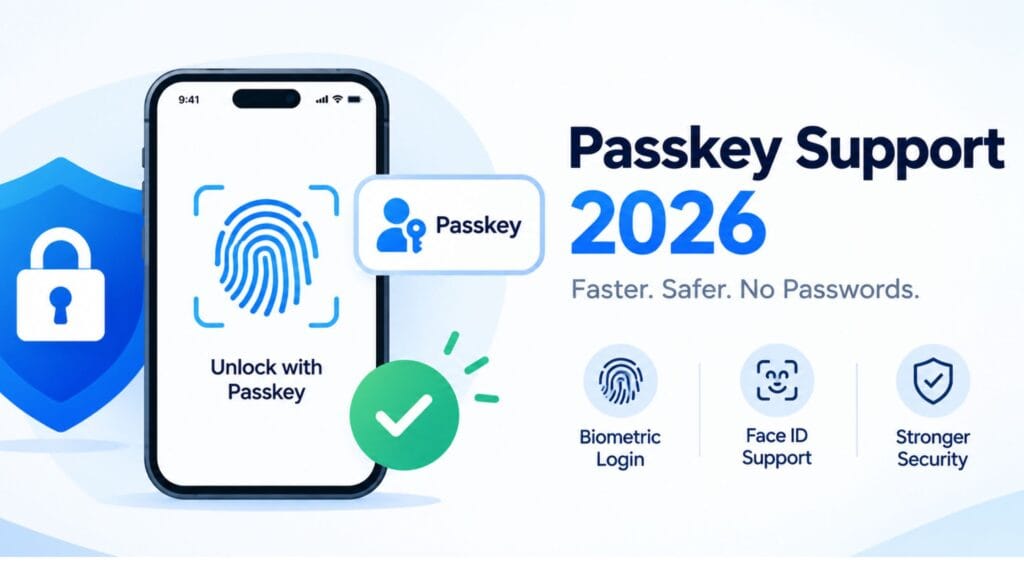
Passwords are no longer the only thing a password manager needs to hold. Passkeys, the passwordless sign-in standard built on public-key cryptography, are increasingly offered as an alternative login method by major sites and a password manager that cannot store and sync passkeys is starting to fall behind. Bitwarden, Proton Pass and 1Password all support saving and using passkeys directly inside the app, letting you sign into a supported site with a fingerprint or device unlock instead of typing anything.
LastPass, RoboForm and Keeper have been slower to add full passkey support, which matters less today than it will in a year or two as more sites drop password-only login entirely. For anyone picking a password manager to use for the next several years rather than the next few months, passkey support is worth checking on the vendor’s current feature page rather than assuming it works the same way it did when an older review was written.
Matching a Password Manager to How You Actually Use Devices
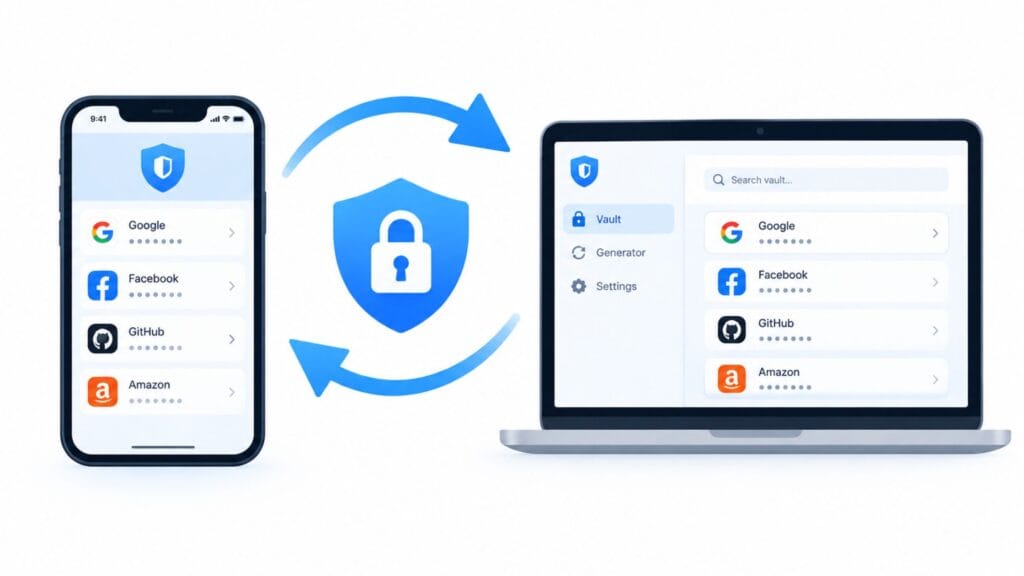
The right pick usually comes down to one question: how many different types of devices do you log in from and do you need them syncing at the same time? Anyone using only a phone or only a laptop, can get by comfortably on LastPass’s, RoboForm’s or Keeper’s free tiers, within their respective limits. Anyone who moves between a phone and a computer during a normal day needs a plan that syncs both at once, which rules out LastPass’s and RoboForm’s free tiers and points toward Bitwarden or Proton Pass instead.
Families who want to share logins securely without emailing them back and forth will hit Bitwarden’s free-tier sharing limit quickly and should budget for a paid plan, whether that is Bitwarden Families or 1Password’s family option. Businesses evaluating admin controls, provisioning and audit logs are better served comparing Keeper’s and 1Password’s business tiers directly rather than starting from a free-plan comparison built for individuals.
For readers coming from our screen time app comparison or looking at broader digital-habit tools, a password manager is one of the few utility apps worth installing even if you never touch anything else on this list; it is one of the few security habits that measurably reduces account takeovers.
If you manage logins for a small team alongside social accounts, it is worth pairing whichever password manager you choose with a dedicated social media management tool so credential sharing and content scheduling do not end up mixed into the same inbox threads.
FAQs
What is the best free password manager in 2026?
Bitwarden and Proton Pass are the strongest free options in 2026, both offering unlimited password storage across unlimited devices. Bitwarden’s free tier is the most complete overall, though it excludes built-in authenticator codes, file attachments and sharing, which require a paid plan.
Does 1Password have a free plan?
No. 1Password does not offer an ongoing free tier in 2026. Every account requires a paid subscription after any trial period ends.
Is LastPass still good or has the free plan gotten worse?
LastPass’s paid plans remain capable but its free plan has been more limited since a March 2021 change that restricts free accounts to syncing on one device type only, mobile or computer, rather than both at once.
What is the best password manager for iPhone?
Bitwarden and Proton Pass both work well on iPhone with free plans that sync across unlimited devices, including iPad and Mac. 1Password is also strong on iOS if you are already paying for a subscription.
Are free password managers actually safe to use?
Reputable free password managers like Bitwarden and Proton Pass use end-to-end encryption, meaning the provider cannot read your stored passwords. Being free does not mean being less secure; the free-tier limits are about features and device count, not encryption strength.
Should a small business pay for a password manager instead of using a free plan?
Most small businesses outgrow individual free tiers quickly because they need shared team vaults, admin controls and audit logs, which are features built into paid business plans from Bitwarden, 1Password and Keeper rather than available on any free tier.
Conclusion
There is no single best password manager app for everyone but the free-tier details above narrow it down fast. Bitwarden remains the strongest all-around free pick for unlimited passwords across unlimited devices, Proton Pass is the closest privacy-focused alternative and LastPass’s free plan is only a fit if you are certain you will stick to one type of device. 1Password and Keeper’s paid tiers make more sense once sharing, business admin controls or a fully polished experience matter more than saving a subscription fee.
Whichever tool you pick, the biggest security gain comes simply from using a password manager instead of reusing passwords across sites, not from squeezing every last feature out of a specific plan.
Security habits and everyday web tools tend to overlap more than people expect. If you are already tightening up your accounts, it is worth browsing BratGen’s free text and font tools while you are at it, since a cleaner digital setup usually starts with small, low-effort wins like these.