How Reddit Video Downloaders Save Videos in HD and Original Quality
A drone shot over some coastline gets posted in 4K, sharp enough to count the waves. The saved copy opens looking like it was filmed through a wet window. The original never changed. A wrong version got downloaded, that is the entire story, and the same wrong version sits behind most blurry Reddit saves. Each clip lives on Reddit in several quality levels at once. Careless tools grab the smallest level since small arrives fast. The sharp one takes no extra skill to get, only a tool prepared to ask for it. Where those versions come from, and how to land the best one every time, follows below.
Why Saved Clips Keep Coming Out Blurry
Every upload gets processed into a ladder of versions. One clip, four or five sizes. 1080p usually takes the top spot, 720p and 480p fill the middle, and the bottom holds a size or two that barely counts. The player keeps shifting rungs to match the connection while a clip runs. A clip starting soft and finishing sharp is that shifting, caught in the act.
Downloaders deal with that same ladder. Lazy ones reach for the bottom rung by habit, since the tiny file there arrives in a blink and costs them nothing to serve. The save finishes, nothing seems wrong. The blur shows up later, on a bigger screen.
Nothing broke anywhere. The sharp version still sits in the post, unclaimed.
What Counts as Original Quality
Two numbers control how a clip looks. Both need to survive the download.
Resolution is the first, the pixel count of the frame. 1080p holds more than twice the pixels of 720p, and Adobe’s beginner’s guide to video resolution explains how much of a clip’s sharpness rides on that count alone. Phones hide a lot of sins. A TV forgives nothing.
Bitrate comes second, meaning how much data describes each second of footage. Not enough data, muddy pictures, whatever the label claims. Fast motion breaks first. Confetti, rain, a crowd mid-jump, movement too busy for a starved file to describe, so it melts into blocks instead.
Original quality simply means both numbers match the upload. The resolution stays, the data stays, and no fresh compression touches the frame.
How the Right Tool Lands the Sharp Copy
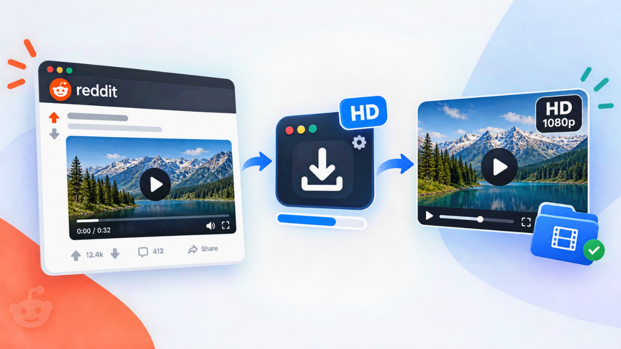
Effort has nothing to do with the fix. The tool does. A proper reddit video download hd through a site like RedLoad heads straight for the ladder’s top. After a link goes in, every version Reddit holds for that post appears as a resolution choice, and the chosen one gets fetched. The top entry is the uploader’s own file. Untouched.
Sound tags along in the same deal. The audio of a Reddit clip sits in a file of its own, apart from the video, and whichever tool does the download also does the merging. Tools careless about resolution usually botch this part too. A good one returns a single finished MP4, original audio in place.
A browser tab holds the whole operation. Nothing installs, no account appears, nothing lingers afterward. The finished file lands in Downloads or the gallery looking the way the post did.
Saving in HD Takes Three Steps and One Decision
Copy the post link. Share, then Copy Link, done. On a computer, the address bar works too. Aim the link at the post itself, not a profile page, not a subreddit feed.
Paste and pick the resolution. Link in, options out, and now the one decision that matters. 1080p on the list? Take it. Bigger file, sure. Storage is cheap. A lost moment is not. The only reason to settle lower is a post that was uploaded small to begin with, since no tool on earth invents pixels the uploader never provided.
Save and inspect. Hit download, then open the saved file and play a few seconds at full screen. Edges sharp? Text readable? Sound present? Then done. Ten seconds of checking today beats finding a soft copy in the gallery three months out.
Keeping the Quality After the Save
A sharp download is not safe forever. Three things routinely ruin one after the fact.
Messaging apps do the most damage. Almost every chat app shrinks video before delivering it, so the crisp MP4 that left one phone shows up softer on the next. Clips travel untouched through a cloud link, or when attached as a document instead of a video.
Editing comes next. An editor that trims a clip and exports on default settings often re-encodes the whole file with less data per second than it arrived carrying. Artlist’s breakdown of how bitrate shapes video quality covers why that slowly ruins footage. So cut from a copy, every single time. The downloaded original stays untouched as the master.
Trap three is plain forgetfulness. Whatever resolution the save used is baked in for good, meaning a 480p grab will still be 480p in ten years. A quick look at the resolution list before saving heads off entirely.
A Quick Trust Test for Any Downloader
- Resolution options show up before the save. A tool hiding the choice is probably defaulting to the smallest file.
- The top option matches the post. A post uploaded in 1080p deserves a list that goes up to 1080p. Anything capped lower is cutting corners.
- Sound arrives merged. Volume up, quick play. Silence means half the clip got left behind.
- The output is a plain MP4. No converter, no odd format, no watermark stamped anywhere.
- Nobody wants an account or a card. Quality has no business living behind a signup wall.
Where the Extra Quality Actually Pays Off
Not every save needs the top rung. A meme built for one group chat laugh does its job at 480p. Full quality earns its file size in three places.
Big screens come first. Sixty inches of TV will expose a clip that looked perfectly fine on a phone. Second, anything headed into an edit, since compilation makers need source material with detail to spare and every edit pass costs a little. Third, anything worth keeping for years. Storage gets cheaper every season. A deleted post never comes back. The archive copy should be the best copy that ever existed.
Outside those three? Grab whatever loads fastest and move on. The point was always having the choice.
Frequently Asked Questions
Does a reddit video download hd work for every post?
For every public video post, yes. The ceiling is set by the uploader, nobody else. A downloader can only fetch what exists, so a post made at 720p stops at 720p.
Why did a saved clip come out worse than the post?
The tool pulled a low rung of the quality ladder, as most quick ones do. A downloader that shows resolutions fixes it. Pick the top one.
Is HD downloading slower?
Slightly, since bigger files need a few more seconds. The clip then stays sharp for its whole life, which makes the trade easy.
Is there a charge for HD?
No. Decent browser tools hand over the full resolution list free. A site selling HD as a premium tier has invented a problem just to sell the cure.
How big is one HD clip?
Twenty to sixty MB covers a typical minute of 1080p, bitrate depending. Even a phone running low on storage fits hundreds of those.
What about files already saved blurry?
Those are stuck, sadly. Sharpening filters cannot rebuild detail the file never contained. The real fix is going back to the post and saving it again at the higher resolution.
Does full screen make a clip look worse?
No. Full screen adds nothing and removes nothing, it just lets the file show everything it has. That is also why it makes such a handy test after a save.
Final Thoughts
Blurry saves were never bad luck. A ladder existed, nobody mentioned it, and speed-first tools kept choosing its bottom rung. Meanwhile the sharp version of every clip sat on Reddit’s servers the whole time, one deliberate choice away. So: a downloader that shows the resolution list, the top option, one full screen playback, and an original kept safe from re-compression. Four small habits. Every clip in the gallery ends up looking the way its uploader intended.