AI Voice Generators Compared: What’s Worth It in 2026
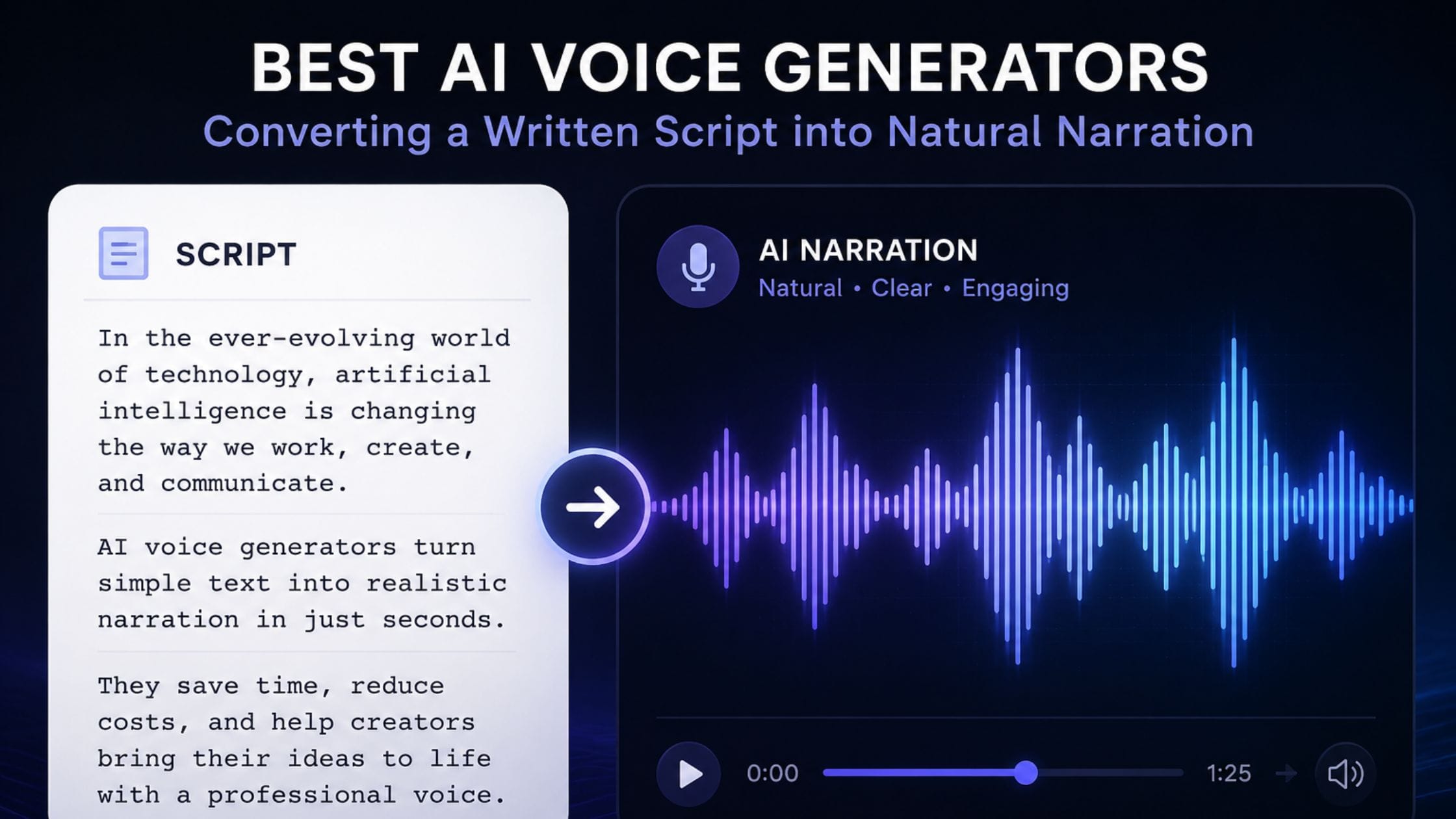
Type a sentence into a text-to-speech tool today and there is a real chance a listener cannot tell it apart from a person reading off a script. That shift, from obviously synthetic to genuinely convincing, happened faster than most creators noticed and it has made narration one of the few production steps a solo creator can now fully hand off. This comparison looks at which AI voice generators are actually worth using in 2026 and at a licensing detail buried in nearly every free tier that most roundups never mention.
Text to Speech Has Quietly Stopped Sounding Fake
For years, synthetic narration gave itself away within a sentence or two, flat pacing, no breath, emphasis landing on the wrong word. Newer models handle emotional context in a way that older text-to-speech engines never attempted, adjusting pace and tone based on what a sentence is actually saying rather than reading every line at the same rhythm.
That improvement changed who this category is actually built for. A tool that once served developers building accessibility features or automated phone systems now regularly gets used by solo creators producing narration-heavy YouTube channels, podcasts and course content without ever stepping in front of a microphone.
The Four Tools Worth Testing This Year
This comparison narrows a crowded field down to four tools that consistently earn a spot in independent reviews for genuinely different reasons rather than overlapping features. Each one was judged on voice realism, how much the free tier actually lets you do and critically, what the free tier’s terms say about using that audio commercially, a detail that determines whether a tool is usable for real publishing or only for testing.
Side by Side: Voice Quality, Price and Real Limits
| Tool | Strongest At | Free Tier Limit | Commercial Use Included Free |
| ElevenLabs | Realistic narration and voice cloning | 10,000 characters a month | No, paid plan required |
| Murf AI | Multi-voice, script-heavy production | Limited minutes | Depends on plan, verify before publishing |
| Speechify | Reading existing text aloud | Limited daily use | Built for personal listening, not publishing |
| Descript Overdub | Voice fixes inside a video timeline | Limited transcription minutes | Tied to whichever subscription tier you hold |
ElevenLabs Still Leads on Realism
ElevenLabs remains the benchmark other tools in this category get measured against, largely because its model handles emotional delivery, breath and pacing more convincingly than competitors in blind comparisons. Its voice library runs into the thousands between community and premade options and its cloning feature can recreate a specific voice from a short sample, which is why it became the default pick for faceless channels built entirely around narration.
None of that comes free beyond a trial-sized allowance. The free tier caps out around 10,000 characters a month, roughly 10 minutes of finished audio, enough to judge the quality but not enough to run a real publishing schedule on.
Murf Wins When a Script Needs Several Distinct Voices
Murf is built around full voiceover production rather than a single clip, with controls for pacing, emphasis and pronunciation that hold up across a longer script, plus support for multiple distinct voices inside one project. That combination fits training content, structured explainers and anything where more than one character or narrator needs to stay consistent from start to finish.
Its free tier gives just enough runway to test the interface and a handful of voices before a paid plan becomes necessary. For teams building longer, more structured productions rather than quick social clips, its template-driven approach tends to save real setup time compared to building the same result from scratch elsewhere.
Speechify Is a Different Tool Wearing a Similar Name
Speechify gets grouped with voice generators constantly but its core job is different: reading existing text, articles, documents, emails, aloud for someone who wants to listen rather than read. That makes it genuinely useful for students, commuters and anyone consuming written content while doing something else but it is not built around producing a voiceover meant for publishing.
A separate Speechify Studio product does target content production, which is worth knowing if the main app’s listening focus is not what you actually need. Assuming Speechify fills the same role as ElevenLabs or Murf for a creator making monetized video is a common mix-up worth avoiding.
Descript’s Overdub Skips a Step Most Workflows Don’t Need
Descript folds transcription, text-based editing and an AI voice feature called Overdub into one timeline, which matters specifically when you need to fix a flubbed line without re-recording or switching to a separate voice tool. Editing the transcript and watching the audio update to match removes a step that would otherwise mean re-exporting and re-importing audio across two different apps.
Because Overdub lives inside Descript’s broader platform rather than existing on its own, its usage limits and licensing terms follow whatever Descript subscription you already have rather than a standalone free allowance. For creators already editing inside Descript, that integration is the entire reason to use it over a dedicated voice tool.
The License Detail That Changes Everything at Publish Time
Almost every comparison of this category leads with character limits and voice quality and almost none of them say this plainly: ElevenLabs’ own documentation states that while you own the audio you generate, commercial usage rights only come with a paid subscription. Free-tier output is not licensed for monetized YouTube videos, client work or any other commercial use, regardless of how convincing it sounds.
This is not specific to ElevenLabs and the same question is worth asking of any tool on this list before publishing anything that earns money. Broadcast-quality narration on a free plan is still not automatically a free license to use it commercially and discovering that gap after a video is already live and monetized is a far worse position than a five-minute check of the terms page beforehand.
Where Voice Realism Still Breaks Down
Even the strongest models in this category can still slip on specific things: uncommon names, technical jargon, numbers read in an unnatural order or rapid emotional shifts within a single sentence. These moments are rare enough that a full script rarely gets derailed by them but a listener notices instantly when one hits, since a single flat or mispronounced word stands out more in synthetic speech than in a natural recording.
Most tools let you manually respell a tricky word phonetically or insert a pause where the automatic pacing gets it wrong and doing that pass before publishing catches the handful of moments that would otherwise give the narration away. Treating the first generation as a draft rather than a final file is the difference between voice work that holds up under a second listen and voice work that only sounds right the first time through.
Getting a Script to Sound Spoken Instead of Read
A strong voice model can still sound stiff if the script it receives reads like a formal document rather than something meant to be spoken aloud, since pacing in these tools takes real cues from punctuation and sentence rhythm. Shorter sentences with natural pauses, written the way you would actually say them rather than the way you would write a report, consistently produce better-paced narration than a dense unedited paragraph.
Most of these tools also expose some manual control over delivery, stability and emphasis sliders in ElevenLabs, pause and pronunciation tags in Murf. Taking a minute to adjust a line that comes out too rushed or too flat, rather than accepting the first take, is usually the entire difference between narration that gives itself away and narration nobody questions.
Matching the Tool to What You’re Actually Building
Pick ElevenLabs when realism is the priority and you are ready to pay once testing turns into a real publishing schedule, since its free tier’s limits make it better suited to evaluation than production. Pick Murf when a script needs multiple distinct voices or more structure than a single narrator provides.
Choose Speechify only if you want to listen to existing writing rather than produce something new to publish, since that is a genuinely different job than the rest of this list. Choose Descript’s Overdub if you are already editing inside Descript and want voice fixes without adding a separate app to the workflow.
Narration is one piece of a finished video, not the whole pipeline. The site’s guides to free screen recording software and free video editing software cover the rest of it and the growing library of free browser-based creator tools on this site covers the styling side once the audio and video are locked.
FAQs
Which AI voice generator sounds the most realistic in 2026?
ElevenLabs continues to lead independent comparisons on realism, with reviewers specifically pointing to how it handles pacing, breath and emotional delivery compared to competitors. The gap has narrowed as other tools improve but ElevenLabs remains the reference point most others get compared against.
Can I legally use free AI voice generator audio in a monetized video?
Usually not. Most tools in this category, ElevenLabs included, restrict commercial usage rights to paid plans, so free-tier audio is technically not licensed for monetized content. Confirm the specific terms of whichever tool you use before publishing anything that earns revenue.
What is the difference between Speechify and a tool like ElevenLabs?
Speechify is built primarily to read existing text aloud for personal listening, while ElevenLabs is built to generate new voiceover audio meant for publishing. They solve related but different problems and a creator producing content typically needs a production-focused tool rather than Speechify’s core app.
Is AI voice cloning legal to use in content?
Cloning your own voice for your own content is generally fine under most platforms’ terms but cloning someone else’s voice without permission raises both legal exposure and platform policy issues and several providers explicitly prohibit unauthorized cloning. Confirm you have the right to use a specific voice before cloning and publishing it anywhere.
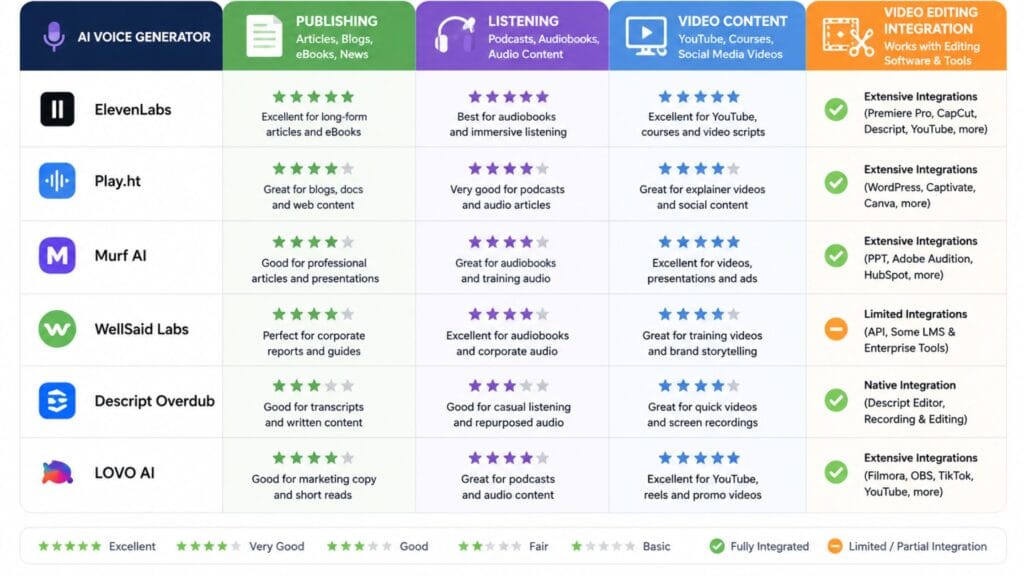
Which AI voice generator integrates best with video editing software?
Descript Overdub is the most tightly integrated, combining transcription, editing and voice correction inside one timeline rather than requiring audio to be generated elsewhere and imported. Creators using a separate editor can still import ElevenLabs or Murf audio as a standard track without much extra friction.
Do AI voice generators support languages other than English?
Most major tools in this category, including ElevenLabs and Murf, support dozens of languages and accents, though voice realism and available voice variety can differ noticeably between languages. Testing a specific target language directly is more reliable than assuming English-tier quality carries over automatically.
Conclusion
Realism stopped being the interesting question in this category somewhere in the last year, since the top few tools now clear that bar convincingly. The question actually worth spending time on is whether the audio you generate today is something you are legally allowed to publish tomorrow, and that answer lives in a terms page most people never open. Read it before you build a script around a free plan, not after the video is already up and earning.