10 Best Chrome Experiments to Try (With Working Links)
Most chrome experiments roundups were written years ago and still link to the original chromeexperiments.com pages and a good number of those links no longer go anywhere useful. Google has since folded the project into a broader collection, so half the appeal of a “best of” list, actually being able to click through and try something, quietly breaks.
This list sticks to entries with current, working links, checked rather than copied from an older roundup, plus a quick explanation of why so many of those old links stopped working in the first place.
Each pick below covers what the project actually does, the browser technology behind it worth knowing about and a direct link verified while writing this. A closing section also covers where to keep browsing once you have worked through these ten.
What Chrome Experiments Actually Is
Chrome Experiments started in 2009 as a showcase for what JavaScript and the open web could do inside a browser, no plugins involved. Developers submit interactive projects, games, music tools, data visualizations and more, built with HTML5, Canvas, WebGL, SVG and the Web Audio API and Google features the better ones in a running collection.
Over the years the collection grew past 1,500 submissions, expanding into mobile, then AR, VR and AI-powered pieces as those technologies matured. The core idea never changed: everything runs directly in the browser tab, nothing to install.
The project’s growth is a decent timeline of the open web itself. It passed 50 entries within months of launching, hit 500 by 2012 and crossed 1,000 submissions by early 2015, a milestone Google marked with its own dedicated microsite. Mobile-friendly experiments arrived in 2012 and the more recent additions lean into AI-assisted drawing, singing and generative art, reflecting whatever browser capability happened to be newly practical at the time.
What ties a decade and a half of submissions together is the constraint itself: everything has to run in a standard browser tab, with no install step and no plugin. That restriction is exactly what makes the better entries genuinely impressive rather than just technically competent.
Why So Many Old Links Are Broken
The project’s original home, chromeexperiments.com, was the address nearly every early roundup linked to. Google has since consolidated the showcase into experiments.withgoogle.com/collection/chrome and the old root domain does not reliably forward visitors the way a well-behaved redirect would, so links copied from a 2015 or 2018 article often lead nowhere.
It gets more confusing because a handful of individual project subdomains, Chrome Music Lab’s musiclab.chromeexperiments.com and 100,000 Stars’ stars.chromeexperiments.com among them, still work fine on their own. That inconsistency is exactly why checking each link individually matters more than trusting an older list.
Search engines compound the problem too, since an old cached result can still outrank a newer one even after the page behind it stops resolving properly, which is part of why dead links on this exact topic have persisted in search results for years rather than quietly disappearing.
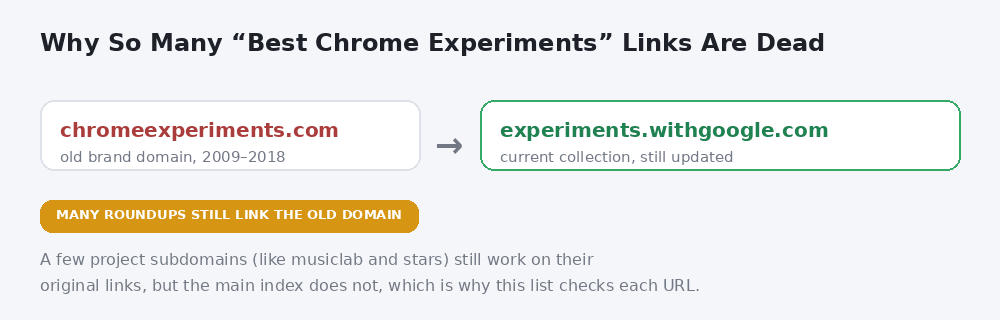
Why a chrome experiments list written a few years ago is likely to have dead links today.
1. Quick, Draw!
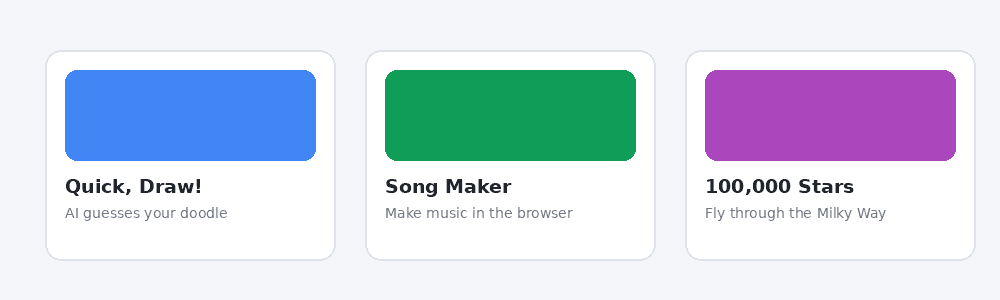
Quick, Draw! hands you a prompt (“draw a cat,” say) and a neural network tries to guess what you are sketching in real time, before you finish. It is one of the clearest, most approachable demonstrations of how a machine-learning model recognizes patterns, built from over a billion crowd-sourced doodles and it still works exactly as advertised.
Every doodle submitted also feeds back into the training dataset, which means the underlying model has effectively kept learning since launch rather than staying frozen at its original release, a detail most writeups covering it skip entirely.
2. Song Maker (Chrome Music Lab)
Part of the wider Chrome Music Lab collection, Song Maker turns a simple grid into a working melody and beat sequencer. Click squares to place notes, hit play and the whole thing loops back as music, no instrument knowledge required. It is a genuinely useful classroom tool as much as a novelty and it is one of the few entries from the original era that never moved off its own working subdomain.
Teachers in particular have adopted it well beyond its original demo purpose, since a finished song can be saved as a link and shared without anyone needing an account. It remains one of the most-cited examples of what the Web Audio API makes possible without a single plugin.
3. 100,000 Stars
A WebGL visualization that starts at Earth and zooms outward through our actual stellar neighborhood, built from real astronomical data, before pulling back far enough to show the Milky Way’s full structure. It dates back to 2012 and still holds up as one of the collection’s most visually striking entries, running smoothly in any modern browser without a plugin.
The underlying dataset comes from real stellar catalogs rather than artistic approximation, which is part of why it is still referenced in web-development case studies as an example of rendering real scientific data smoothly in a browser.
4. Shared Piano
A real-time collaborative piano where multiple people, each on their own device, can play on the same virtual keyboard together over the web. Anyone with the link joins the same session instantly, which makes it a fun one to send to a friend rather than try alone.
It is a good demonstration of low-latency web syncing between browsers, a genuinely harder technical problem than it looks, since every keypress has to reach every other connected session fast enough to still feel like playing together rather than taking turns.
5. SandSpiel
A falling-sand simulator built on cellular automata, the same category of system behind Conway’s Game of Life. Drop sand, water, fire or plant particles onto the canvas and watch them interact according to simple rules that somehow produce genuinely complex, satisfying behavior. It rewards just leaving it running and watching what happens.
Each particle type follows only a handful of local rules, yet combining enough of them produces fire spreading, water pooling and plants growing in ways that look deliberately designed even though nothing about the outcome is scripted in advance.
6. FreddieMeter
An AI-powered vocal tool that listens to you sing through your microphone and scores your performance against the vocal range and style of Freddie Mercury. Built to mark a Queen anniversary, it stuck around in the collection as a surprisingly well-built piece of audio analysis dressed up as a party trick.
Under the hood it is analyzing pitch, tone and range against a trained reference model in real time, the same broad category of audio machine learning used in far more serious vocal-coaching software, just wrapped here in a far more playful presentation.
7. Biomes
A procedurally generated 3D environment you can customize and wander through entirely in the browser, built to show off what real-time rendering on the web can look like without a dedicated game engine installed locally. Each generated space feels distinct, which is the actual technical trick being demonstrated.
Adjusting the generation settings produces a genuinely different landscape each time rather than a reskinned version of the same template, which is the part most casual visitors underestimate until they try regenerating it a few times in a row.
8. Tab Maker
A practical rather than purely artistic entry: Tab Maker lets you design and build a custom new-tab page for Chrome, then turns it into an actual installable extension. It is one of the few experiments here that leaves you with something you keep using daily rather than a one-time demo.
The build process walks through layout, background and widget choices step by step, then packages the result as a real Chrome extension file you can install directly, no developer account or coding step required on your end.
9. Morse Typing Trainer for Gboard
An accessibility-focused experiment that teaches Morse code as an alternate input method, built in connection with Google’s Gboard keyboard accessibility features. It is a genuinely useful teaching tool for anyone exploring alternate text input, not just a curiosity.
It fits a broader, less flashy part of the collection focused on assistive technology rather than visual spectacle, which tends to get overlooked in most roundups that lean heavily toward the games and visualizations instead.
10. UFO Sightings Around the World
A WebGL globe that plots decades of reported sightings geographically, letting you spin the globe and watch patterns cluster by region and era. It is one of several data-visualization entries in the collection that turns a public dataset into something you can actually explore interactively rather than just scroll past as a static chart.
Filtering by decade reveals reporting trends that a flat table would bury entirely, which is really the point of entries like this one: the visualization itself becomes a way of noticing a pattern you would not have gone looking for otherwise.
Who Actually Builds These Experiments
Most entries come from independent developers and small creative studios who submit their own open-web projects for inclusion, not from a Google engineering team building every piece in-house. A handful of flagship projects, Chrome Music Lab among them, came directly from Google’s Creative Lab but the broader collection has always leaned on outside submissions.
That open-submission structure is part of why the collection’s quality varies so much from entry to entry and also why it has kept producing fresh work for over fifteen years. A curated, editor-picked list like this one exists precisely because wading through the full submission history on your own takes real time.
How to Find More Chrome Experiments
The full, current collection lives at experiments.withgoogle.com/collection/chrome, searchable and filterable by category (AI, games, music, art, data and more). It is worth bookmarking that address specifically rather than the old chromeexperiments.com one, since that is where new submissions actually land now.
The filter categories are a quicker way to browse than scrolling the full list, especially the AI and Art sections, which tend to hold the newest additions since those are the categories Google’s own creative team has been actively expanding. Sorting by newest first is also a reliable way to catch recent submissions before they show up in roundups like this one.
FAQs
Is chromeexperiments.com still a working website?
The old domain does not reliably forward visitors anymore. The current, actively maintained collection lives at experiments.withgoogle.com/collection/chrome.
Are Chrome Experiments only for Google Chrome?
No, despite the branding, most entries are built with standard web technologies (HTML5, Canvas, WebGL, Web Audio) and run in any modern browser, not Chrome exclusively.
Do Chrome Experiments still get submitted today?
Yes. The collection has grown to well over 1,500 projects and continues adding new categories, including recent AI, AR and VR pieces.
What was the first Chrome Experiment?
The project launched in March 2009 with an initial batch of 19 submissions, built to showcase what JavaScript and the V8 engine could handle in a browser.
Is Chrome Music Lab part of Chrome Experiments?
Yes, Chrome Music Lab is a themed sub-collection within the wider Chrome Experiments project, focused specifically on browser-based music tools like Song Maker and Shared Piano.
Why do some chrome experiments links redirect and others do not?
Individual project subdomains set up their own hosting and mostly still work on their original links, while the main index domain was consolidated into Google’s newer collection site and does not forward the same way.
Do I need to install anything to try a Chrome Experiment?
No. Every entry runs directly in the browser tab using standard web technologies, with no plugin, extension or download required, aside from the handful (like Tab Maker) that end with an optional installable extension as their actual output.
Can anyone submit a project to Chrome Experiments?
Yes. Most of the collection comes from independent developers and small studios submitting their own open-web projects, rather than being built entirely in-house by Google.
Conclusion
The chrome experiments collection is still genuinely worth exploring, it is just that half the roundups pointing to it are years out of date. Start with the current index at experiments.withgoogle.com if you want to browse past this list, since that is the one address guaranteed to stay current as new entries get added.
Bookmark the collection rather than any individual roundup, since new submissions keep landing there and an older list, including this one eventually, will always lag behind what Google’s own index currently shows.
If you are in the mood for another quick browser-based tool, BratGen’s homepage has a free, no-signup generator worth a look while you are here.