Best Screen Time Apps in 2026 (Tested and Compared)
Telling yourself to just use your phone less rarely works, because the apps on it were built by teams whose entire job is making that harder. A good screen time app fights that engineering with engineering of its own, whether that means a hard lock you cannot argue your way out of or a gentle pause that interrupts the automatic reach for your phone. This guide compares the best screen time apps in 2026 honestly, including the part most reviews skip: which ones are trivially easy to bypass and which ones actually hold up when you try to talk yourself out of them.
Why This Is an Engineering Problem, Not a Willpower Problem
Modern apps are built by teams specifically optimizing for how long you stay engaged, which is a fundamentally different fight than the average person assumes they are having with their own willpower. Reviews.org’s 2026 Cell Phone Usage report found that Americans check their phones an average of 186 times a day, roughly once every five minutes while awake and nearly half consider themselves addicted to their device.
That scale of habit does not respond well to a single moment of resolve. A screen time app works by inserting a real obstacle, friction, a delay or an outright block, between the impulse and the action, which is a more reliable fix than hoping today is the day you finally have enough willpower.
How We Picked These Apps
This list favors apps with a clear, specific mechanism rather than a vague promise to help you focus, since the mechanism is what actually determines whether an app survives contact with a bad day. Each entry was judged on how it intervenes, block, delay or track, how well it holds up against the obvious ways someone in a hurry might try to get around it and whether a genuinely useful free tier exists before you have to pay to find out if it works for you.
Quick Comparison Table
| App | Approach | Best For | Free Tier |
| Apple Screen Time / Google Digital Wellbeing | Tracking and soft limits | Basic awareness at zero cost | Yes, fully free |
| Opal | Hard blocking with scheduled sessions | People who keep finding workarounds | Limited, paid plan required for full blocking |
| Freedom | Cross-device blocking | Habits that follow you from phone to laptop | Limited free sessions |
| One Sec | A pause before the app opens | Automatic, habitual opens | Limited, low-cost paid tier |
| ScreenZen | Delay timers and schedules | Budget-conscious gentle friction | Yes, generous free tier |
| Forest | Gamified focus sessions | Motivation through a visual reward | One-time purchase, no subscription |
| StayFree | Cross-device usage analytics | Understanding exactly where time goes | Yes, limited free tier |
Built-In Trackers: Apple Screen Time and Google Digital Wellbeing
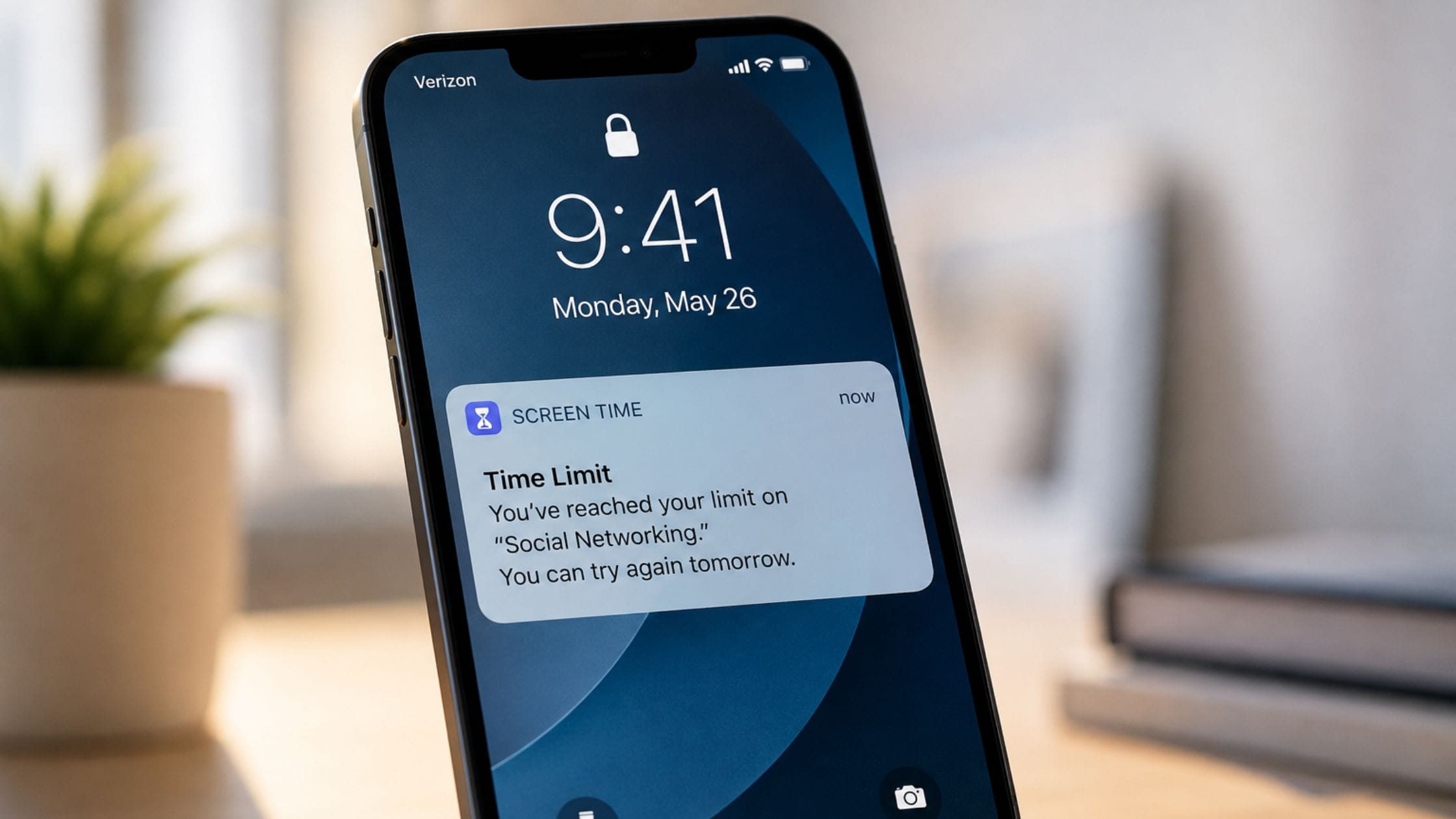
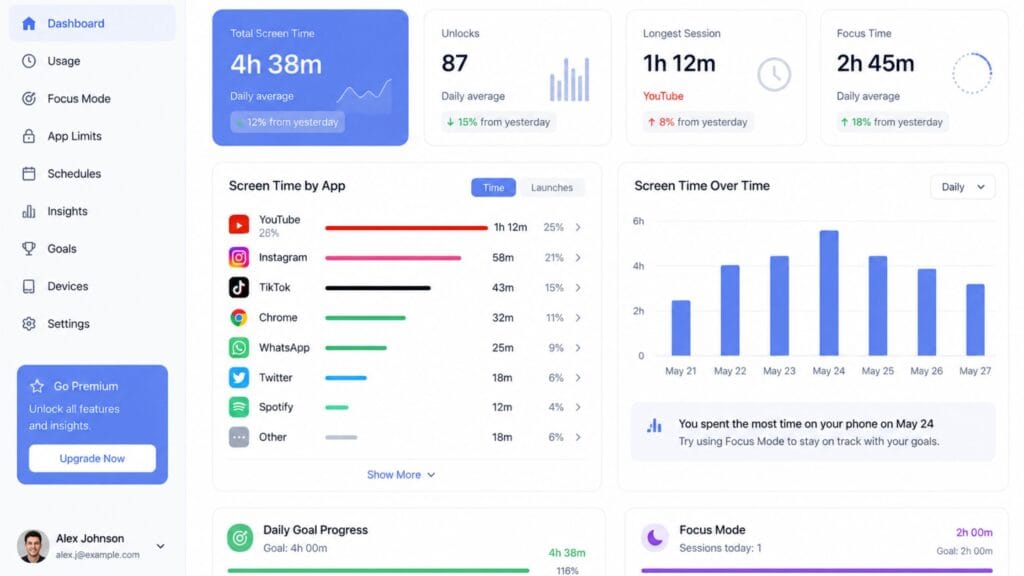
Both iPhone and Android ship with a free, built-in screen time tracker that shows exactly how much time you spend in each app and lets you set soft daily limits. These are genuinely useful for a first honest look at your actual usage, since most people underestimate their own screen time until they see the real number.
The limitation is enforcement. Both built-in tools let you tap through a limit screen with a single button, which makes them tracking tools rather than real blockers. Start here if you only need awareness and move to a dedicated app once you know exactly which specific apps are actually the problem.
Opal: Best for Serious, Hard Blocking
Opal runs scheduled Deep Focus sessions that lock distracting apps in a way that is meaningfully harder to escape than the built-in options, which is exactly why it has become the go-to recommendation across nearly every major comparison for people who have already tried gentler tools and kept finding a way around them. Its usage analytics are also more detailed than most competitors, which matters if understanding your patterns is part of your goal.
The tradeoff is price, since Opal sits toward the top of the category at roughly 100 dollars a year and it is iPhone-only, so it will not help with a laptop-based habit. For iOS users who genuinely need a hard lock, most reviewers find the cost justified. For anyone whose distraction lives partly on a computer, it is worth pairing with something else.
Freedom: Best for Cross-Device Blocking
Freedom is the most consistently recommended option specifically for people whose bad habit does not stay on one device, since it blocks the same list of apps and sites across Mac, Windows and iOS from a single session. If your problem migrates from your phone to your laptop the moment you put the phone down, Freedom is one of the few tools in this category actually built for that pattern.
Its Locked Mode is designed to prevent the easy workarounds that undermine softer tools, though as covered below, no blocker is completely bulletproof. For anyone managing distraction across more than one device, Freedom remains the most straightforward single subscription to cover all of them.
One Sec and ScreenZen: Best for Gentle Friction
One Sec inserts a short breathing pause before a chosen app opens than blocking it outright. One Sec is built around the idea that most phone use is automatic rather, than deliberate and that a few seconds of friction is often enough to break the reflex. One Sec does not stop a user from continuing if a user actually wants to which some people find respectful of their autonomy and others find easy to click through without thinking.
ScreenZen takes a similar friction-based approach with delay timers and custom schedules and it stands out specifically for offering a genuinely complete free tier rather than gating its core features behind a paywall. For anyone who wants to try the friction approach before spending anything, ScreenZen is the lowest-risk starting point in this category.
Forest: Best for Gamified Motivation
Forest turns a focus session into a small game: start a timer, a virtual tree grows and leaving the app early kills it. It is a lighter, more positive approach than a hard block and its one-time purchase price rather than a recurring subscription makes it an easy, low-commitment option to try.
It works best for people who respond to a visual reward and a bit of gentle guilt rather than strict enforcement and it is particularly well suited to short, defined focus sessions like studying or a work sprint rather than an all-day usage limit.
StayFree: Best for Detailed Usage Analytics
StayFree focuses on showing you exactly where your time goes, syncing usage data across phone and computer into detailed charts and history rather than leading with blocking as its primary feature. For anyone who wants to understand their pattern in real depth before deciding what to actually restrict, that level of detail is the app’s main advantage over more enforcement-first tools.
Its free tier covers meaningful tracking, with the premium tier adding more granular history and flexible limit-setting on top. It pairs well with a stricter blocking tool once you have identified exactly which specific habit is worth targeting.
The Bypass Problem Most Reviews Skip
Nearly every screen time app in this category has a documented workaround and most comparison pages either do not mention this or bury it in fine print. Real, commonly reported loopholes include deleting and reinstalling an app to reset its block, changing your device’s system date to trick a scheduled lock, simply switching to a second device the blocker does not cover or for friction-based tools like One Sec, tapping through the pause without actually engaging with it once the pause itself becomes a habit.
This is not a reason to avoid these apps, it is a reason to pick the enforcement level that matches how determined you expect to be on your worst day, not your best one. If you know you will look for a loophole, choose a tool with the fewest easy ones, cross-device coverage and no simple reinstall reset, rather than the most polished interface.
Privacy and Data Considerations
Screen time apps need real access to your usage data to work at all, which means it is worth a quick look at how each one handles that data before installing it. Detailed usage-analytics apps in particular, the ones that give you the richest charts and history, tend to need broader access than a simple timer or blocker, which is a real tradeoff between insight and privacy rather than a free feature with no cost attached.
Built-in tools like Apple Screen Time and Google Digital Wellbeing keep this data on-device by default, which is worth factoring in if privacy matters more to you than cross-device syncing. Third-party apps vary significantly in what they collect and whether that data leaves your device at all, so it is worth reading the specific privacy policy for any app before handing it detailed insight into your daily habits.
How to Pick the Right App for Your Specific Habit
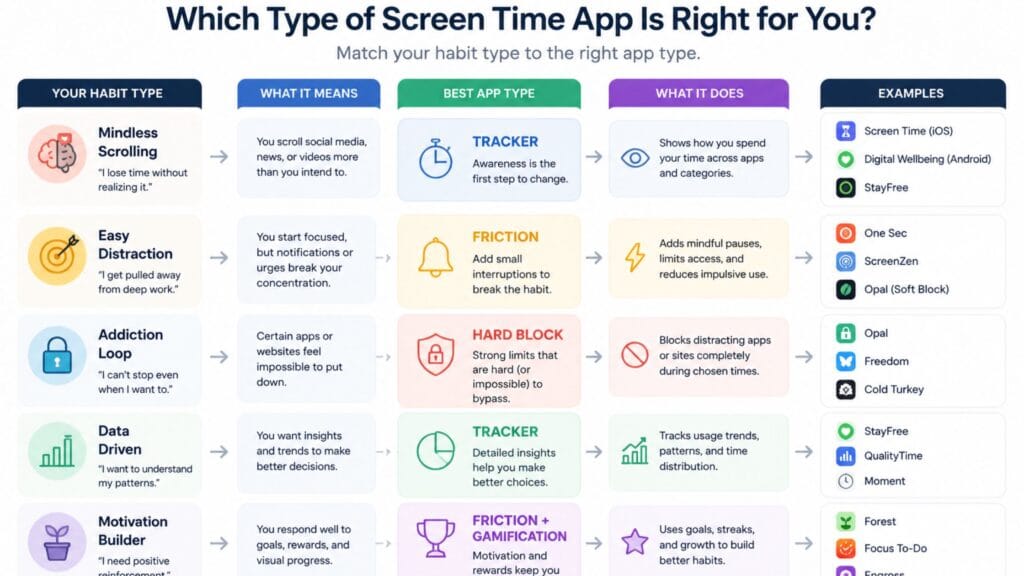
Start with the built-in tracker on your phone for a week before paying for anything, since you cannot fix a habit you have not actually measured yet. If the problem turns out to be automatic, habitual opening of one or two specific apps, a friction-based tool like One Sec or ScreenZen tends to work well without feeling overly restrictive.
If you have already tried a soft limit and talked yourself past it repeatedly, move to a genuine hard blocker like Opal or Freedom, choosing Freedom specifically if the habit follows you across a phone and a computer. Forest is worth adding on top of any of these specifically for scheduled focus sessions, like studying or a work sprint, rather than as your only tool for all-day usage.
If your screen time problem shows up specifically during work rather than downtime, it is worth pairing whichever app you choose with a genuinely distraction-free coding or work environment, since the app handles the phone and the environment handles everything else competing for your attention.
For a lighter break that does not involve blocking anything, browsing the collection of free text and font generator tools on this site is at least a more intentional five minutes than an open-ended scroll.
FAQs
What is the best free screen time app?
ScreenZen offers one of the most complete free tiers in the category, including delay timers and custom schedules with no paywall on its core features. Apple Screen Time and Google Digital Wellbeing are also fully free but function as trackers rather than real enforcement tools.
What is the best screen time app for iPhone specifically?
Opal is the most consistently recommended iPhone-specific option for people who need a genuine hard block, thanks to its scheduled Deep Focus sessions and detailed analytics. It is iPhone-only, so it will not help with a habit that also lives on a computer.
Can screen time apps actually be bypassed?
Yes, nearly every app in this category has a documented workaround, from deleting and reinstalling the app to switching to a second device it does not cover. Picking a tool based on how few easy loopholes it has, rather than only its interface, matters more than most reviews suggest.
What is the difference between a screen time blocker and a screen time tracker?
A tracker like Apple Screen Time shows you how much time you spend in each app without really stopping you from using the app. On the other hand, a blocker, like Opal or Freedom, actually stops you from using your phone during a set time. I think most people should start with a tracker to see what the real problem is before they try using a blocker.
Is it worth paying for a screen time app instead of using the free built-in option?
It depends on whether tracking alone has already worked for you. If you have tried the free built-in tools and kept overriding your own limits, a paid app with genuine enforcement, like Opal or Freedom, addresses a gap the free tools are not designed to fill.
Which screen time app works best across both phone and laptop?
Freedom is the most commonly recommended option specifically for cross-device blocking, since it applies the same block list to Mac, Windows and iOS from a single session. StayFree also syncs usage tracking across devices if analytics matter more to you than active blocking.
Conclusion
The best screen time app is the screen time app that matches your failure mode instead of the screen time app that has the most polished marketing because a beautifully designed blocker that you delete after a week helps nobody. Start with a tracker to find the real problem then choose gentle friction tools such as One Sec or ScreenZen if the habit is mostly automatic and finally move to a genuine hard blocker such, as Opal or Freedom when you know a soft limit alone will not hold.
If this honest comparison helped you pick something you will actually stick with, share it with someone still bargaining with their own phone’s default settings or drop a comment with the app that finally worked for you.