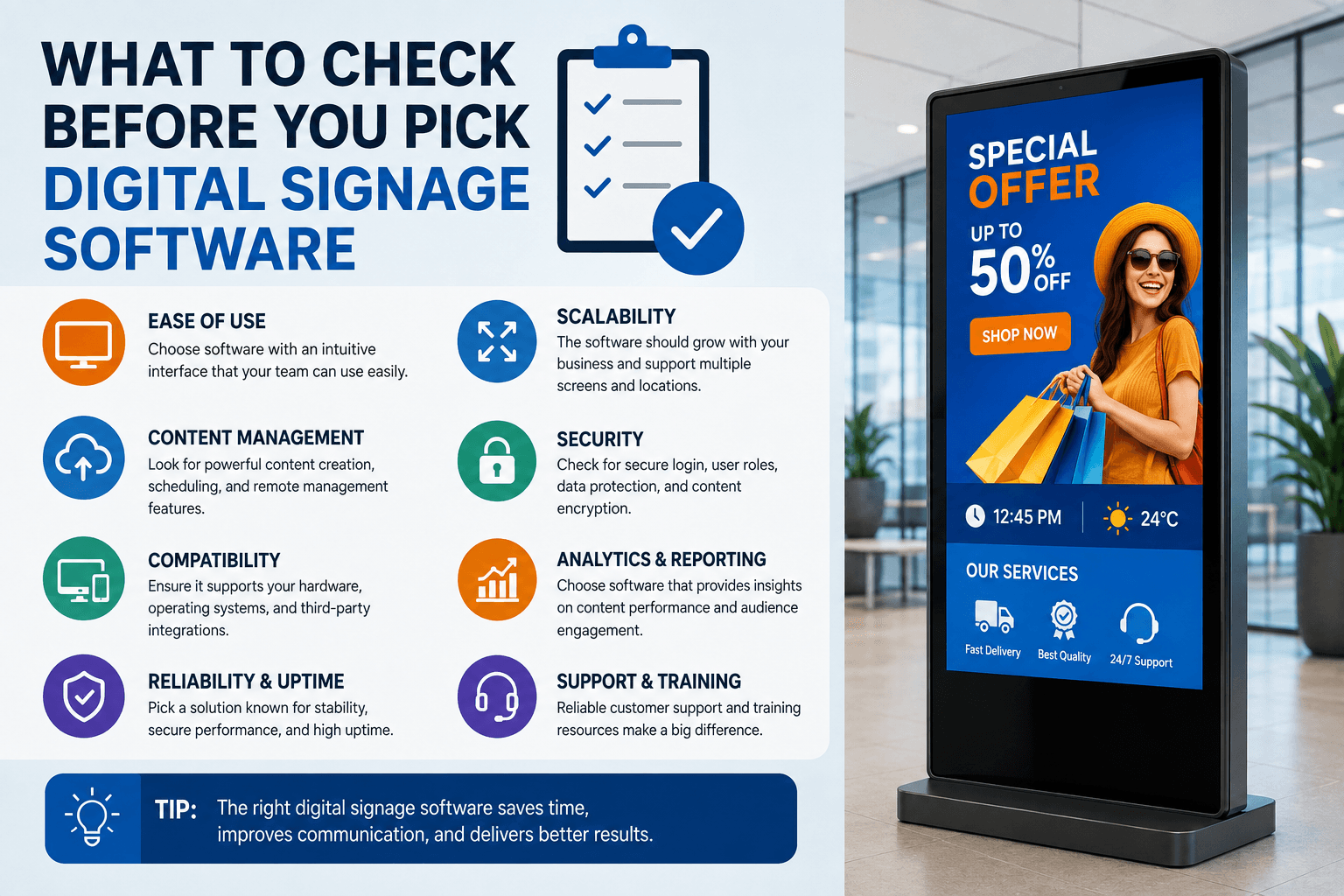
What to Check Before You Pick Digital Signage Software
Screens are everywhere now. Menu boards above the counter in a coffee shop. A welcome display in an office lobby. Schedule boards in a school hallway. Queue numbers in a clinic waiting room. From the outside they all look simple, and that is the point. Nobody is supposed to notice the system behind them.
That system is where most projects are won or lost. People spend weeks comparing screen brands and brightness levels, then pick the software in an afternoon because it was the cheapest option on the list. A few months later the screen is showing a frozen slide from last spring, because the one person who knew how to update it left, or the tool turned out to need a designer, or the internet dropped and the player never recovered.
Here is a plain look at what this software does, what to check before you sign up, and how to get your first screen running without turning it into a long IT project.
What the software is really doing
At the simplest level, it replaces printed posters with something you can change from a browser. You design what goes on the screen, you decide when it shows, and the content gets delivered to the display over the internet. No printing, no driving between locations, no asking a staff member to swap a poster at 7am.
But the part that matters most is control. Good digital signage software lets you manage every screen you own from one dashboard, whether you have one display or four hundred spread across different cities. You can push a price change to every location at once, or send one message to a single hallway. You can see which screens are online and which ones are not.
That last point sounds boring until you have a screen that has been dark for two weeks and nobody told you.
The three pieces every setup has
Whatever platform you look at, the setup breaks down the same way.
There is the content editor, usually called a CMS or studio. This is where you build what appears on screen. Text, images, video, a menu, a live dashboard, a countdown, a weather box.
There is the player. This is a small app that runs either on a media player box connected to the screen, or directly on the screen itself if it is a commercial display with built in software. The player pulls your content down and plays it.
And there is the cloud service that connects the two. It stores your content, holds your schedules, and pushes updates out.
Once you see it in these three parts, comparing options gets much easier. Ask about each layer separately instead of judging a platform by its homepage.
Questions worth asking before you commit
Will it run on the hardware I already have, or the hardware I want to buy?
Some platforms only work with players they sell you. That feels convenient at first and expensive later, because you are locked in. Ask which operating systems are supported. Android, Windows, Chrome OS, Linux, and the built in systems on Samsung and LG commercial displays cover most real world cases. If a vendor cannot answer this clearly, that tells you something.
Can a normal person use it?
Not a designer. Not an IT admin. The office manager, the shift supervisor, the school secretary. If updating a price or swapping a photo needs a support ticket, the screens will go stale. Ask for a trial account and give it to the person who will actually be updating content. If they can build something usable in twenty minutes without help, you have your answer.
Templates matter more than people expect here. Starting from a blank canvas is hard for most people. Starting from a ready made layout and changing the words is easy.
What happens when the internet goes down?
This is the question that separates serious platforms from hobby projects. A good player keeps a copy of the content on the device and keeps playing it if the connection drops. When the network comes back, it syncs automatically and picks up whatever changed.
Some cheaper setups just load a web page. When the connection goes, the screen goes with it, and you get an error message in front of customers. Ask directly: if the router dies at 6pm on a Friday, what is on my screen at 9am Saturday?
Can it pull in live information?
Static slides are fine for a while. The screens that keep earning their place are the ones connected to something. A menu board that reads prices from the point of sale system. A lobby screen showing today’s meeting rooms. A production floor display pulling numbers from a live dashboard. A campus board showing the next bus.
You may not need this on day one. Check that it is possible anyway, because the request always comes eventually, and rebuilding on a new platform in year two is painful.
What does it actually cost?
Pricing is usually per screen per month. Free options exist and they can be fine for testing, but read what free means. Often it is a trial that expires, or a version with the useful parts locked. Very cheap paid plans tend to cut the same corners: thin support, weak security, no real reliability promise.
For a platform you intend to run for years, most businesses land somewhere in the range of twenty to thirty dollars per screen each month. Above that you are usually paying for a specialised vertical solution. Below it, be curious about what is missing. Also ask what support looks like. When a screen fails during a busy period, being able to reach a human quickly is worth more than the few dollars you saved.
Designing content people actually look at
The software gives you the ability to publish. It does not make the content good. A few habits help.
Keep one message per slide. People walking past give you two or three seconds. A slide with a headline, a supporting line, and one image beats a slide with five bullet points every time.
Make the text bigger than feels comfortable on your laptop. What looks generous on a monitor at arm’s length looks tiny across a room. Stand where your audience stands and check.
Use strong contrast. Light text on a busy photo is the single most common mistake. If you must place text over an image, darken the image behind it.
Set a slide length that matches the setting. Screens in a waiting room can hold longer content because people are sitting. Screens near a till or a hallway need short, fast rotation.
Plan for change from the start. Build layouts where the text is easy to swap without redesigning the whole thing. The screens that stay useful are the ones that get updated in five minutes, not the ones that need an hour.
Getting the first screen live
Start with one. Pick the location where a screen would clearly help, usually where people wait or where a message currently lives on a printed sheet taped to a wall.
Choose a display and a player. Install the player app and connect it to your account with a pairing code. Build three or four pieces of content, set a schedule, and publish.
Then leave it alone for two weeks and watch what happens. Do people look at it? Does anyone ask about what is on it? Did the content get updated, or did it sit there? That two week test tells you more about whether to expand than any feature comparison will.
When you do expand, group your screens sensibly from the beginning. By location, by department, by type. Renaming and reorganising forty screens later is tedious work nobody wants.
The mistakes that come up again and again
Nobody owns the screens. If updating content is not somebody’s actual job, it stops happening. Assign it, even if it is fifteen minutes a week.
Content is treated as decoration. A screen with no purpose becomes wallpaper. Decide what each screen is for before you switch it on.
Screen health is never checked. Look at your dashboard once a week. A screen that has been offline for a month is money spent on nothing.
The short version
The screen is the easy part. The software is what you live with. Pick something your team can actually use, that works with hardware you choose, that keeps playing when the network does not, and that can grow past your first location. Then give someone the job of keeping it fresh.
Do that and the screens quietly do their work for years. Skip it and you have an expensive frame around a slide from last spring.