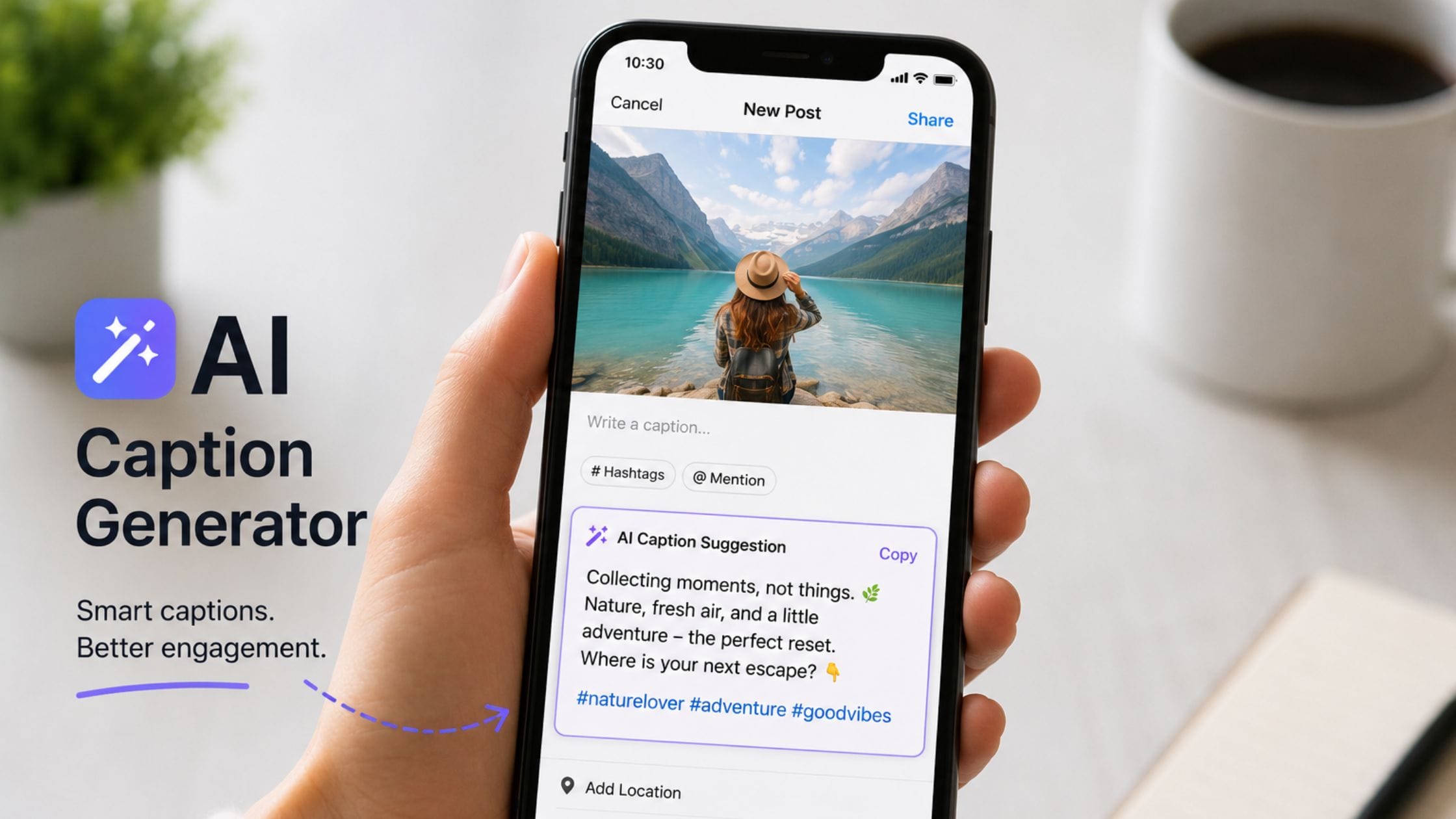
8 Best AI Caption Generators for Instagram and TikTok
I am looking at a picture I just. I have no idea what to say about it. This is a problem for people who make content. It is a problem that AI caption generators were made to solve. The right tool can take an idea and turn it into a few good options in just a few seconds. It can match the way I talk the platform I am using and how words I can use. I do not have to start from scratch every time. This guide is about the AI caption generators for Instagram and TikTok in 2026. It talks about what each one’s good, at and how to choose the right one for the way I work with Instagram and TikTok.
Why an AI Caption Generator Actually Helps
A caption generator does not take the place of your voice it takes away the problem of a page that usually takes more time, than the actual writing. Give it a description of your photo or video a tone and a platform and it gives you a few starting ideas you can choose from adjust or rewrite instead of looking at an empty text box waiting for the right first line.
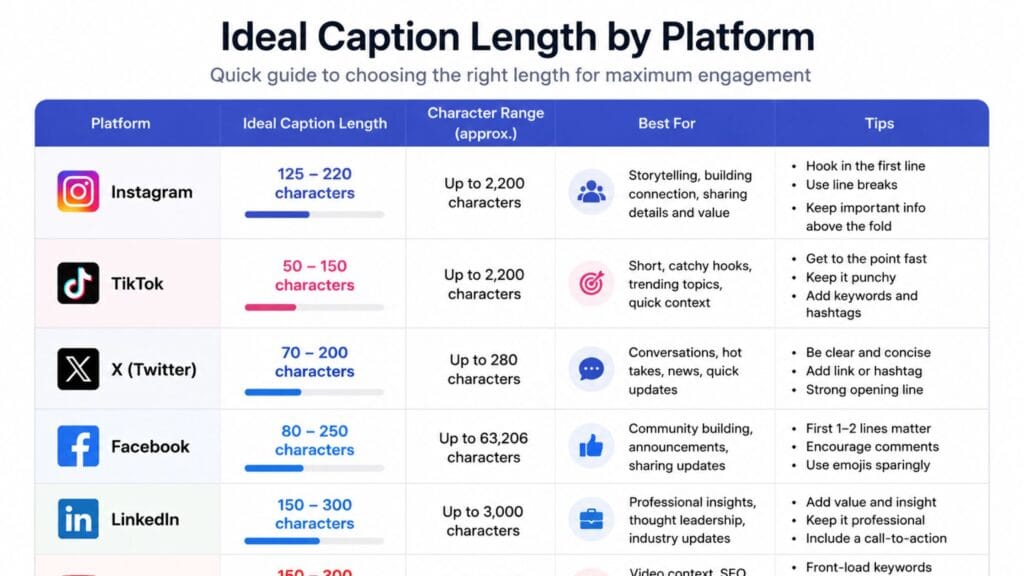
The tools worth using treat platform differences as a real constraint rather than an afterthought. Instagram captions can run long and reward a strong hook in the first line before the fold, TikTok captions tend to work better short and punchy and a generic caption written with no platform in mind usually reads like it was written with no platform in mind.
How We Compared These Tools
This list favors tools with a genuinely usable free tier or a free starting point, since most creators want to test a caption generator before committing to a subscription. Each entry was judged on how well it adapts tone and length to a specific platform, how much editing its output typically needs before you would actually post it and whether it does one thing well rather than burying caption writing inside a much larger, unrelated feature set.
Quick Comparison Table
| Tool | Best For | Free Tier | Platform Focus |
| ChatGPT | Free, flexible caption writing | Yes, generous | Any platform, manual prompting |
| Canva Magic Write | Captions inside a design workflow | Yes, limited monthly uses | Instagram, general social |
| Copy.ai | Multiple tones across platforms | Yes, limited | Instagram, TikTok, general marketing |
| Jasper | Consistent brand voice for teams | No, paid only | Multi-platform, brand-focused |
| Later | Captions paired with hashtag data | Yes, limited | Instagram-focused, multi-platform scheduling |
| Flick | Instagram-specific formats | Yes, limited | Instagram Reels, carousels, Stories |
ChatGPT: Best Free All-Around Caption Writer
ChatGPT remains the most flexible starting point for caption writing simply because it is free, widely available and capable of matching almost any tone you describe, witty, sincere, sarcastic or promotional. Describe your photo or video, name the platform and ask for several options in different lengths and you will typically get usable starting points within a single prompt.
The tradeoff is that ChatGPT has no built-in platform awareness or hashtag research the way a dedicated social tool does, so you are responsible for specifying character limits, tone and format every time rather than the tool inferring it automatically. For creators comfortable writing a clear prompt, that tradeoff is a small price for a genuinely free, highly capable option.
Canva Magic Write: Best Built Into a Design Workflow
Canva’s Magic Write feature generates captions directly inside the same interface where many creators are already designing their post, which removes the step of switching between a separate writing tool and your design software. Canva’s own platform builds this caption tool into its broader design suite, so you can generate a caption, adjust it and drop it straight into a caption field without leaving the app.
The free tier includes a limited number of Magic Write uses per month, which is enough for occasional use but will feel restrictive for creators posting daily. For anyone who already designs graphics in Canva, the convenience of writing the caption in the same place is a genuine time saver even with that limit.
Copy.ai: Best for Multiple Tones and Platforms
Copy.ai was built as a general marketing copy tool and its caption generator inherits that flexibility, letting you pick a content type, describe your topic and choose a tone ranging from witty and casual to formal and persuasive. This makes it a strong fit for marketers who need captions across several different platforms and brand voices in the same session rather than one consistent personal style.
Its free tier covers light use well and the output tends to need moderate editing to sound less like generic marketing copy and more like an individual creator’s voice, which is worth budgeting time for if authenticity matters for your brand.
Jasper: Best for Brand Voice Consistency
Jasper targets teams and brands that need captions to sound consistent across many posts and multiple people writing them, using brand voice profiles that the tool references on every generation rather than starting from a blank prompt each time. This consistency is genuinely hard to maintain manually once more than one person is writing captions for the same account.
Jasper has no free tier, which makes it a harder sell for individual creators testing the caption generator category for the first time. It earns its cost specifically for small marketing teams managing multiple accounts or a high volume of posts where brand consistency has real business value.
Later: Best Caption and Hashtag Combo
Later combines AI caption writing with its existing hashtag research and post-scheduling tools, which matters if you already use it to plan content and want captions generated in the same workflow rather than a separate app. This pairs naturally with hashtag strategy, a topic covered in more depth in our TikTok hashtags generator guide, since caption tone and hashtag selection tend to work best when planned together rather than as two disconnected steps.
The free tier is limited but functional for testing whether the combined caption and hashtag workflow actually saves you time compared to using separate tools for each task.
Flick: Best Instagram-Specific Optimization
Flick focuses specifically on Instagram rather than trying to cover every platform equally and that focus shows in how it adapts suggestions to Instagram’s specific formats, Reels captions, carousel descriptions and Stories text, each with slightly different conventions the tool accounts for automatically. For creators who post primarily to Instagram, that platform-specific tuning tends to produce output that needs less editing than a generalist tool.
The narrower focus is also its limitation: creators managing captions across several very different platforms will likely need a second tool alongside Flick rather than relying on it for everything.
Writing a Prompt That Actually Works
The single biggest difference between a usable caption and a generic one comes down to how much context you give the tool before it starts writing. A prompt that says write me an Instagram caption produces exactly the flat, forgettable result you would expect, while a prompt that describes the photo, the occasion, your usual tone and roughly how long you want the result gives the tool enough to actually work with.
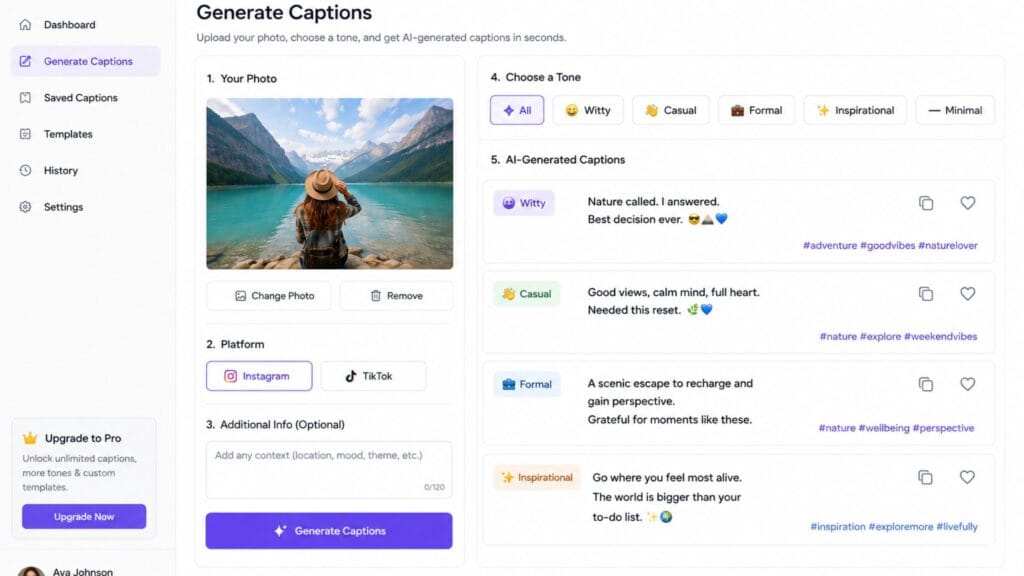
A reliable structure looks like this: describe what is in the image or video, name the platform, give one or two adjectives for tone and specify a rough length. Something like a photo of a finished pottery piece, for an Instagram post, warm and a little proud, two sentences with one emoji, will consistently outperform a one-line request, regardless of which tool you are using.
Asking for three to five options in the same prompt is also worth doing by default, since AI caption tools vary in quality run to run and picking the best of several options takes less time than regenerating one at a time until something clicks.
Common Mistakes That Make AI Captions Sound Fake
Posting the very first output without any edit is the single most common mistake, since even a strong AI caption tends to carry small tells, an overly formal transition, a stock phrase or an emoji placement that reads as slightly off for your usual voice. A quick pass to swap in your own phrasing for the opening line alone usually fixes most of this.
Overloading a prompt with too many instructions at once, tone, length, hashtags, a call to action and a joke, tends to produce a caption that tries to do everything and reads as unfocused. Asking for one clear thing at a time, then combining the best pieces yourself, generally beats asking a single prompt to do it all.
Reusing the same caption structure across every post is another quiet giveaway, since real accounts naturally vary their opening lines and rhythm over time. Rotating between a question opener, a statement opener and a story opener across different posts keeps AI-assisted captions from settling into a detectable pattern.
How to Choose the Right Tool for Your Workflow
If you want the lowest-cost, most flexible starting point and do not mind writing a clear prompt, ChatGPT covers the widest range of tones and platforms for free. If you already design your posts in Canva, Magic Write saves a real step by keeping caption writing in the same workspace as your graphics.
Reach for Copy.ai or Jasper specifically when captions need to match a consistent brand voice across multiple people or platforms, with Jasper being the stronger fit once a small team is involved rather than a single creator. Choose Later if hashtag research and scheduling are already part of your workflow and choose Flick if Instagram is genuinely your primary platform and format-specific tuning matters more than broad coverage.
Once you have a caption you like, pairing it with a distinctive style, bold lowercase text, a lyric-style line or a stylized graphic, is where a tool like the Brat Lyric Generator comes in, turning a plain AI-written caption into something with more visual identity before you post it.
For a broader collection of free text and font generator tools to style whatever caption you land on, it is worth exploring what else is available on the same site once your wording is finalized.
FAQs
What is the best free AI caption generator?
ChatGPT is the strongest free option for most creators because of how flexible it is across tones and platforms, provided you are comfortable writing a clear, specific prompt. Canva Magic Write is a close second for anyone already designing posts in Canva, though its free tier has a monthly usage limit.
Do AI caption generators write hashtags too?
Some do. Tools built for social media management, like Later, often combine caption writing with hashtag suggestions and scheduling in the same workflow, while general-purpose tools like ChatGPT can generate hashtags if you specifically ask for them in your prompt.
How much editing do AI-generated captions usually need?
It varies by tool and how specific your prompt or brief is but most AI-generated captions benefit from at least light editing to sound more like your actual voice rather than generic marketing copy. Tools with brand voice training, like Jasper, tend to need less editing over time as they learn your style.
Is it worth paying for an AI caption generator?
It depends on your volume and needs. Individual creators posting occasionally can usually get by with free tools like ChatGPT or Canva’s limited free tier, while small teams managing multiple accounts or a high posting volume tend to get real value from a paid tool with brand consistency features.
Can AI captions hurt engagement if they sound generic?
Yes, a caption that reads as obviously generic AI output can hurt engagement compared to something that sounds like an actual person wrote it. Treating AI output as a first draft to edit rather than a final answer is the most reliable way to avoid that problem.
Which AI caption generator is best for TikTok specifically?
ChatGPT and Copy.ai both handle TikTok’s shorter, punchier caption style well when you specify the platform in your prompt, since neither is locked into one platform’s format. Instagram-specific tools like Flick are less suited to TikTok since their optimization is built around Instagram’s particular formats instead.
Conclusion
The best AI caption generator for you comes down to how much platform-specific tuning you need and whether brand consistency across multiple people matters for your account. ChatGPT remains the most flexible free starting point for most individual creators, Canva Magic Write saves real time if you already design in Canva and Jasper or Later earn their cost specifically once a team or a heavy scheduling workflow is involved.
If this comparison helped you find a faster way to write captions, share it with someone still staring at a blank caption box or drop a comment with the tool that ended up sticking in your posting routine.